




This is how scheduled orders work
(order for later)
This is how scheduled orders work (order for later)
There are two cases in which grocery customers place a scheduled order ("order for later"):
1. The restaurant is open at the time of ordering.
Let's assume a food customer wants to pre-order a food delivery so that they can place a scheduled order ("order for later") at 7:00 pm when the restaurant is still open.
In this case, the order is immediately forwarded to the order-taking app. The restaurant also receives a clear indication that the date and time of fulfillment are in the future.
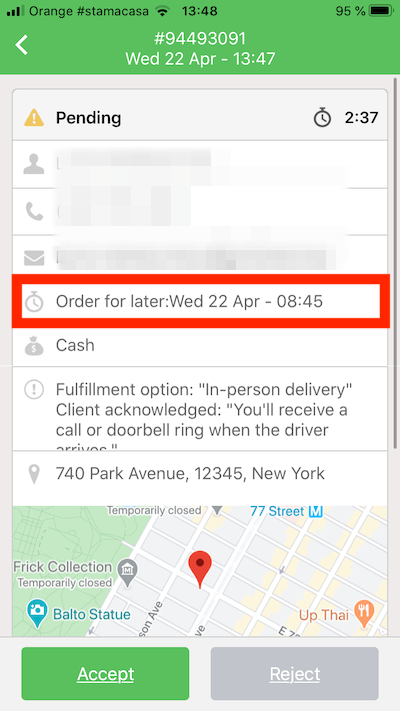
2. The restaurant is closed at the time of the order.
Let's assume the customer wants to pre-order food online and places a scheduled order ("order for later") at 3 a.m., when the restaurant is closed.
In this case, the order will be placed in a queue until the restaurant opens the next day.
The pending order will be transferred to the order acceptance app at the opening time that was specified in the account when the order was placed.
Since the customer is not waiting on the screen, the restaurant has 15 minutes to confirm the orders that accumulate in the queue during closing time (for real-time orders where the customer is waiting on the screen, the restaurant only has 3 minutes). Once the order is pushed, there is again a clear indicator of the date and time of fulfillment.
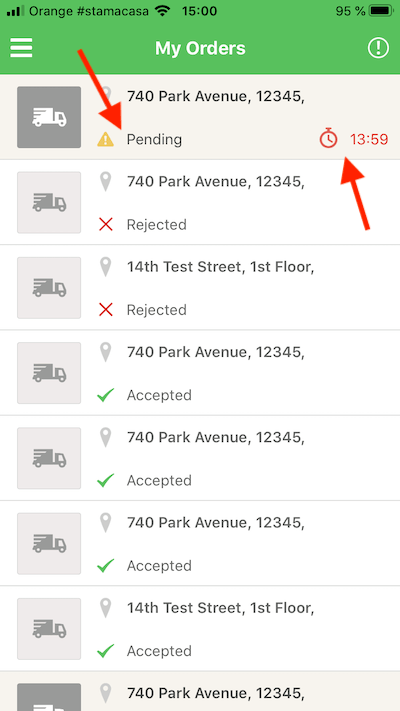
If the customer places an "order for later" and the restaurant is closed, they will be informed that their order will be accepted when the restaurant opens.
Note: Grocery customers can cancel orders in the queue until they are redirected to the order-taking app.
To ensure the restaurant doesn't miss any pending orders, the order-taking app should be visibly running in the foreground when opening. They should also make sure the charger is plugged in at all times.
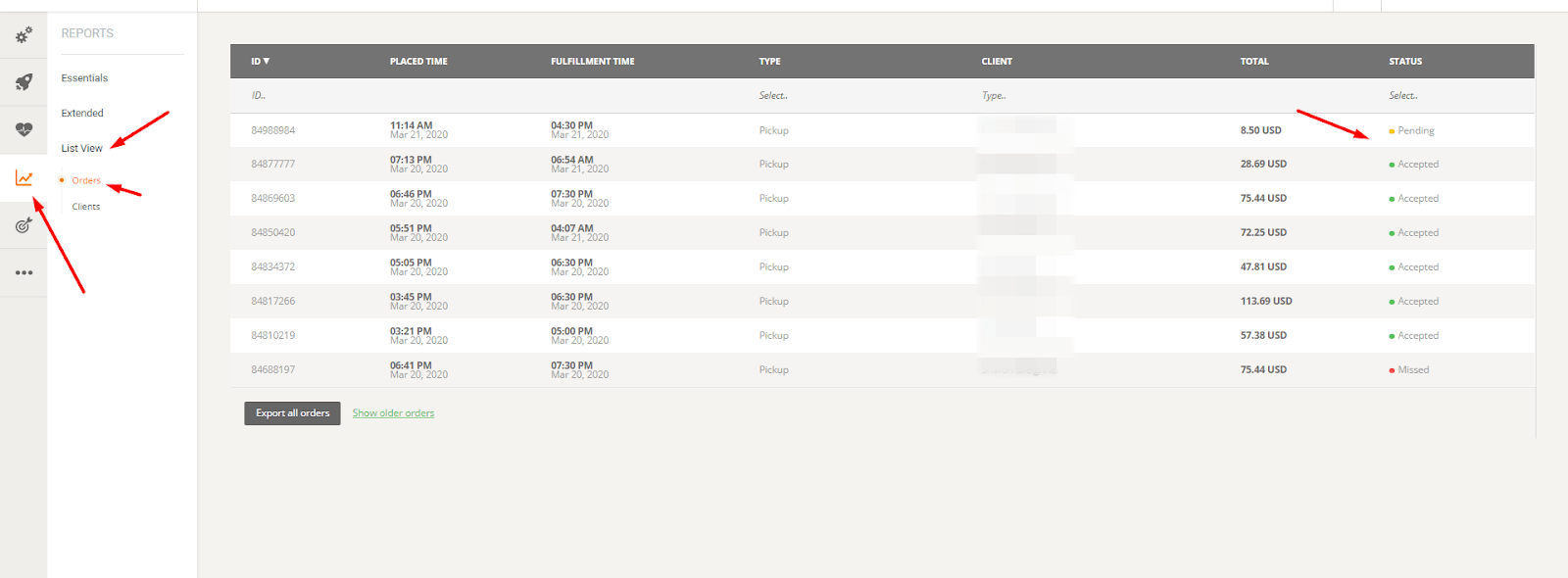
All orders in the queue can be previewed in Admin -> Reports -> List View -> Orders.
Custom delivery slots - setup
The restaurant can set custom delivery slots as follows:
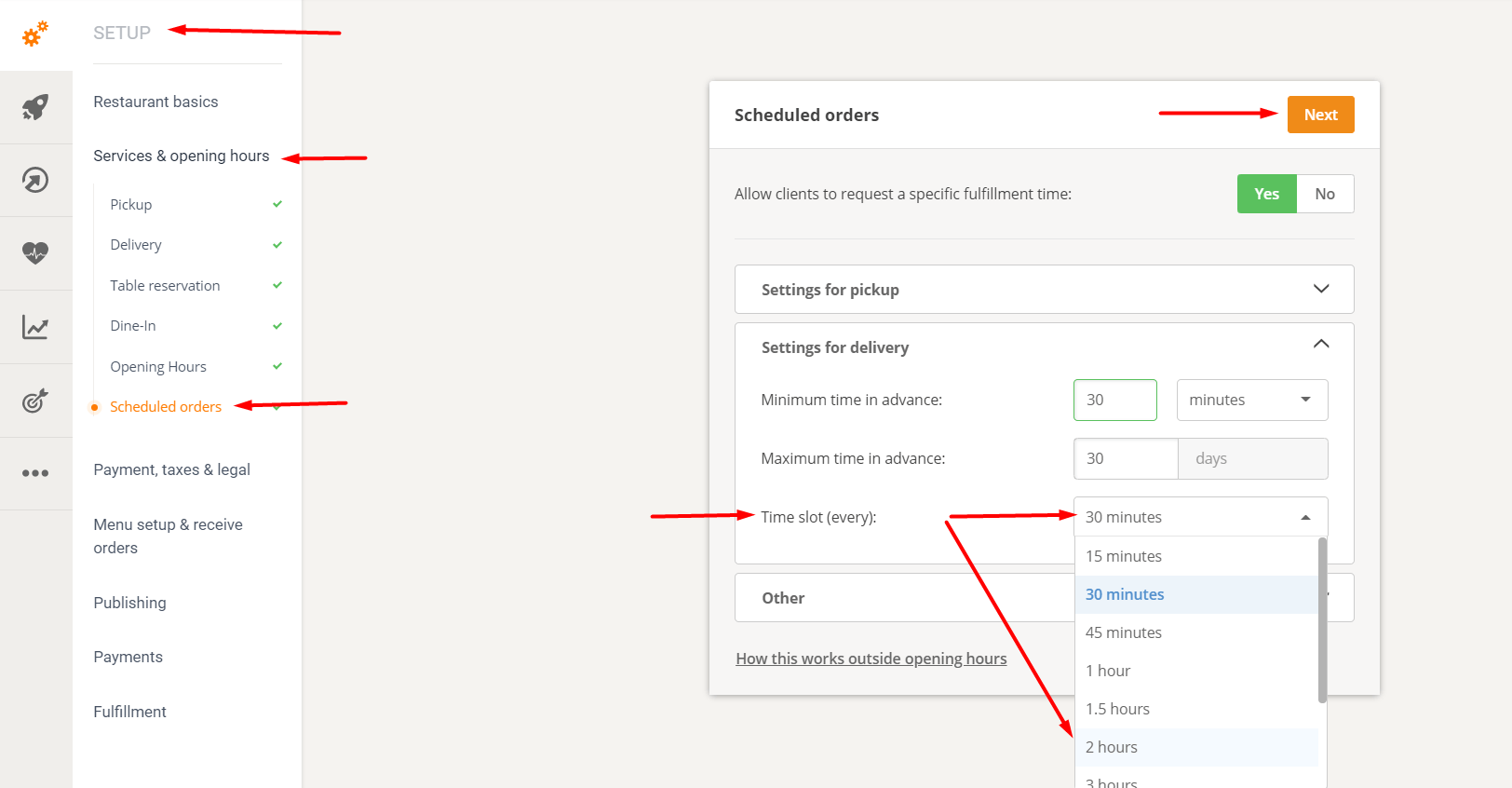
This means that restaurants, instead of delivering food at fixed times, can now deliver between intervals, such as:
- 14:30-15:00 (half-hour interval)
- 14:00-16:00 (2-hour interval)
- and more
This is how the time windows are displayed in the order widget (the example given is for a 30-minute interval):
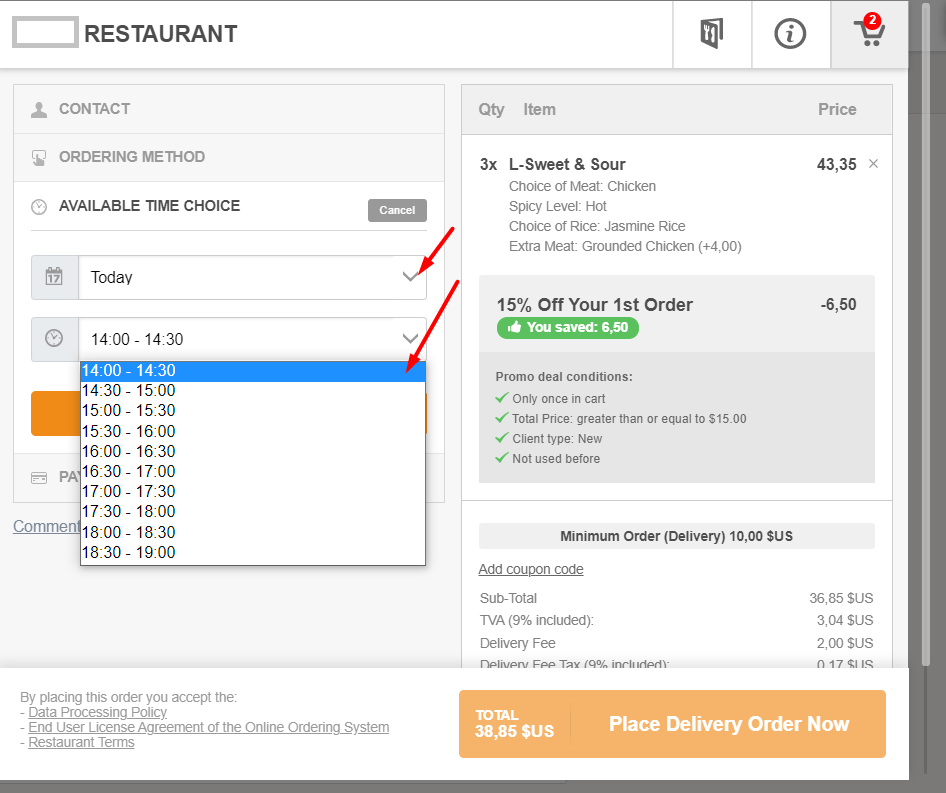
Limit the number of scheduled pickup and delivery orders per time slot.
When is it necessary?
For example, there are too many scheduled orders for delivery at a particular time of day (e.g., dinner), and the restaurant does not have enough drivers or sufficient kitchen capacity to prepare all the orders.
Where can you find these settings?
Admin panel -> Other -> Advanced settings -> Limit scheduled orders
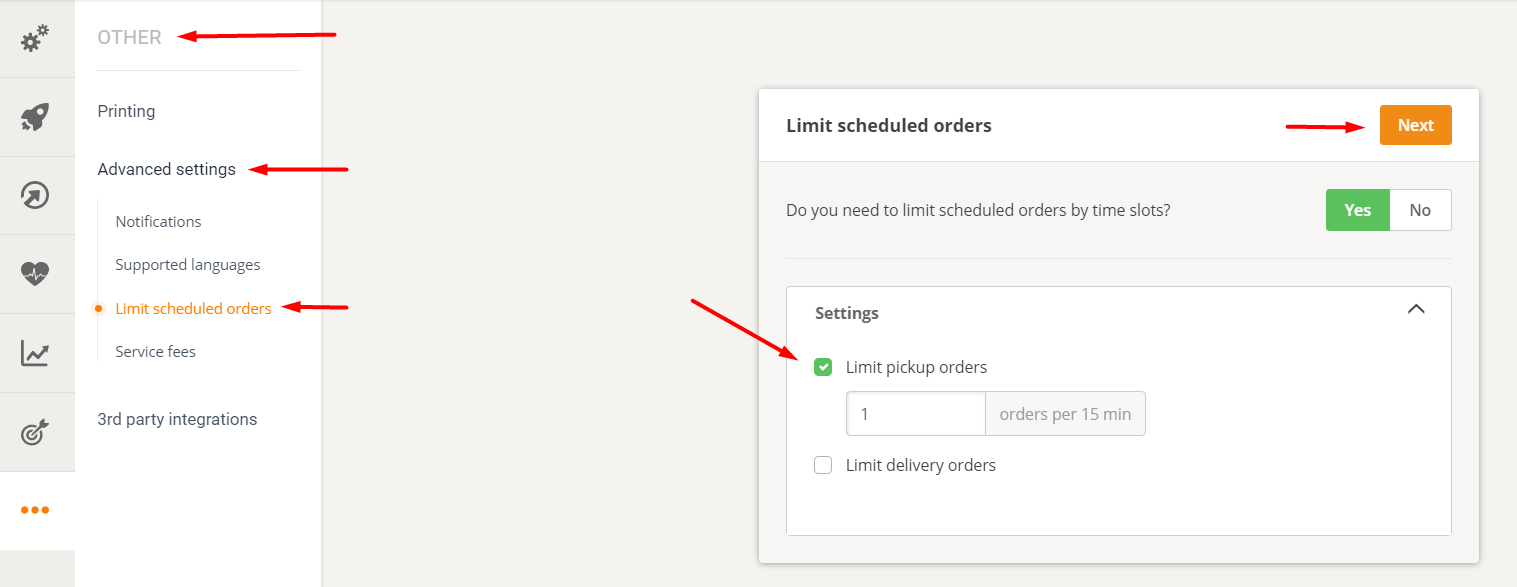
How does it work?
The restaurant can choose whether one or both restrictions are activated.
- For pickups: The limit is always defined in 15-minute intervals.
- For delivery: The time window is the same as what the restaurant has defined in Setup -> Services & Opening Hours -> Scheduled Orders.
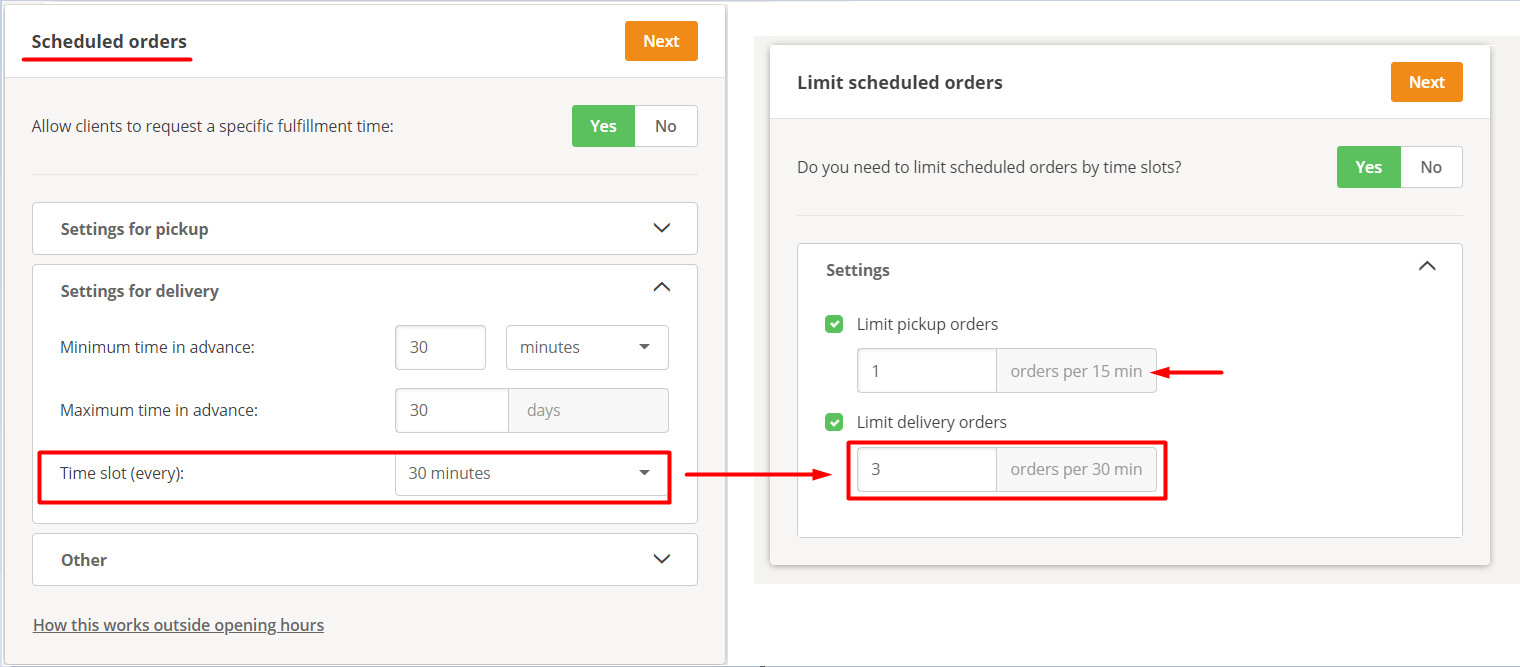
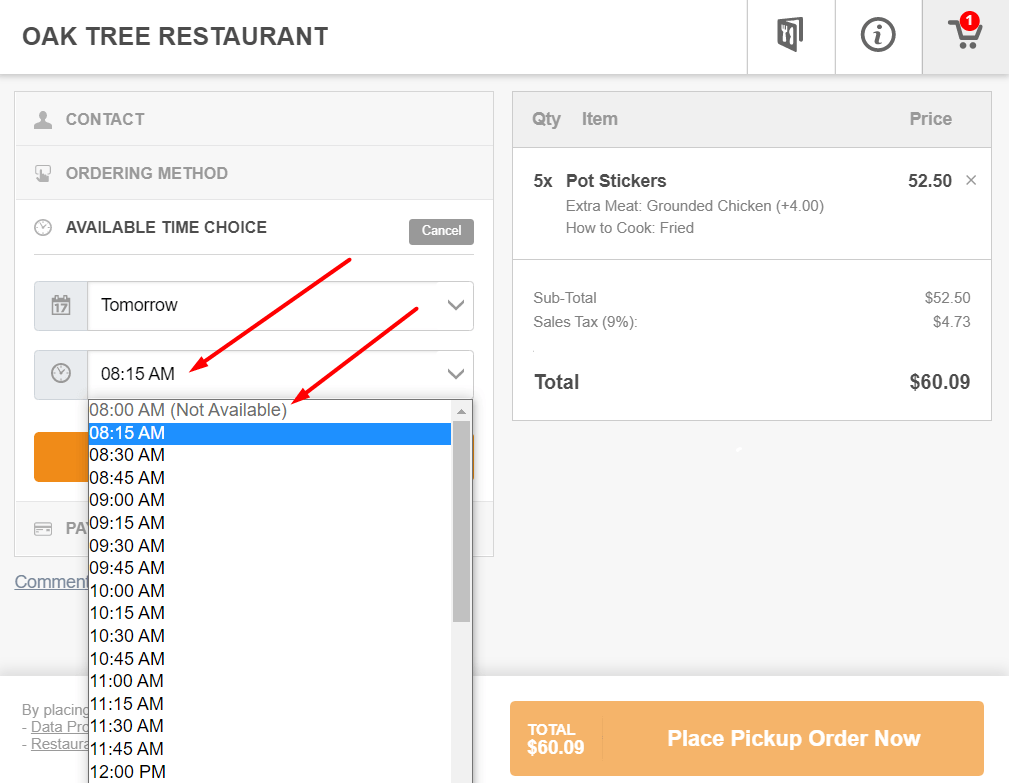
This is what it looks like for the food customer.
Once the limit for a slot is reached, the slot will be displayed as unavailable in the order widget. The first available slot will be automatically preselected.
In summary: Finalize the restaurant's menu, add pictures of the food, then publish it prominently on the website and make sure everyone knows that the restaurant now offers online ordering through its website.