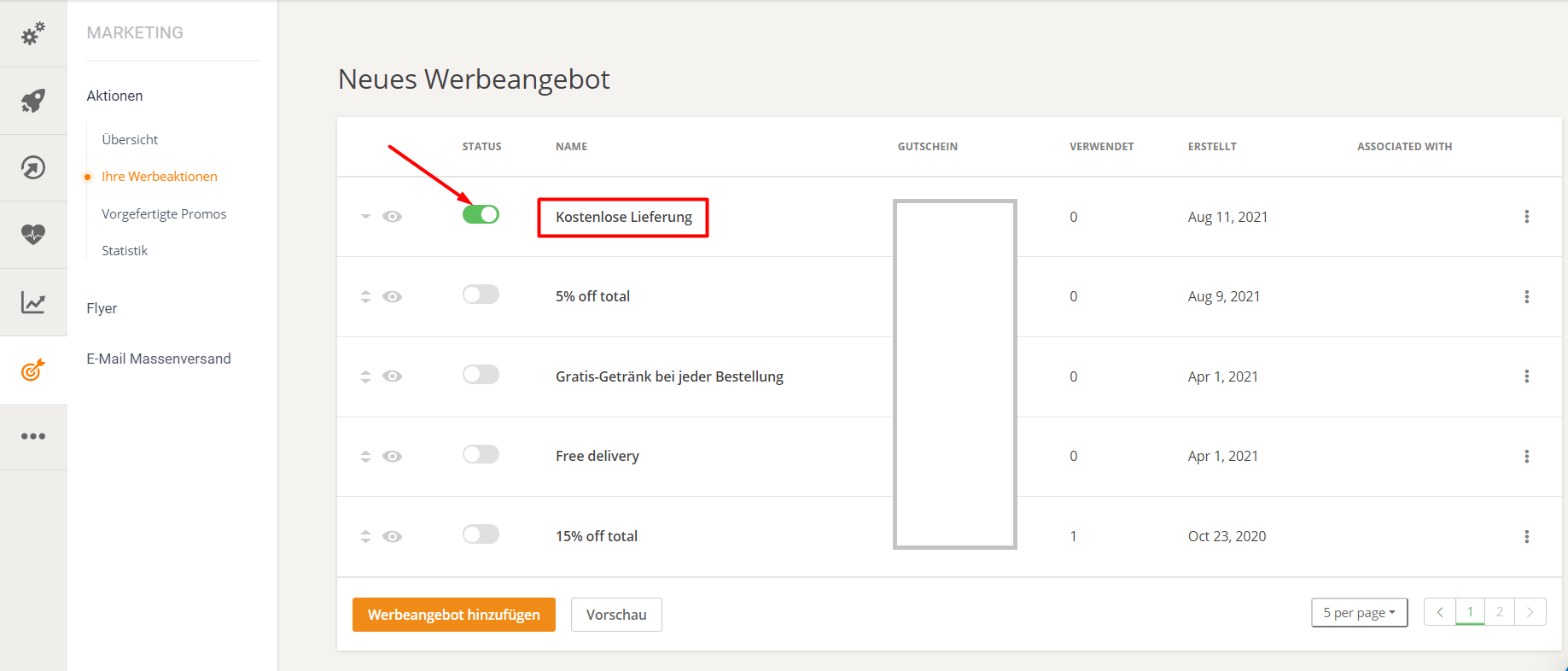
Set up a restaurant promotion with free delivery.
Set up a restaurant promotion with free delivery.
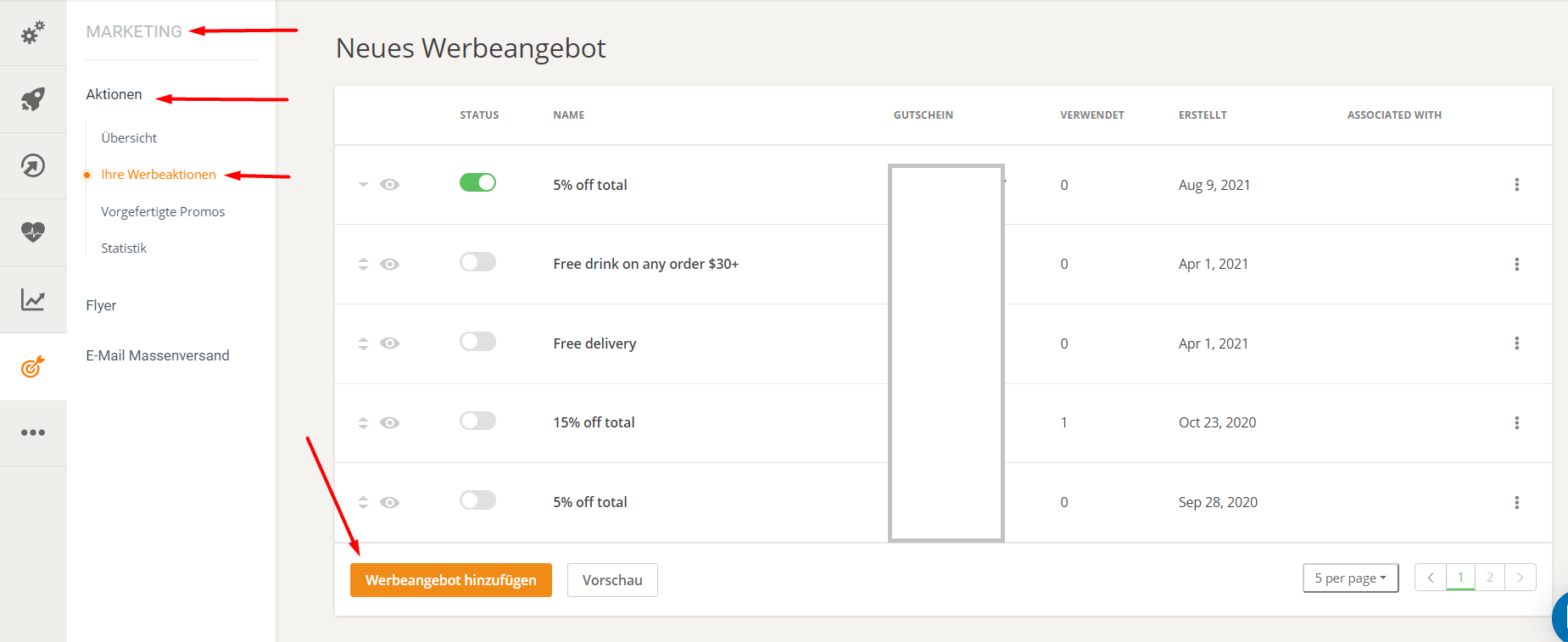
A free delivery promotion is a good marketing strategy if the restaurant wants to encourage spending and increase the average order value. To set up a restaurant promotion with free delivery, go to Admin -> Marketing -> Custom Promotions -> Add Promotion.
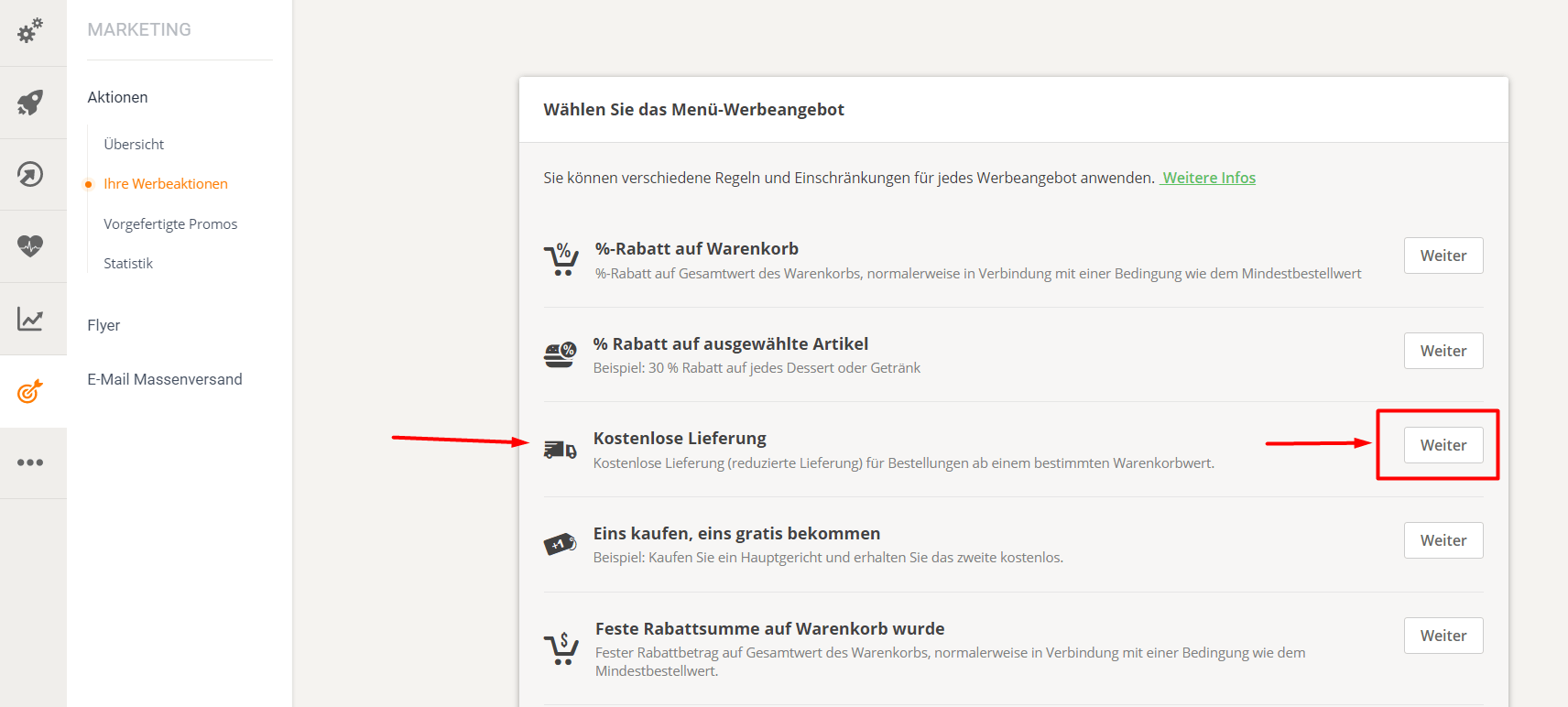
Click the "Next" button for free delivery to get started and create a promotion in just 3 steps.
1. Customize the promotion by editing the headline and description (although it's better to leave them blank) and changing the promotion's image.
The headline should always read "Free Delivery" to clearly state what the promotion is about.
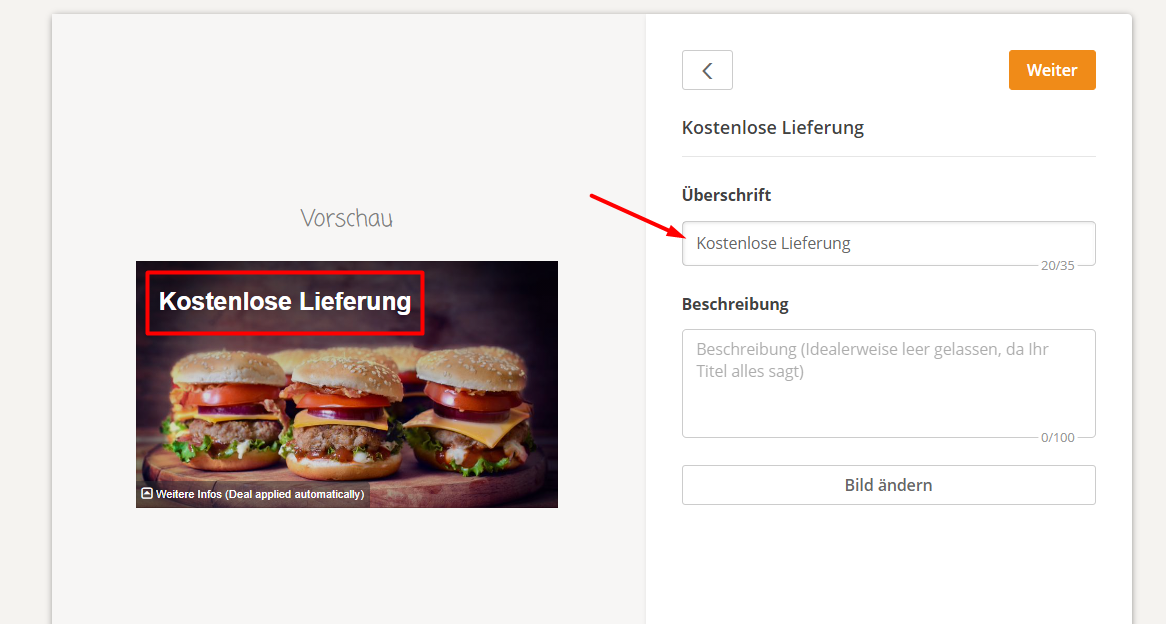
Click "Next" to proceed to the second step.
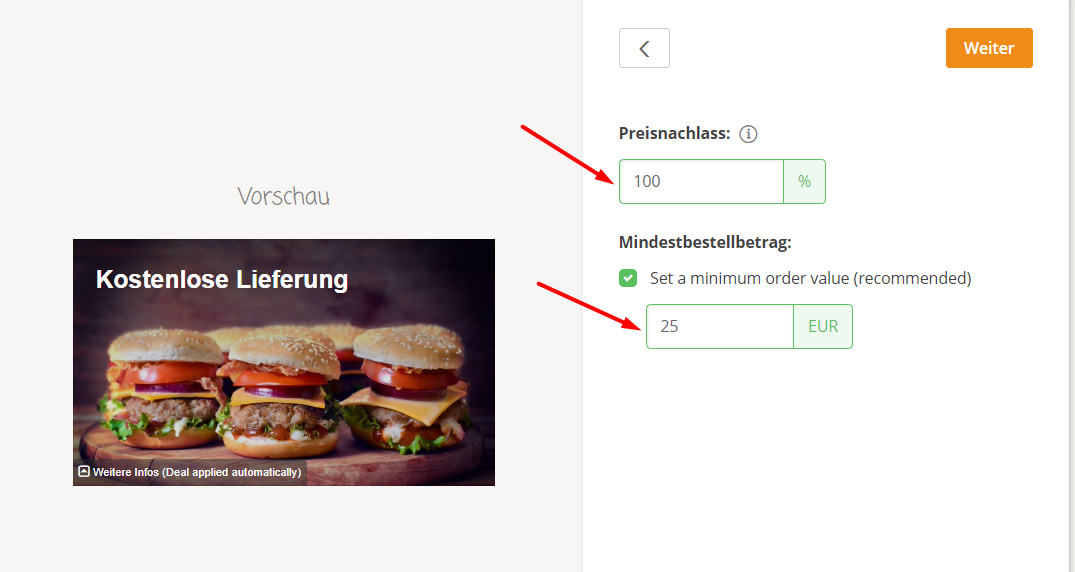
2. Set the delivery discount. To completely eliminate the delivery fee, always keep the discount at 100%.
It is also advisable to set a minimum order value to ensure that the restaurant still makes a profit.
3. For this step, the settings can be left as they are – everything is already configured for free delivery. Once all these details are clarified, click "Save" to save the changes.
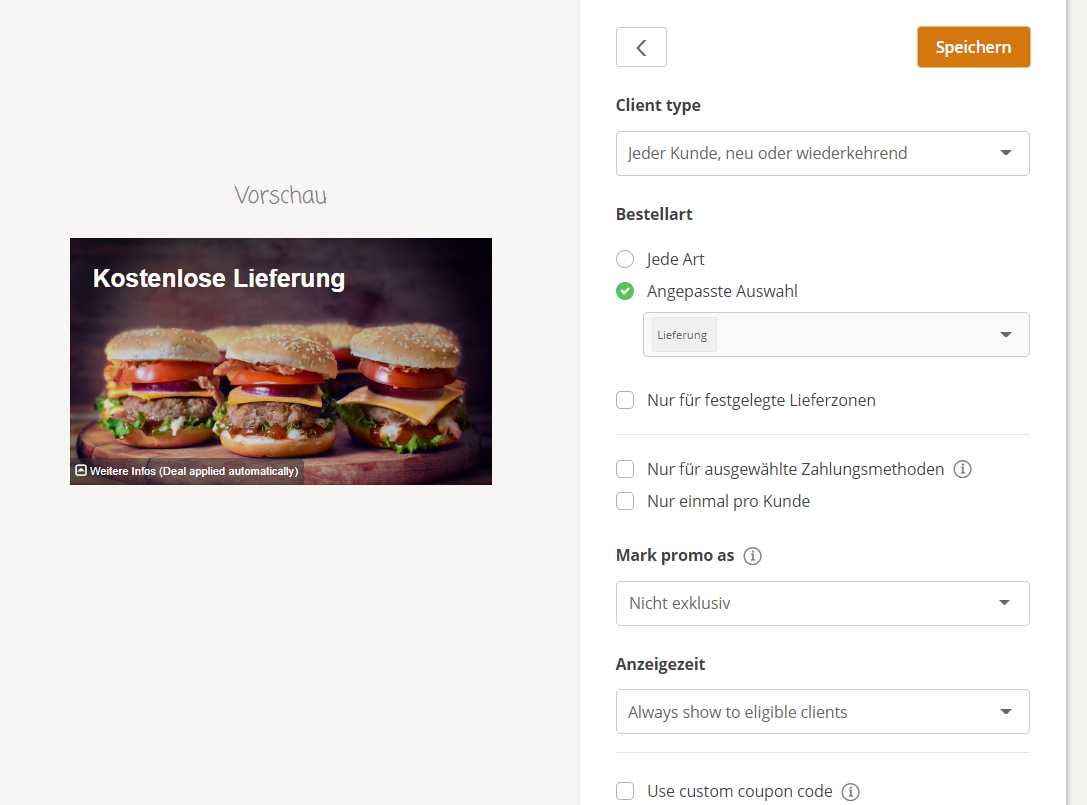
After setting up the promotion, make sure you activate it so that grocery customers can use it when ordering: