



Invite grocery customers to order online - Kickstarter
Invite grocery customers to order online - Kickstarter
Many restaurants maintain a list of existing food customers who ordered offline or by phone before implementing an online ordering system. These existing customers provided the restaurant with their phone numbers or email addresses to be informed about new ordering options, menu changes, special offers, holidays, etc.
However, not all restaurants have someone to carefully manage ongoing communication with such individuals using a professional messaging system like Twilio, MailChimp, SendGrid, etc. Therefore, this customer list is rarely or never used in many restaurants, even when it's most needed.
Using the ordering system, restaurants can leverage their existing customer database for an online food marketing strategy by importing contacts (emails and phone numbers) and inviting them to order online.
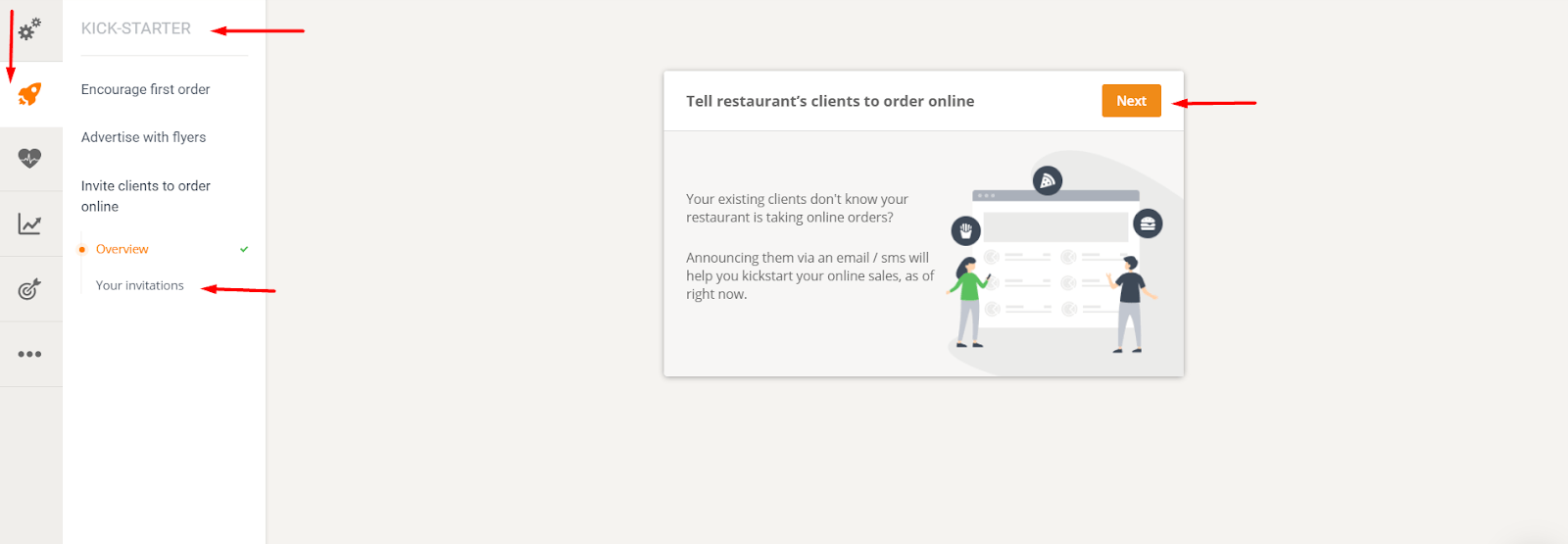
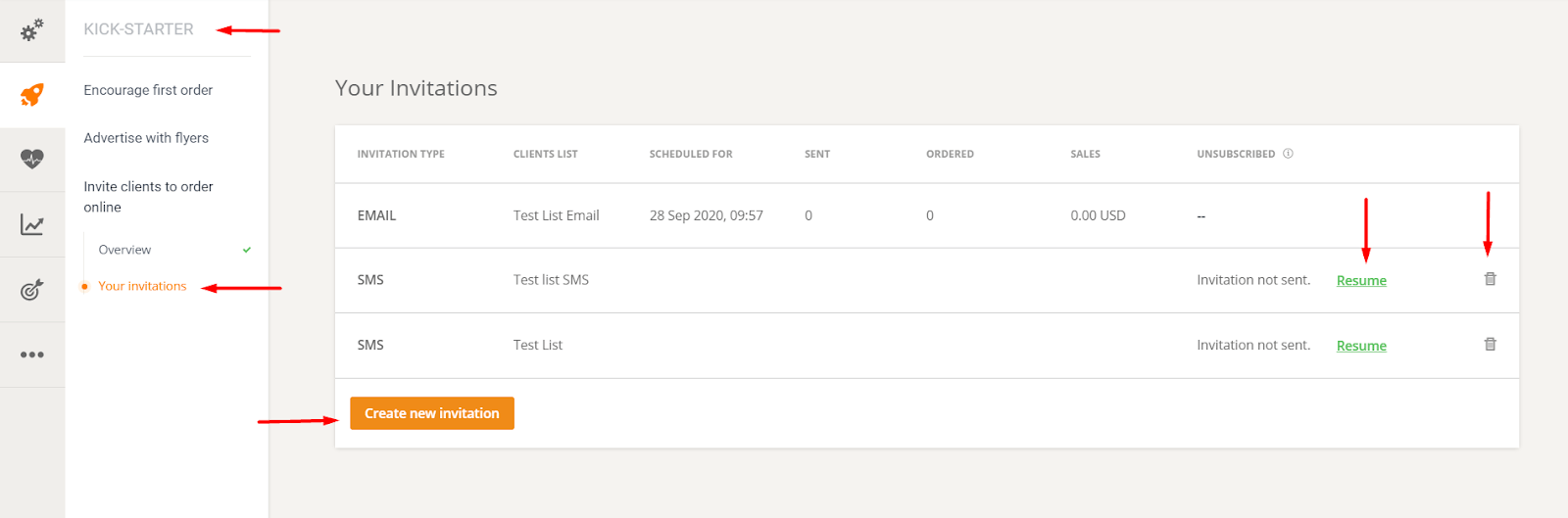
The import function is located in the Kickstarter section -> Invite customers to order online -> Your invitations:
Autopilot campaigns available
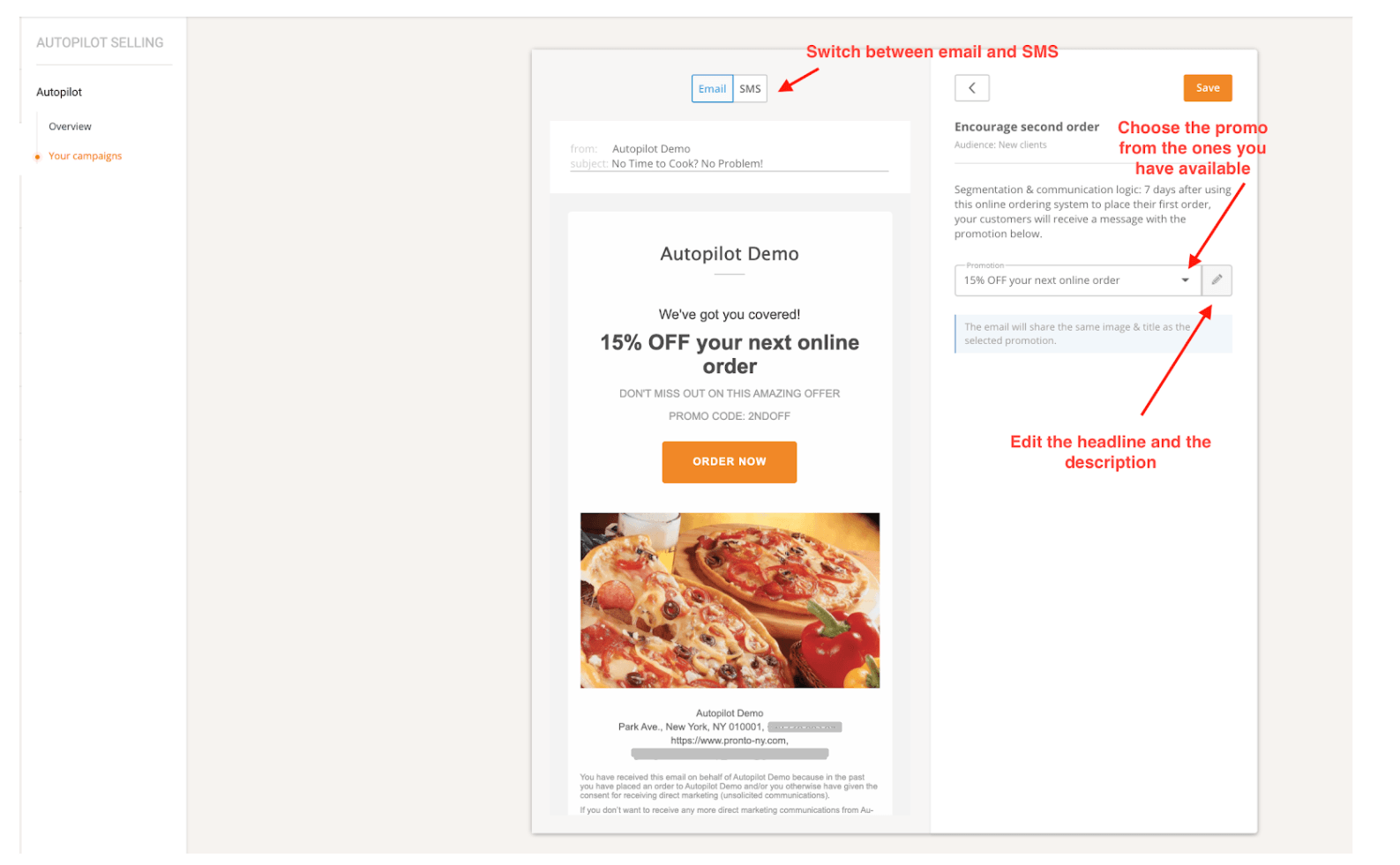
There are 3 Autopilot campaigns available:
1. Encourage the second order
The key to customer retention is to turn the restaurant's one-time customers into regular customers as quickly as possible.
- Recipients: Customers who recently placed their first online order
- Message type: Email and/or SMS
- Timeframe: 7 days after the first order
The restaurant can choose between sending email or SMS invitations, as follows:
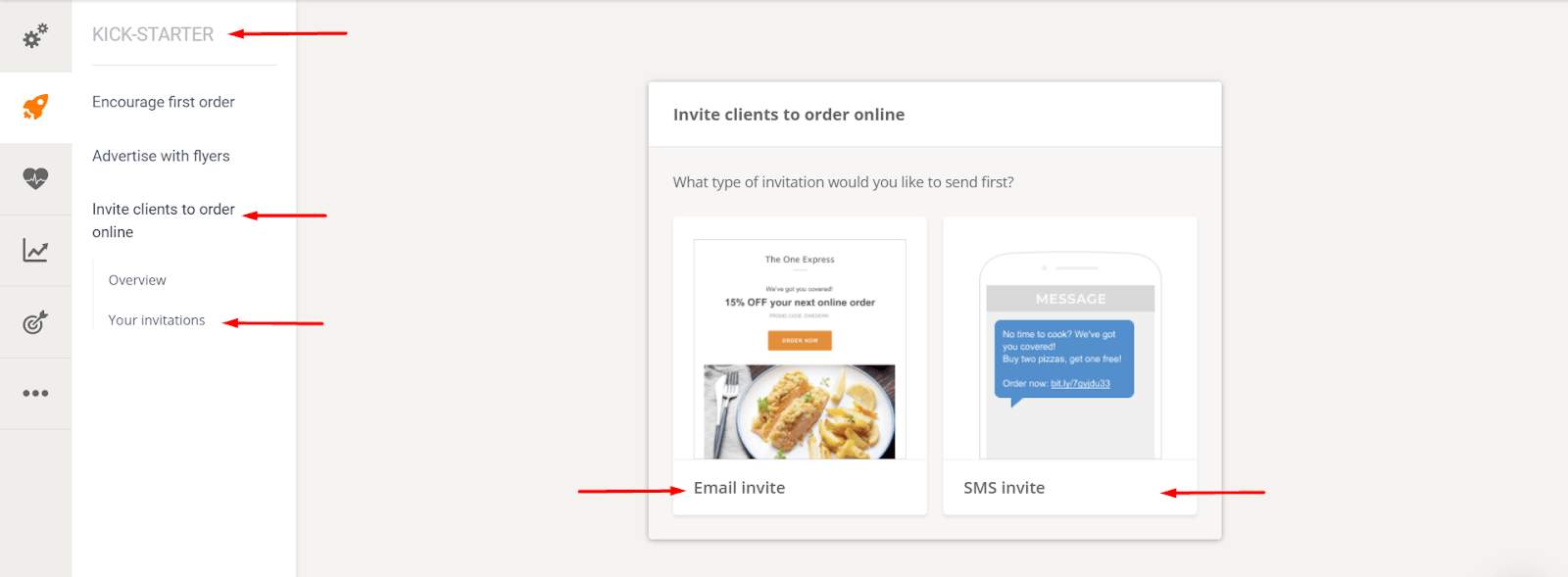
However, once one invitation type is complete, the restaurant can always go back and choose to send the alternative invitation type as well.
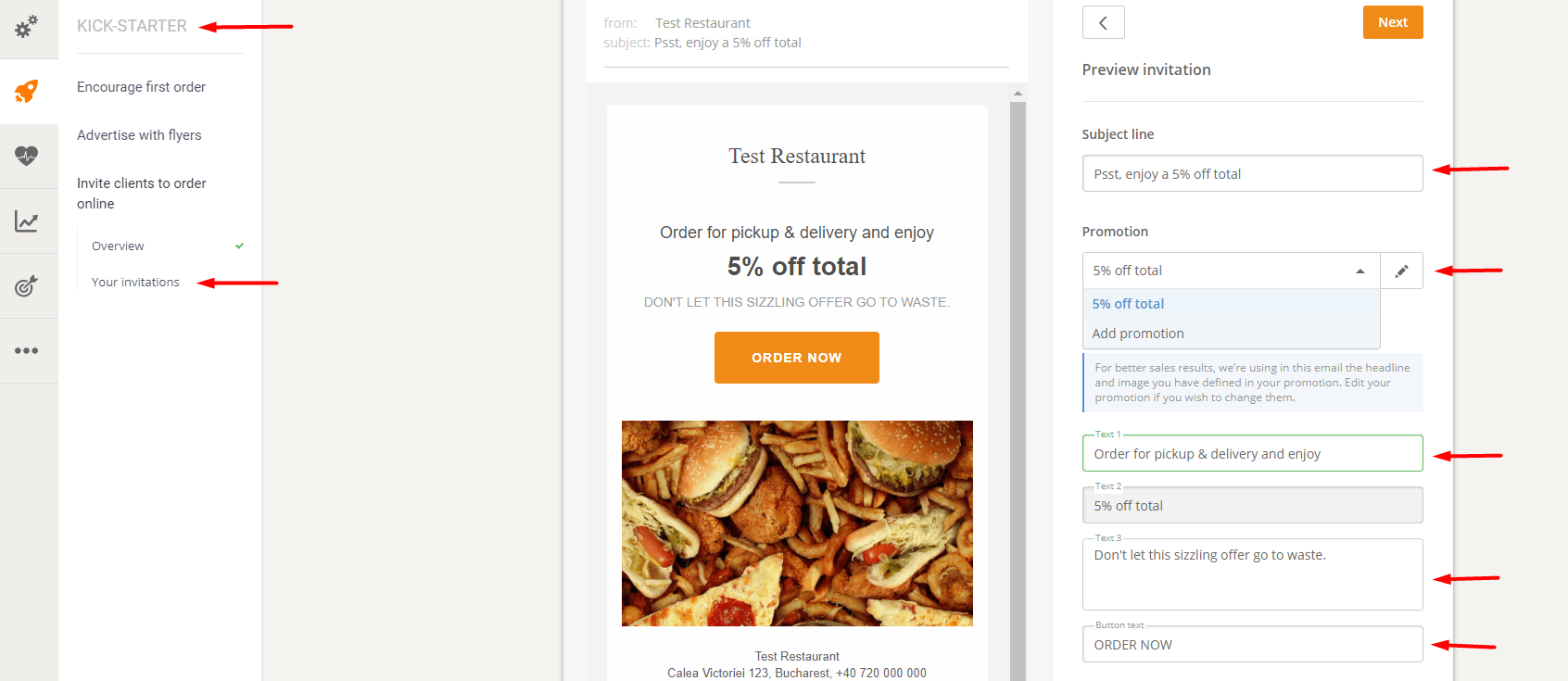
Once the type of invitation has been selected, the restaurant can:
- Edit the invitation fields, such as subject line, body text, and button text, for the email invitation. The Promotion field will either automatically populate with the promotion available in the account, or you can select a different option from the dropdown list.
- Edit the invitation text for SMS invitations. The "Promotion" field will either automatically populate with the promotion available in your account or allow you to select a different option from the dropdown list.
Edit email invitation:
Edit SMS invitation:
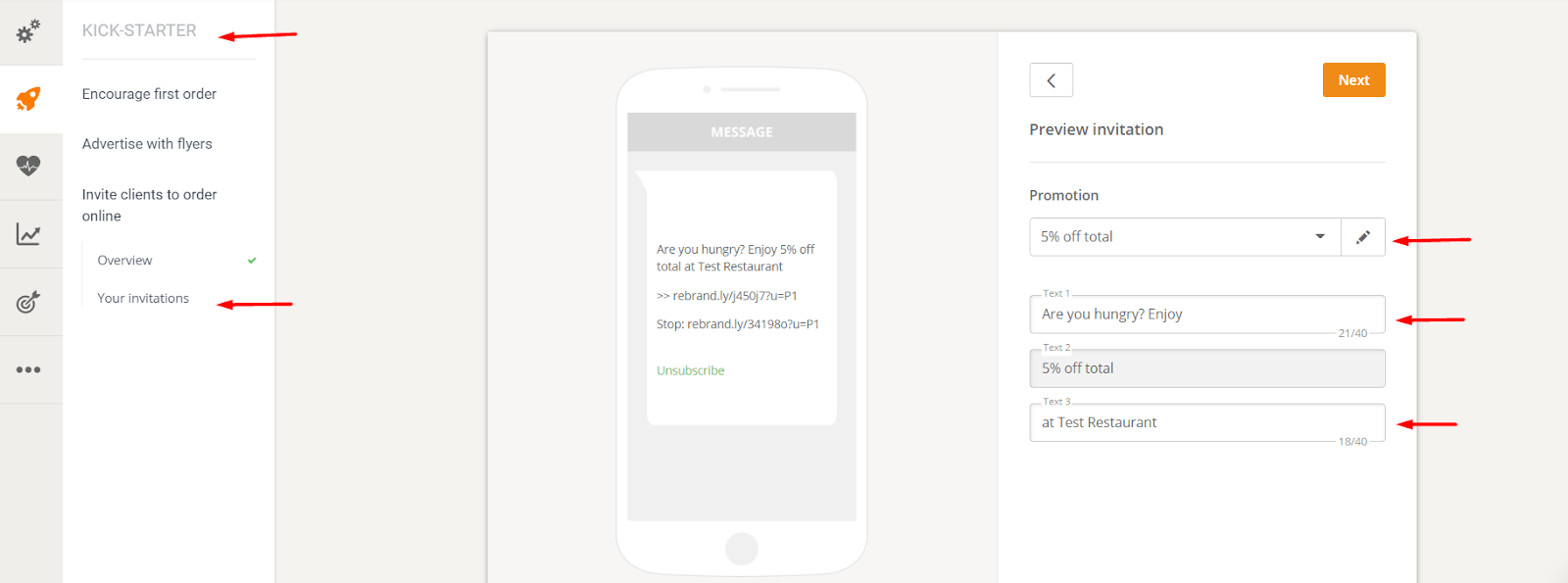
Once the restaurant has processed the invitation, it can import contacts – either email addresses or phone numbers – as follows:
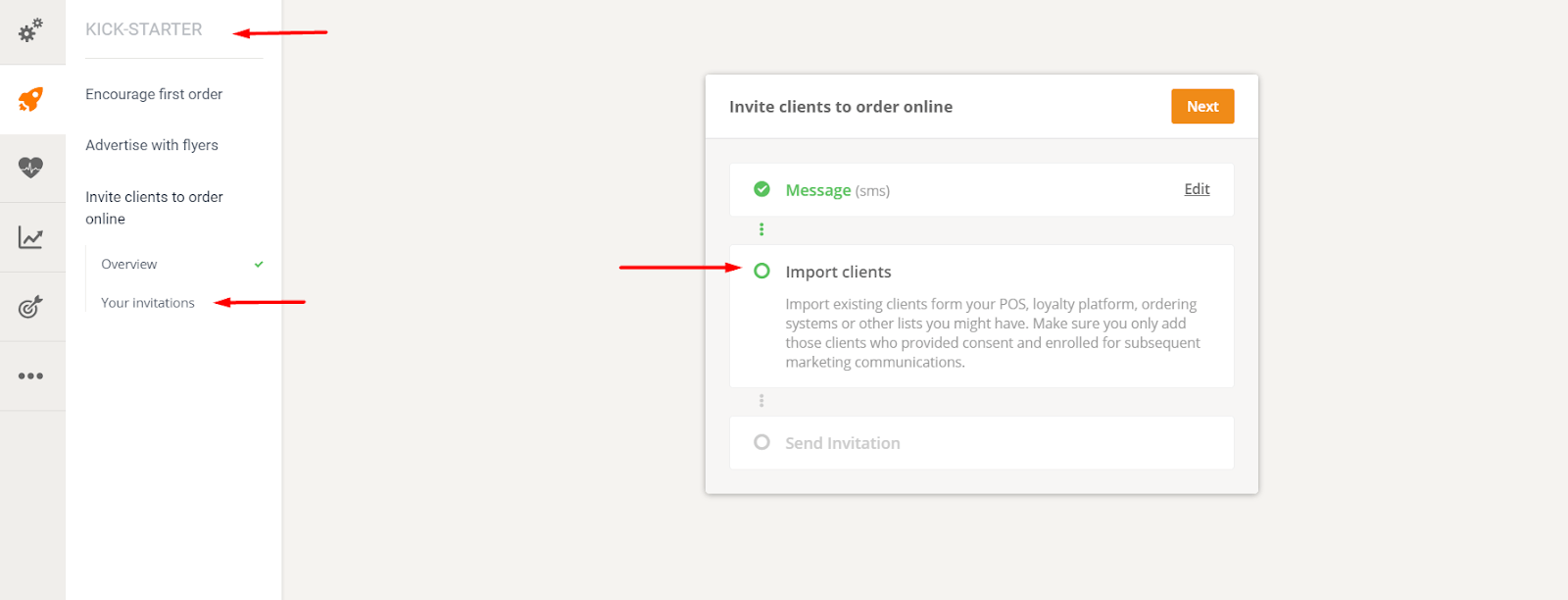
You can either import a CSV file or copy and paste contacts into the system.
In the case of email invitations, the restaurant can send them immediately or schedule them for later, as follows:
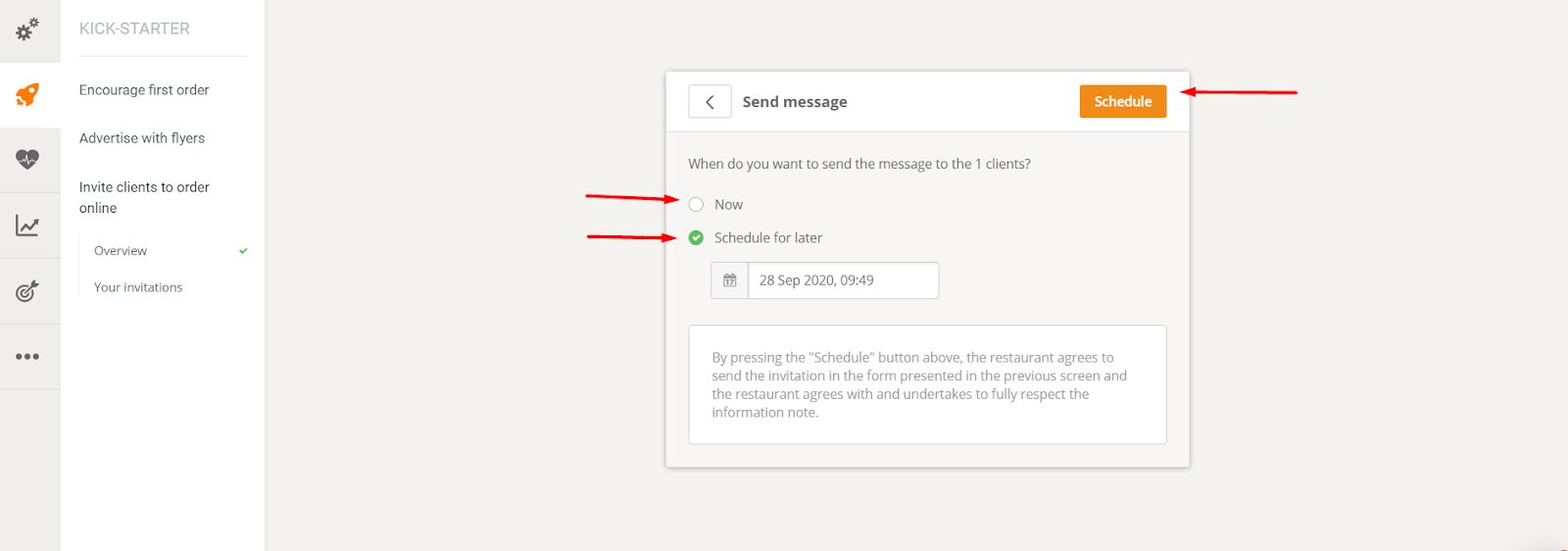
Before sending the invitations, the system checks the contacts to avoid importing invalid or already ordered food customers, etc.
However, before uploading the customer list, please ensure the following:
- These people are actually existing customers of the restaurant who previously ordered offline, online or by phone.
- These individuals have previously agreed to receive unsolicited messages from the restaurant informing them about the new way of ordering online (e.g., ensuring that all individuals who have previously requested to unsubscribe or be removed from the list are no longer on the list).
Even if account holders are unsure about the above-mentioned aspects, it is better to consult a local legal advisor.
Afterwards, some statistics will be available in the "Your Invitation" section (restaurant administration area). Here the restaurant can:
- Track the results of sent invitations (number of invitations sent, number of orders, sales value, unsubscribed contacts)
- Continue/delete an invitation draft
- Create new invitations
Please note that the SMS function may not be available in some countries. If the restaurant does not see any SMS sending options, please contact the system operators again.