




How to accept table reservations
How to accept table reservations
The restaurant can accept table reservations by activating the restaurant account settings as follows:
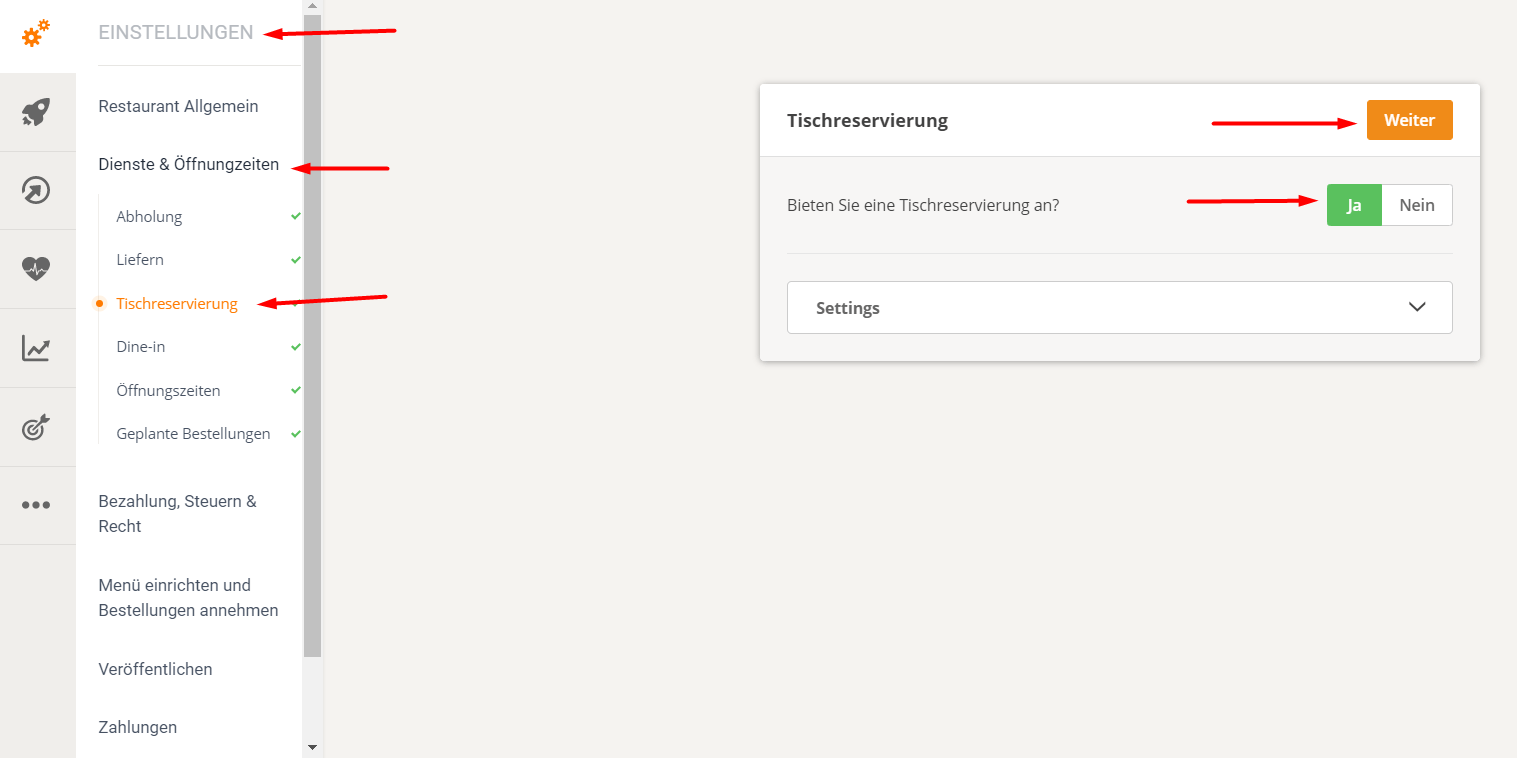
Under the heading "Table Reservation" you will also find the "Pre-order" function. If the restaurant wishes to activate this, it simply needs to click on "Allow guests to pre-order food when making a table reservation".
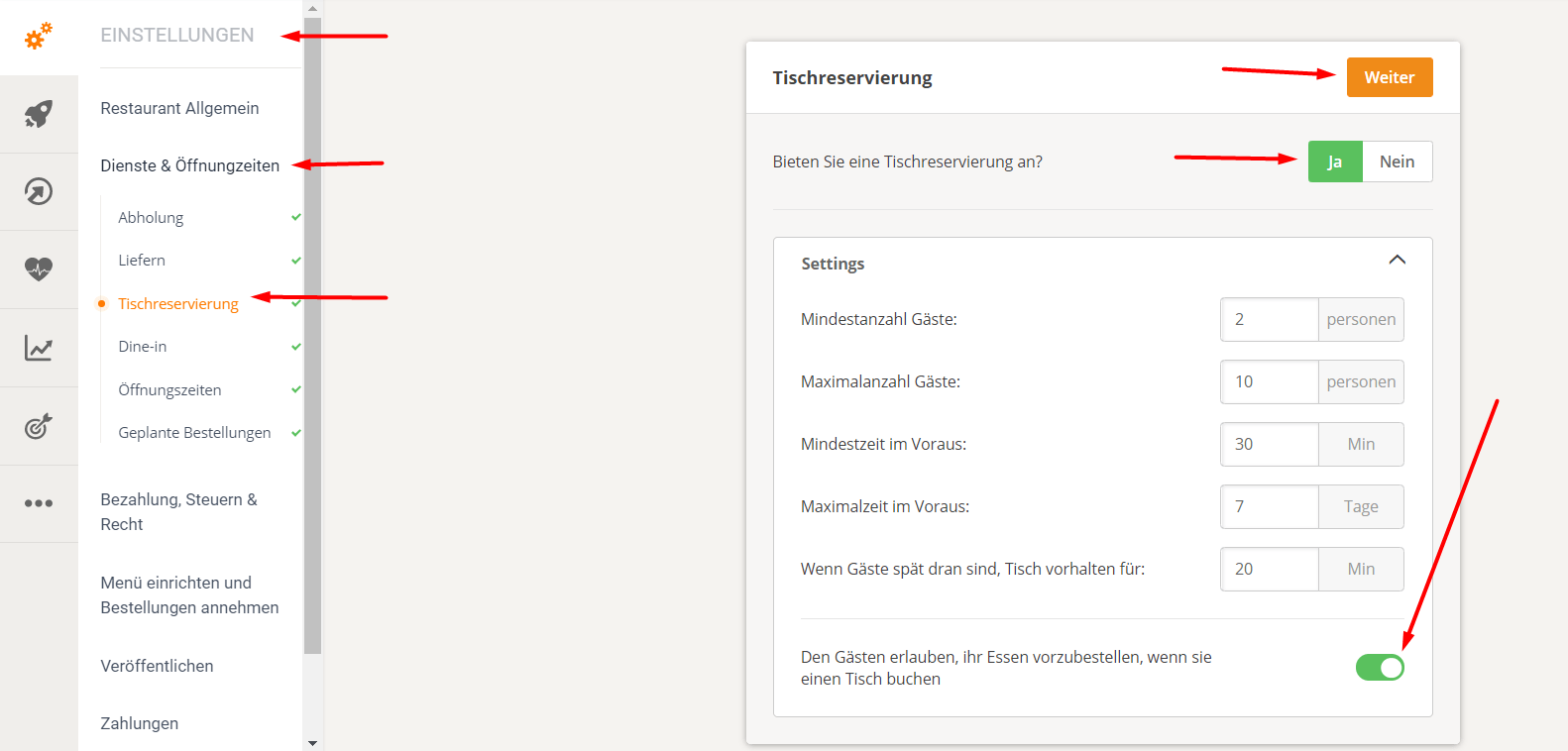
The restaurant may also need to update its order-taking app to the latest version. If this is necessary, they will be prompted to do so during the configuration process.
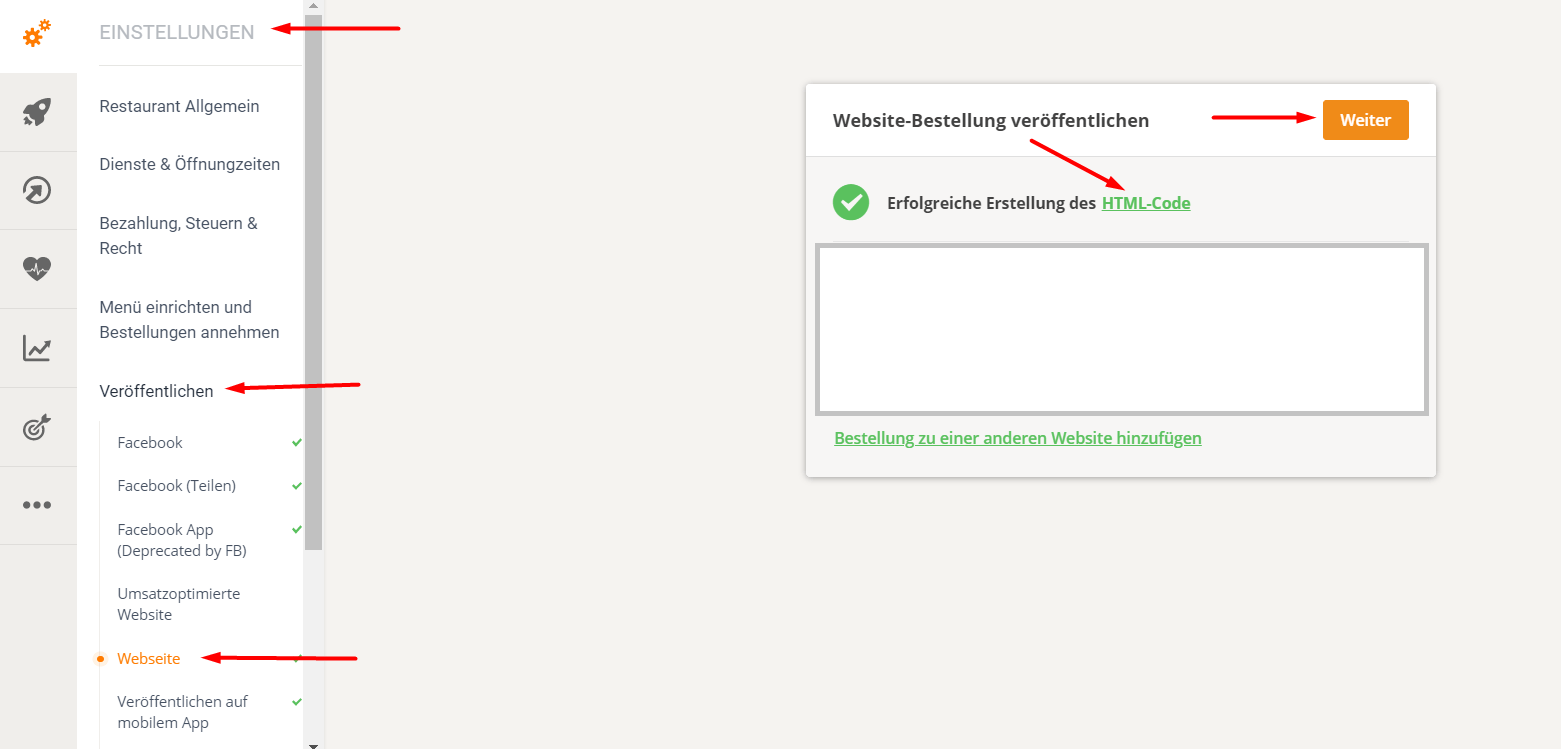
The final step is to republish the custom HTML code of the order widget, which contains the table reservation widget.
When a customer ordering food makes a reservation, it is forwarded to the order-taking app like a normal order.

The restaurant reservation process can be tested on the Pronto demo website by clicking the "Table Reservation" button. Please note that table reservations are subject to confirmation and are processed through the order-taking app, similar to food orders.
The times and dates available to the food customer are determined by the restaurant's settings in their account.