



Sales-optimized website - overview
Sales-optimized website - overview
The sales-optimized website was created for a single purpose: to help the restaurant with online sales. The design and search engine optimization (SEO) were initially conceived with this goal in mind.
Within the system, the restaurant can instantly create a mobile-friendly website that is highly optimized for sales and search engines. If the restaurant doesn't have a domain name for its website, one can be registered through this service.
Here is a demo of a sales-optimized website created with this online sales website builder: https://www.pronto-ny.com/
Every single aspect of this sales website design was developed to help restaurants convert more website visitors into buyers.
Advantages of a sales-optimized website
- Charges super fast
- Works great on the phone
- Good rankings on Google and other search engines (SEO-optimized website)
- Offers an intuitive user experience
- Ready to use within minutes, without the need to insert any additional content.
- Easily editable/expandable if needed
- Mobile-friendly and optimized for mobile devices (feels like a native mobile app)
- Highly optimized for online sales (developed with a sales-first layout, calls to action, conversion triggers, etc.)
- Offers deeper branding (with the restaurant's unique domain name directly from the original source URL level for all widgets and emails)
- Comes with SSL (already enabled, fully end-to-end)
- Offers the best integrated localized SEO relevance and traffic performance money can buy.
Here's how to test the sales-optimized website before activating it.
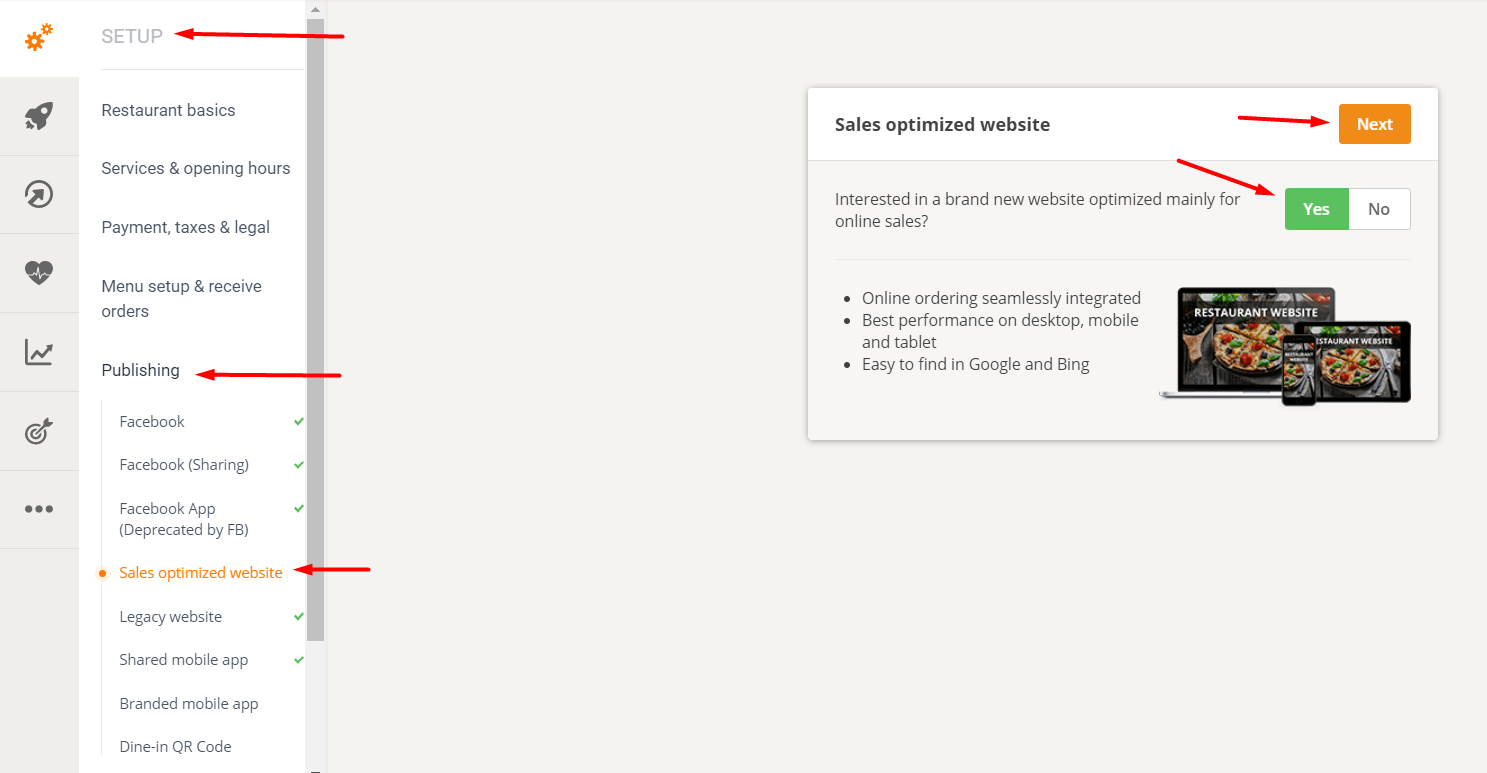
Go to Admin -> Setup -> Publishing -> Sales-optimized website. Select "Yes" and then "Next".
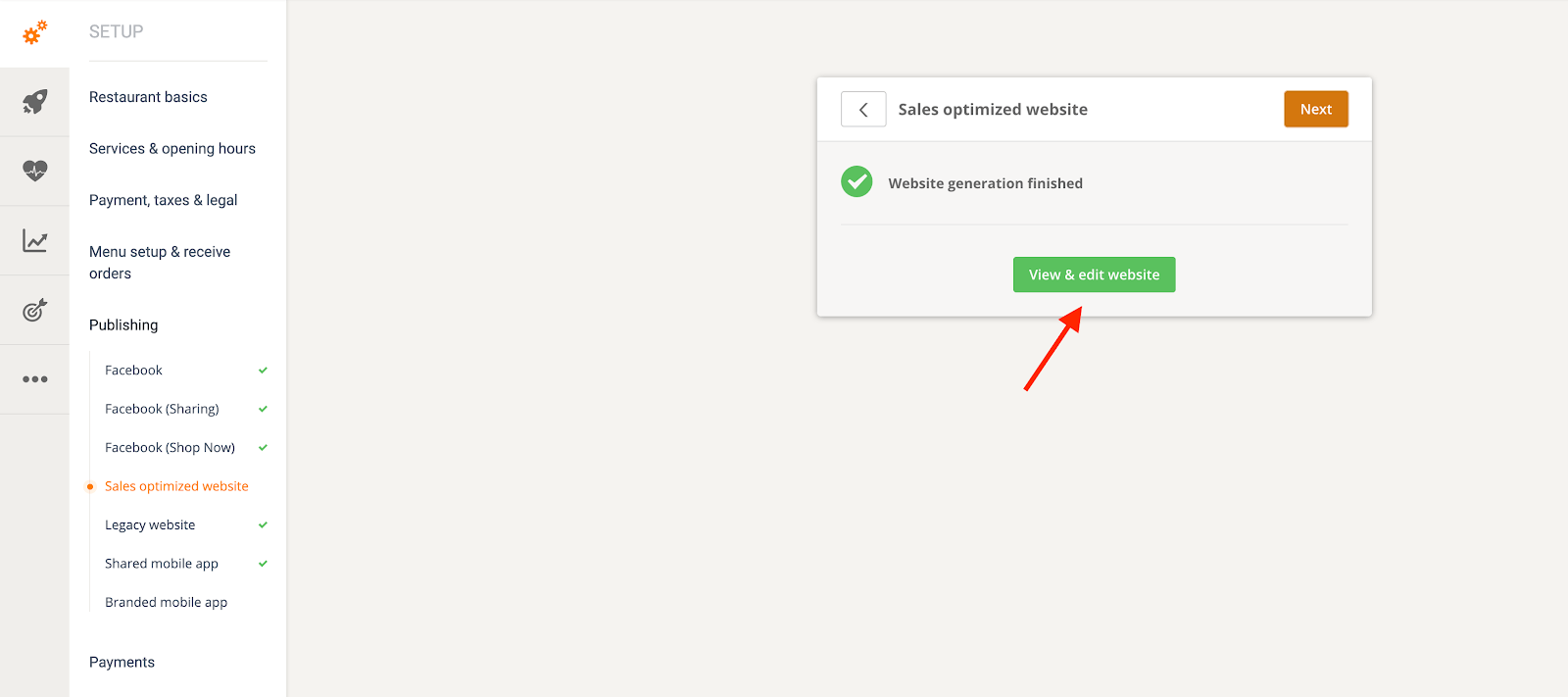
Click on “View & edit website” to play around with text and images and see what a potentially sales-optimized website could look like.
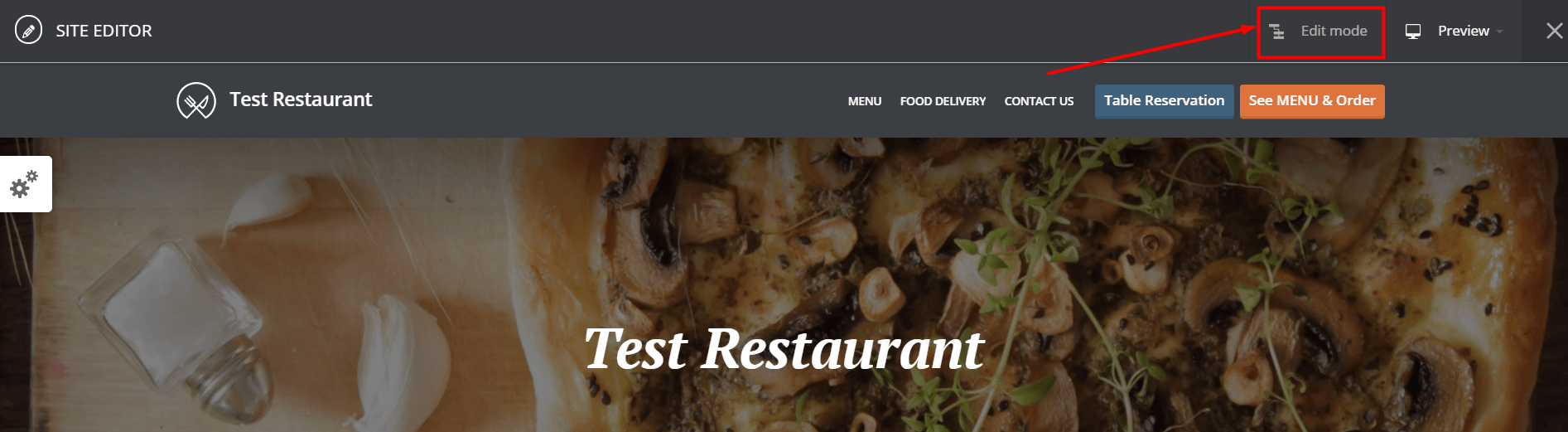
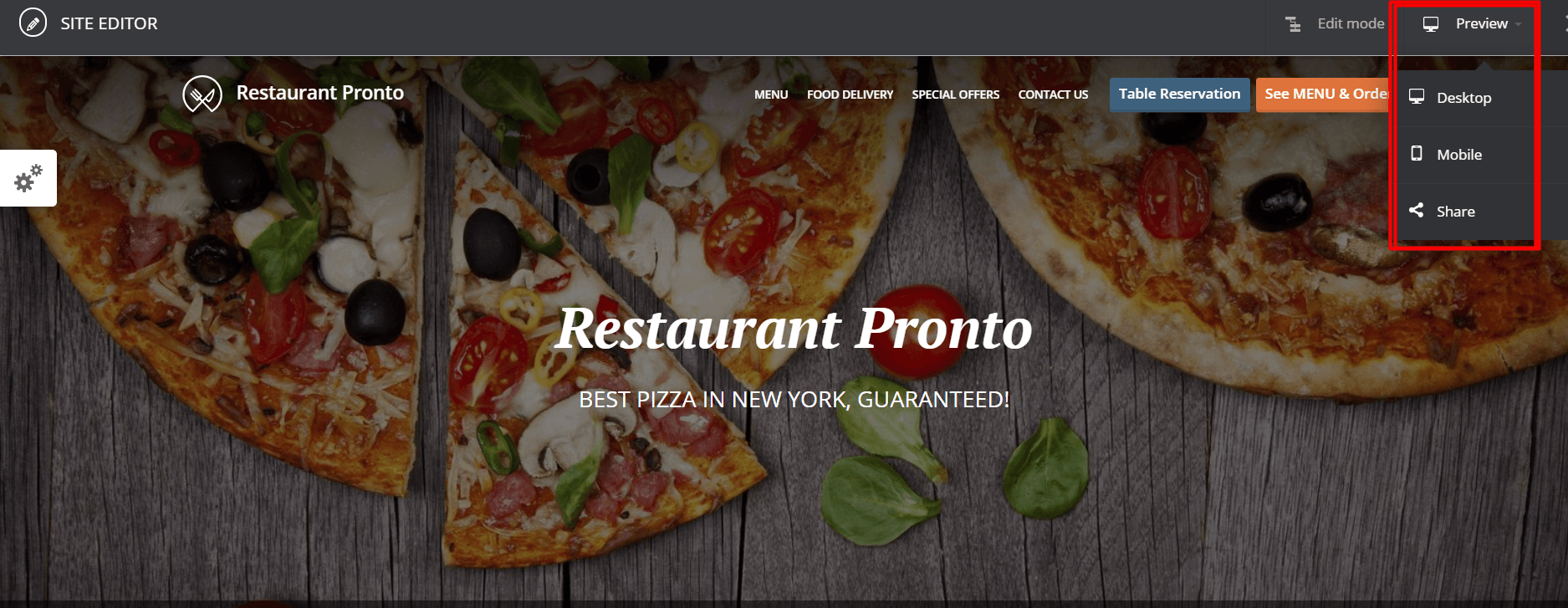
By accessing the "edit mode" in the upper right corner, the account owner can customize various areas of the sales-optimized website, such as the logo, general color combinations, subtitles, and fonts.
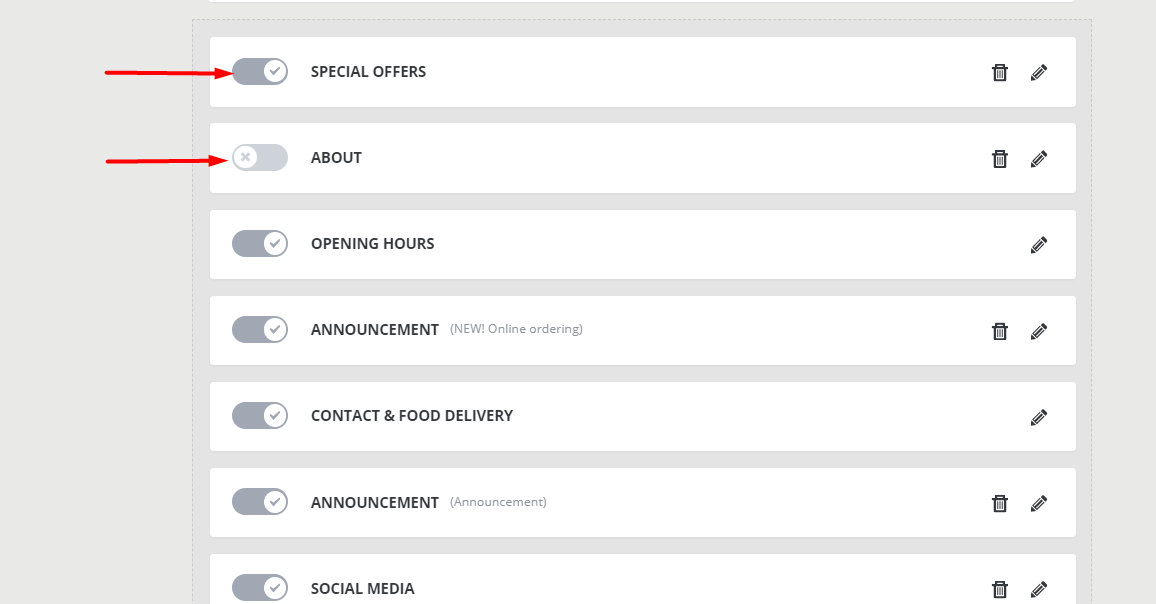
You can also enable or disable sections on the website – image galleries, announcements, certificates, or social media icons.
A public preview of the site before activation is also possible by using the Share button in the website editor zone.
More details
1. If the restaurant already has its own hosting
The restaurant doesn't need separate hosting from another location. Having a super-fast website meant building it with the system's underlying hosting providers.
2. If the restaurant does not have its own domain, but needs/wants a sales-optimized website.
The restaurant can select and register the domain name via the website service (provided the domain is available).
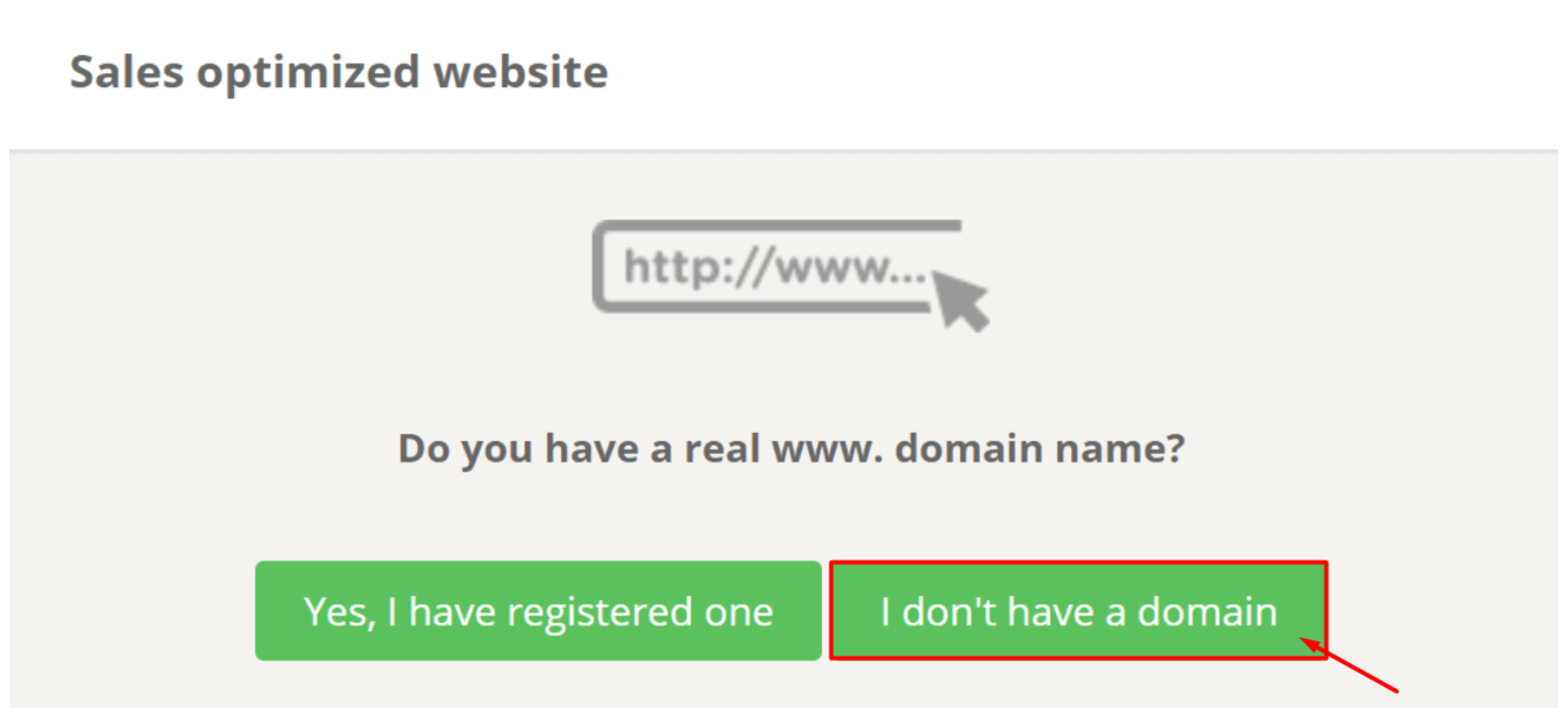
This is done after the service has been activated by selecting the "I don't have a domain" option in the restaurant's admin panel -> Publishing -> Sales-optimized website.
3. If the restaurant already has its own domain name and wants to connect it to the sales-optimized website.
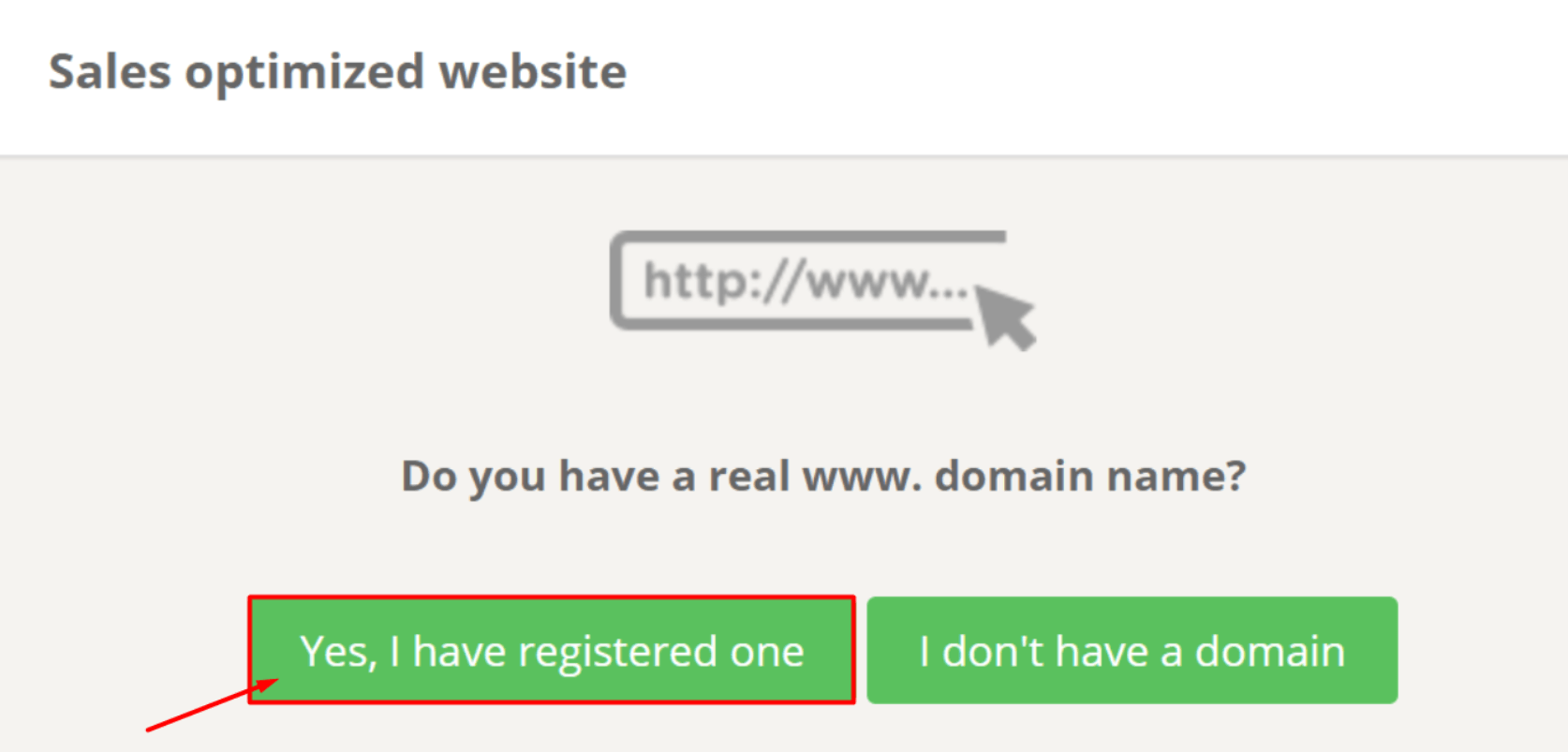
This is done after the service has been activated by selecting the "Yes, I have registered one" option in the restaurant's admin panel -> Publishing -> Sales-optimized website.
The restaurant must then provide the registered domain name and account login information so that the system can make the necessary nameserver changes to connect the domain to the website.
Success factors for a sales-optimized website
To ensure good performance (=more sales) of the sales-optimized website, make sure that:
- A gallery of food items is included to make the menu more appealing;
- Links to the restaurant's social media profiles are included;
- Links to review portals where the restaurant is featured will be added;
- Awards or certificates issued.