How to edit delivery zones
How to edit delivery zones
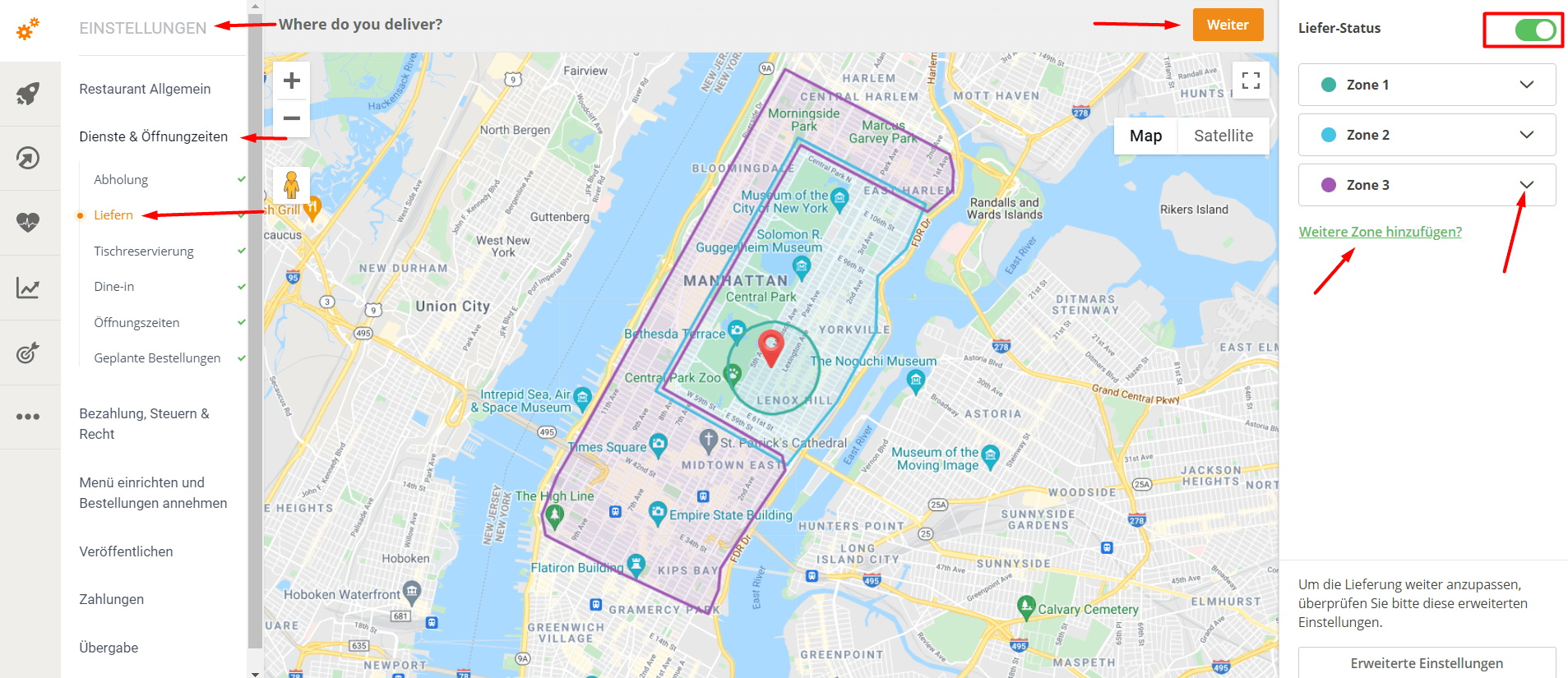
To edit the delivery areas and manage the delivery zone map, proceed as follows:
- Go to Admin -> Setup -> Services & Opening Hours -> Delivery.
- Add and edit delivery zones on the right-hand side.
- To add a delivery zone, click on "Add another zone?". Delivery zones can be circles or polygons – the restaurant can draw the zone itself.
- To edit an existing zone, click the downward-pointing arrow next to the zone name.
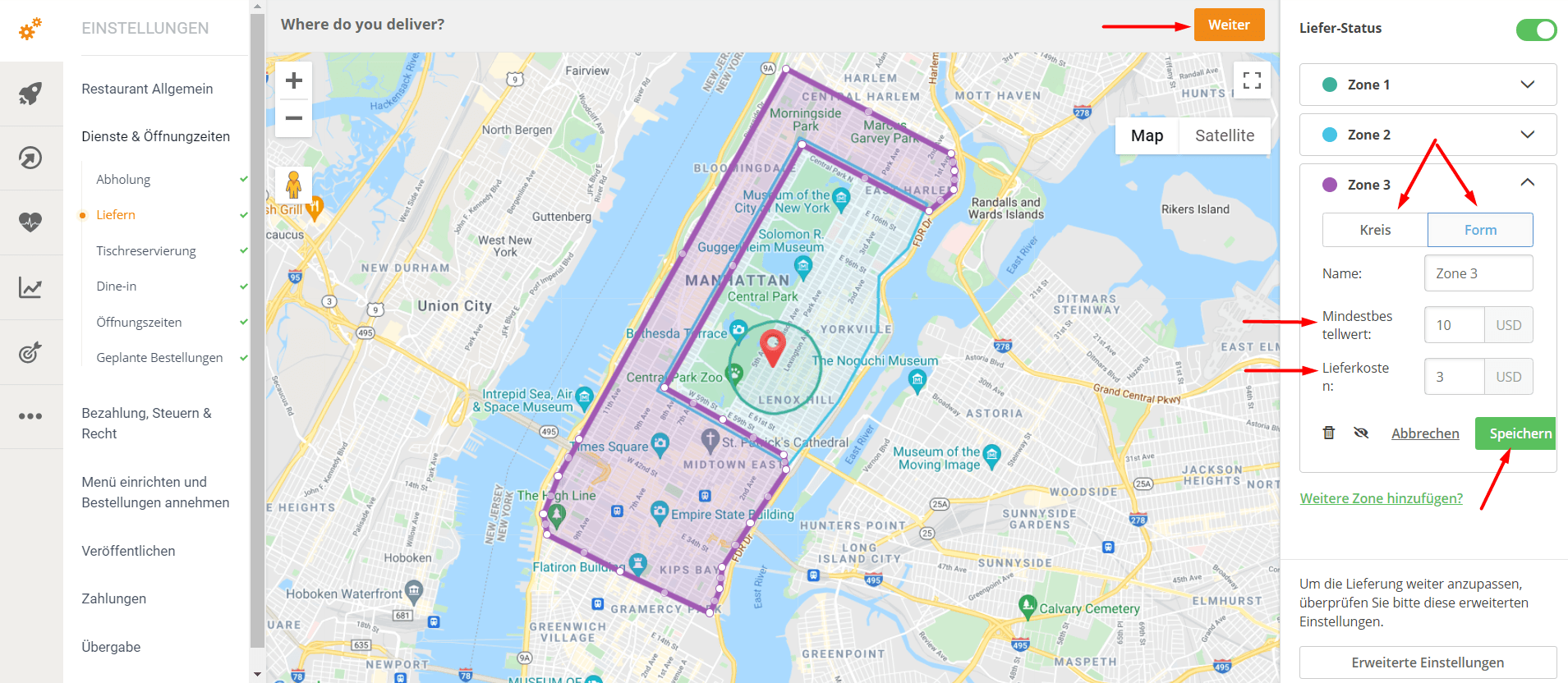
- For each delivery zone, the restaurant can add a different standard minimum order value and a delivery fee.
Here is a video that clearly shows how delivery zones are configured.
Here the restaurant can set the standard minimum order value and the standard delivery fee (e.g. minimum order value - 10 USD, delivery fee - 2 USD).
How about free shipping?
If the restaurant wants to offer "Free delivery for orders over X USD", it needs to create a "Free Delivery" promotion using our promo engine. Here's how:
- Go to Admin -> Marketing -> Promotions -> Self-created promotions.
- Click on "Add promo deal".
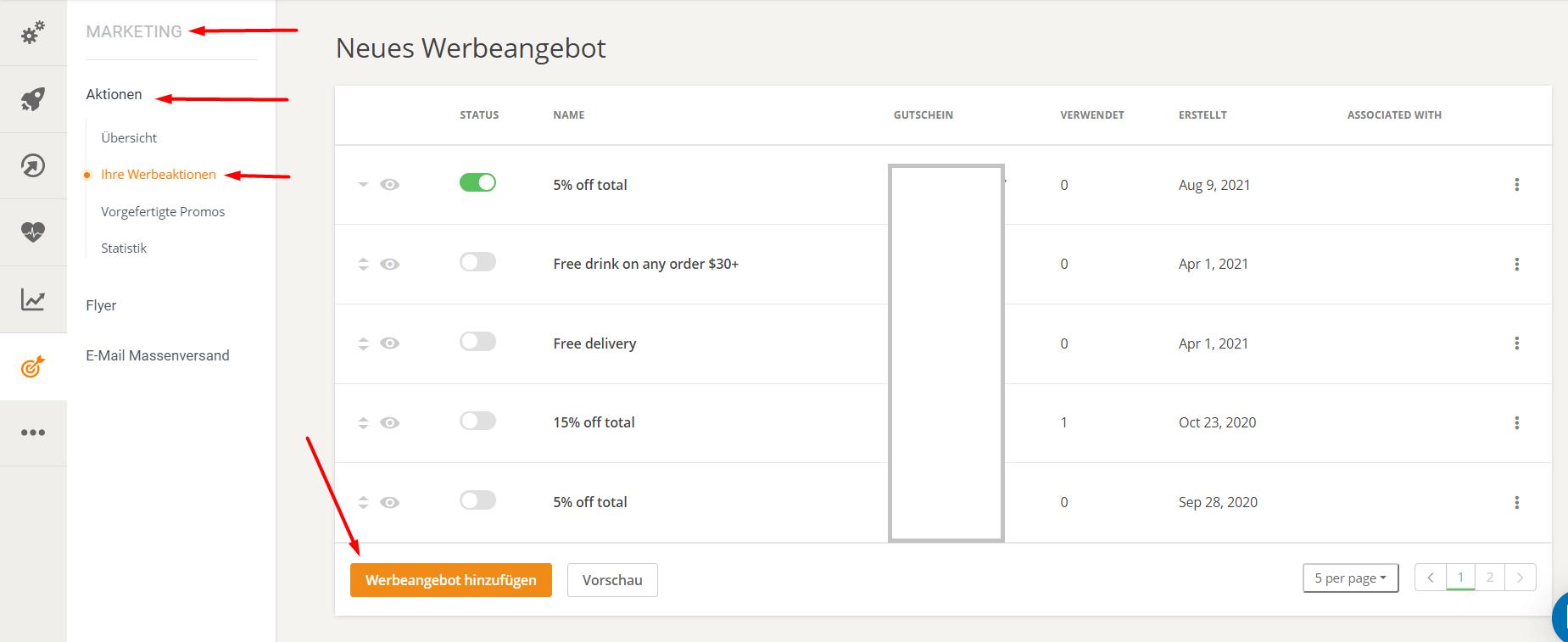
- Select "Free delivery" from the list.
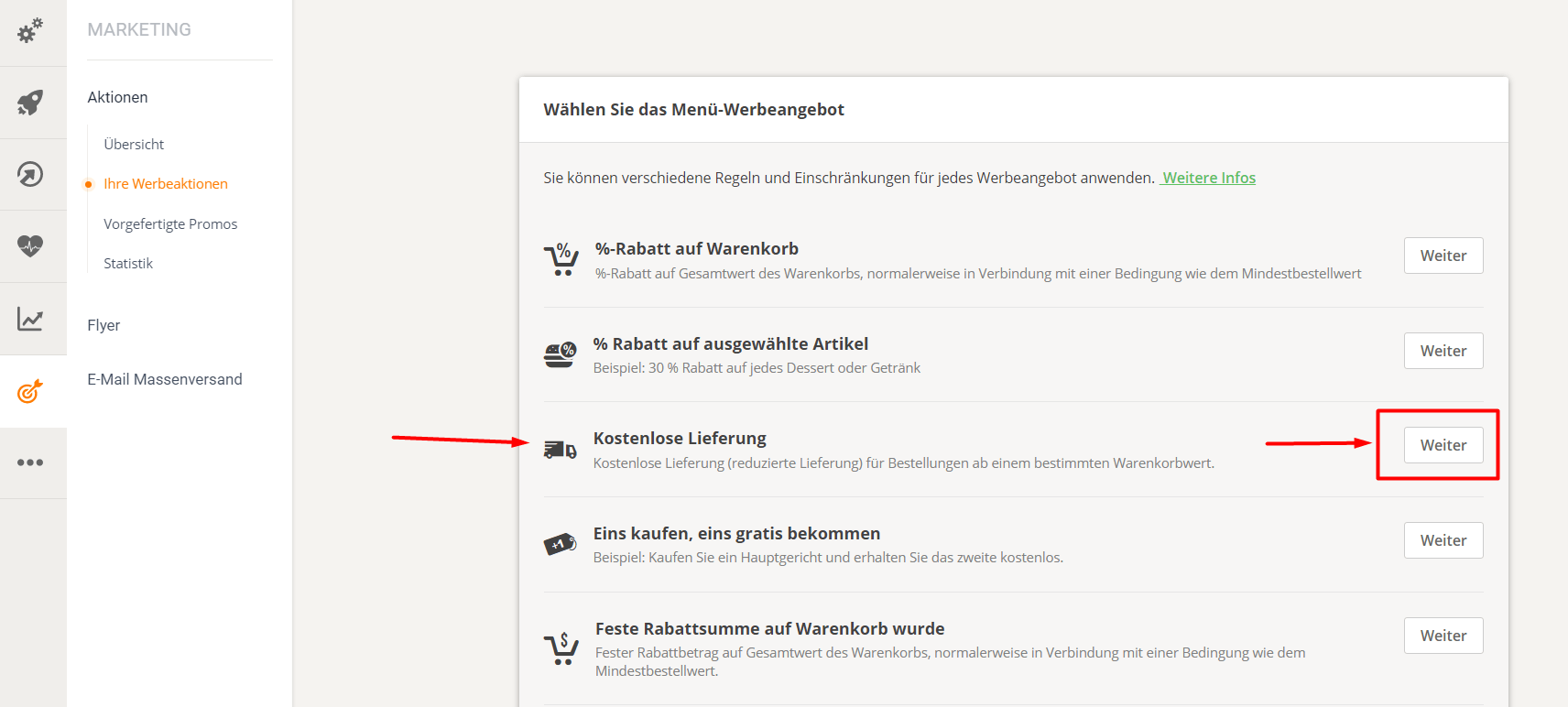
- In the second step, the restaurant can set a minimum order value for this promotion, regardless of the default value it has set in the delivery zone map.
has determined.
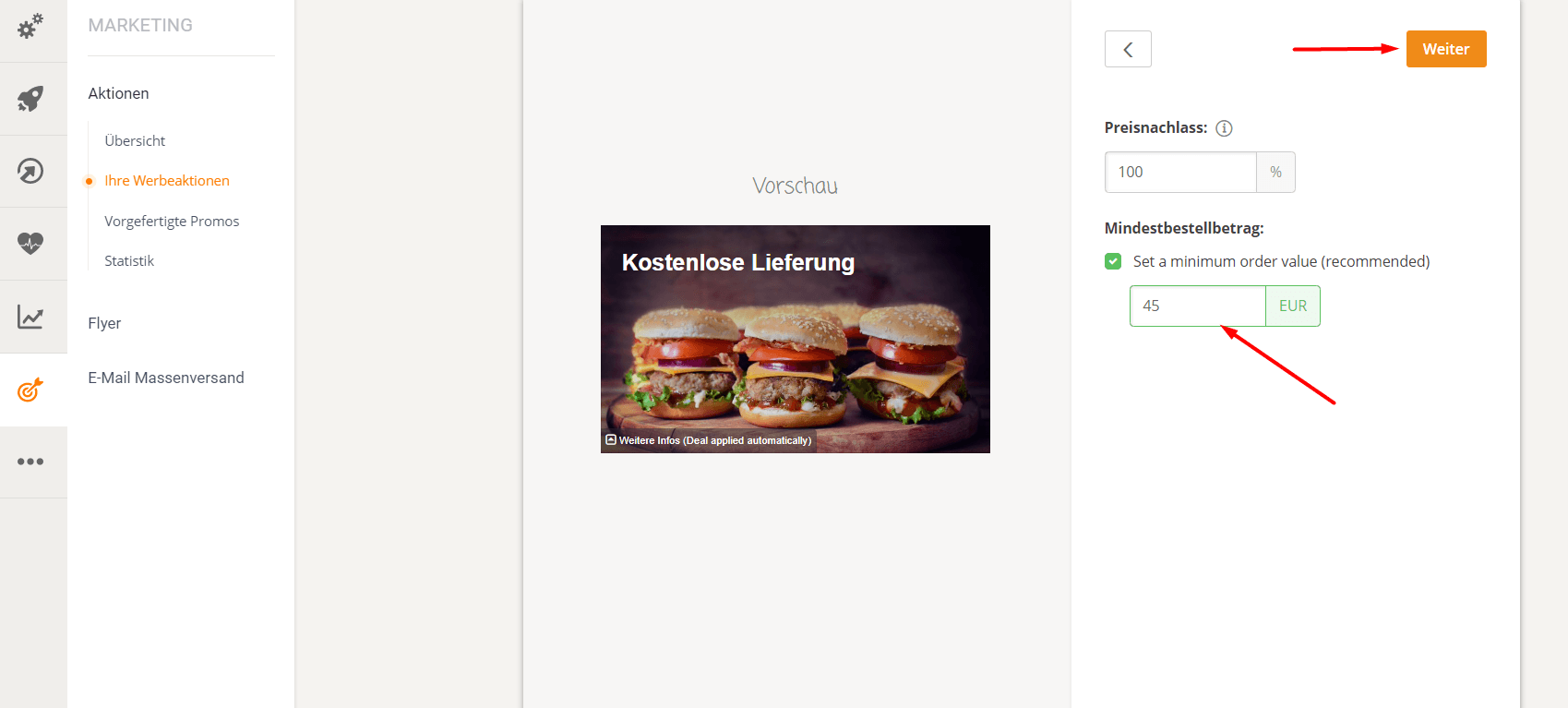
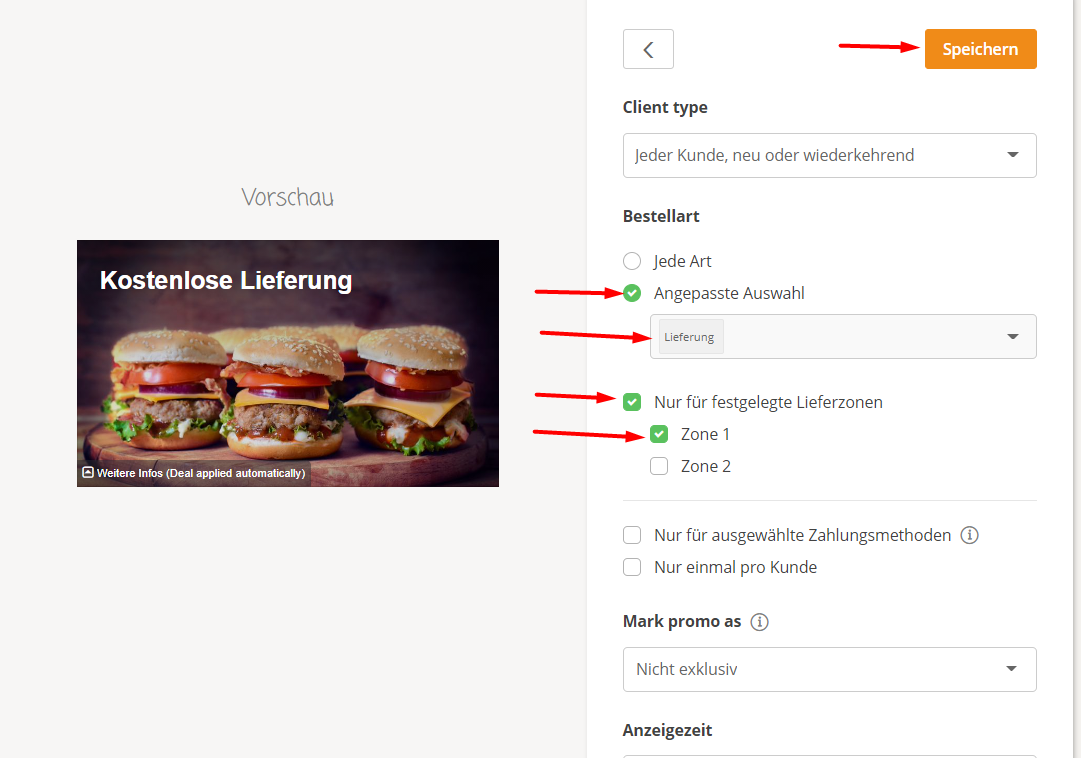
- In the third step, the restaurant can select the delivery zones it wants to target with this promotion.