



Mobile order acceptance app - The alarm call
Mobile order acceptance app - The alarm call
Purpose and function of the alarm call in the mobile order-taking app
The alarm call is triggered to notify the restaurant that an order is pending but is not connected to receive it.
The exact message can be played via the admin panel -> "Menu setup & receiving orders" -> "Alarm call".
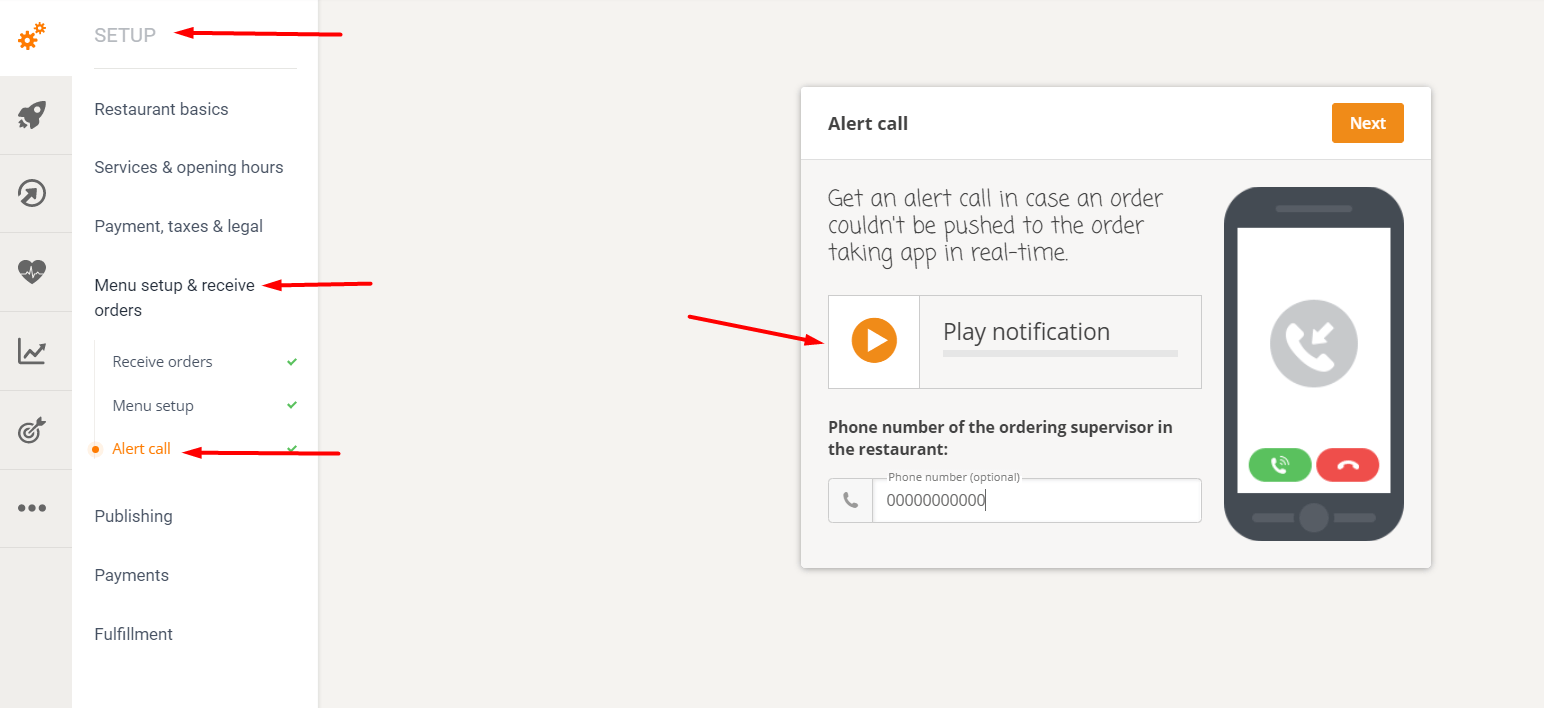
The restaurant needs to reconnect to the order-taking app to view and accept this order. This works if the order-taking device for that particular restaurant is experiencing connectivity issues. The order will go through, but it cannot be pushed.
The number configured for the emergency call should therefore be a number belonging to each restaurant (this could be the number of the kitchen/restaurant manager).
To avoid misunderstandings: The alert call is not an alert for "missed orders." If the restaurant has already missed the order, an alert call would be too late. The alert call provided by the system is designed to prevent orders from being missed; therefore, the alert call rings BEFORE the order is missed, 70 seconds after the customer places it, and only if the order could not be sent via the mobile order-taking app.
If the order could be postponed in the order-taking app and the restaurant then missed it, this means that they are not willing to commit and it makes no sense to call them on the phone, as the ring on the order-taking device did not work; however, they will still accept the order.
Here's how to test the alert call feature.
1. Go to the Admin Panel -> Menu Setup & Order Receiving section. 2. Place a test order using the "Preview & Test Order" button (Menu Setup & Order Receiving -> Menu Setup).
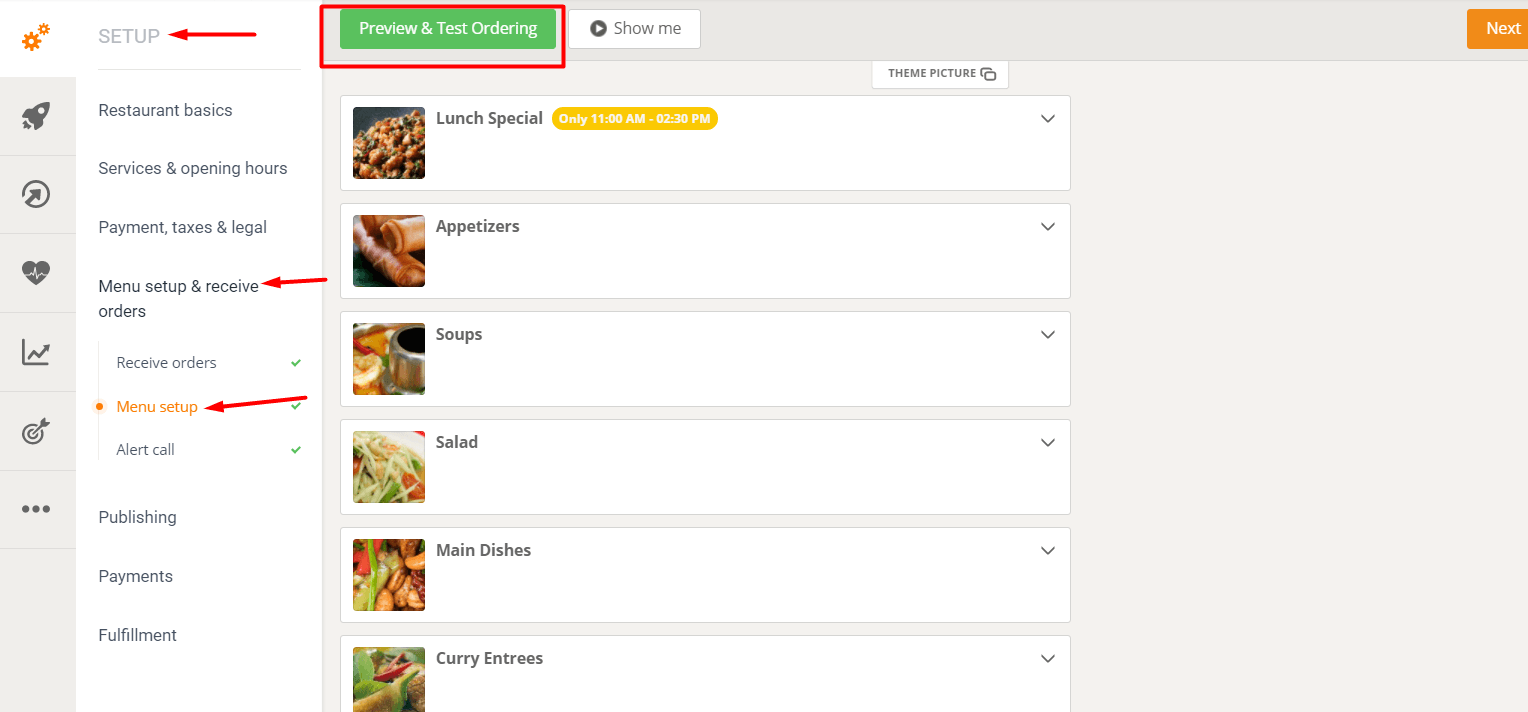
3. Turn off the Wi-Fi/data plan on the order acceptance device.
Since the device has no connection to the system, the order cannot be pushed, so the alarm call function should be activated after ~70 seconds.