Mobile App for Branded Restaurants - FAQs
Mobile App for Branded Restaurants - FAQs
If the restaurant decides that it needs a mobile restaurant app, it can submit its own app to both the App Store (for iOS devices) and Google Play (for Android devices).
The white-label restaurant ordering app is personalized to reflect the brand, from the logo and slogan to the background image.
Marken-App-Demo
- Android-Demo
The brand app for iOS looks and behaves exactly like the Android version.
Branded app for demoing restaurants with multiple locations
Simple branded apps for restaurants with multiple locations (of the same brand) are also available.
- Android-Demo
The iOS version of the brand's cross-location app looks exactly the same as the Android version.
What does the mobile brand app do for restaurant orders?
Food customers can save the app to their phone to quickly order from their preferred restaurant. The checkout form is pre-filled based on previous orders, while the delivery address can be selected from a list of previously saved addresses.
Any changes that restaurants make in the admin panel (menu items, prices, delivery area, etc.) are immediately displayed in the app.
How can grocery customers learn about and install the app?
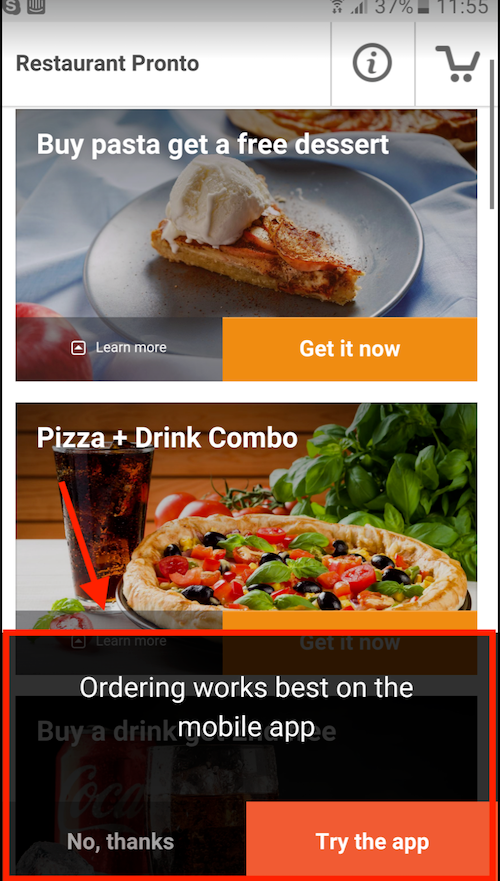
Once the mobile app for the restaurant menu is released, there will also be a recommendation mechanism that ensures that people who have ordered at least once via their mobile phone will know that such an app is also available in the restaurant.
This is the message they see on their phone:
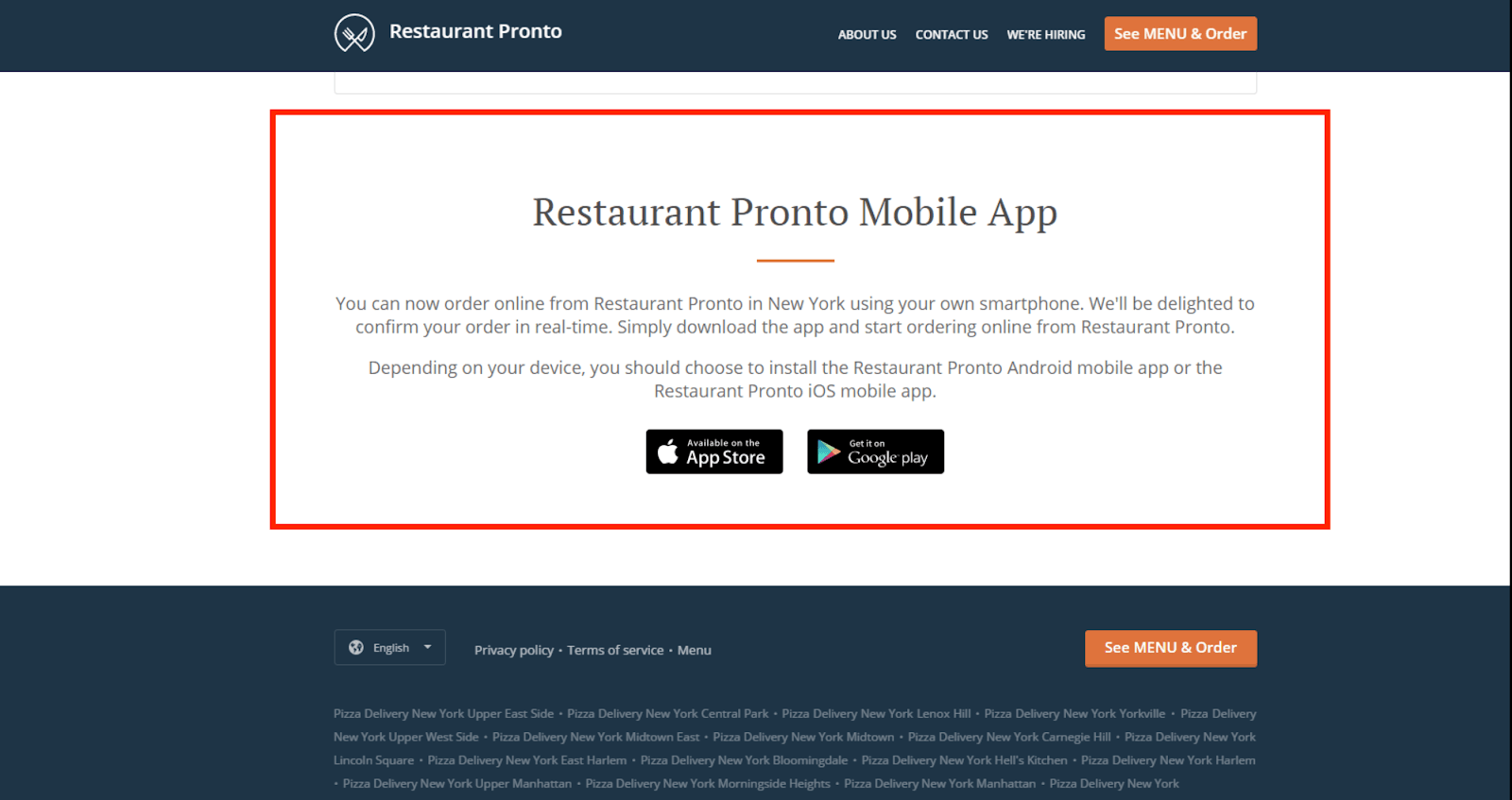
If the restaurant has released the "branded mobile app" AND activated the sales-optimized website, the system will automatically add a section to the website to promote the branded app. This section will be added AFTER the app is available on Google Play and iTunes.
This is what the section looks like:
What does the panel for requesting (sending) brand apps look like?
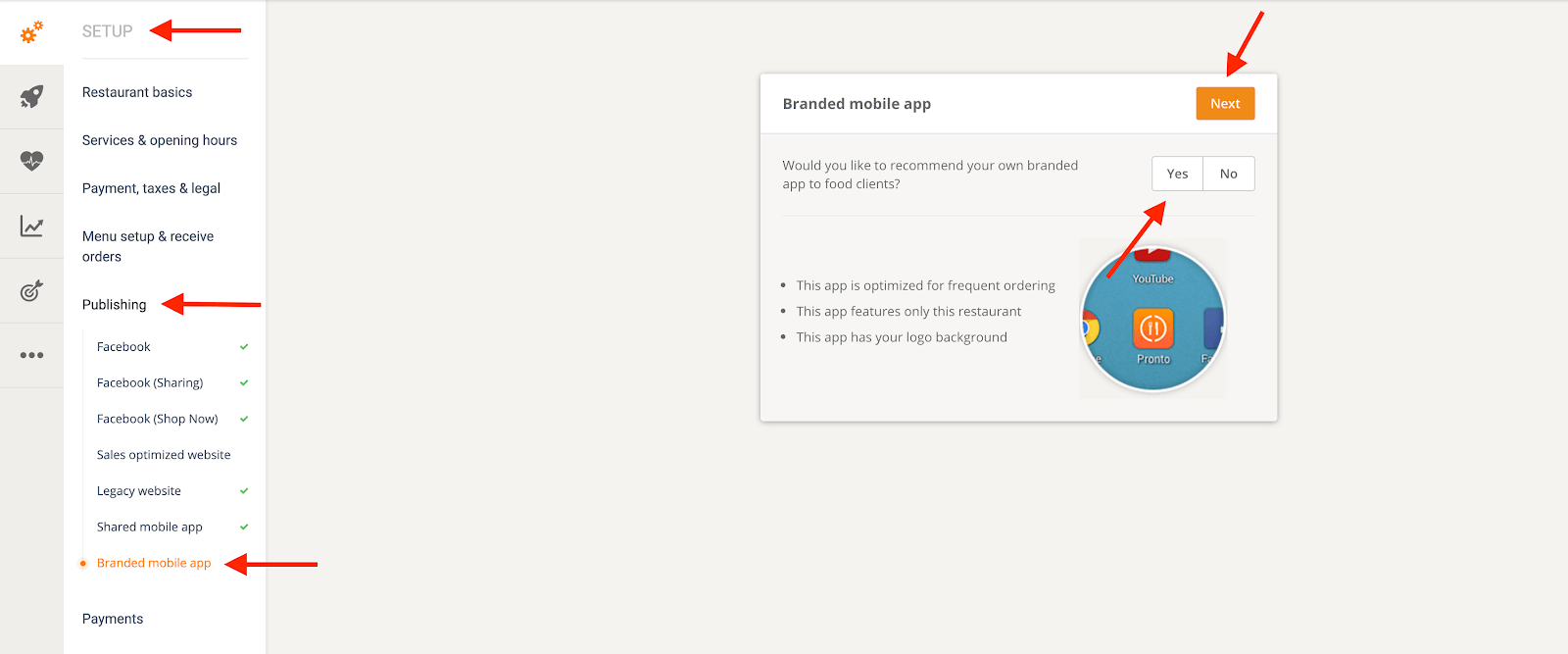
Once the restaurant has purchased the branded app service, it must first enter some information in Admin -> Setup -> Publishing -> Branded Mobile App.
Then the restaurant must choose the name for the app (as it appears in the App Store/Google Play Store).
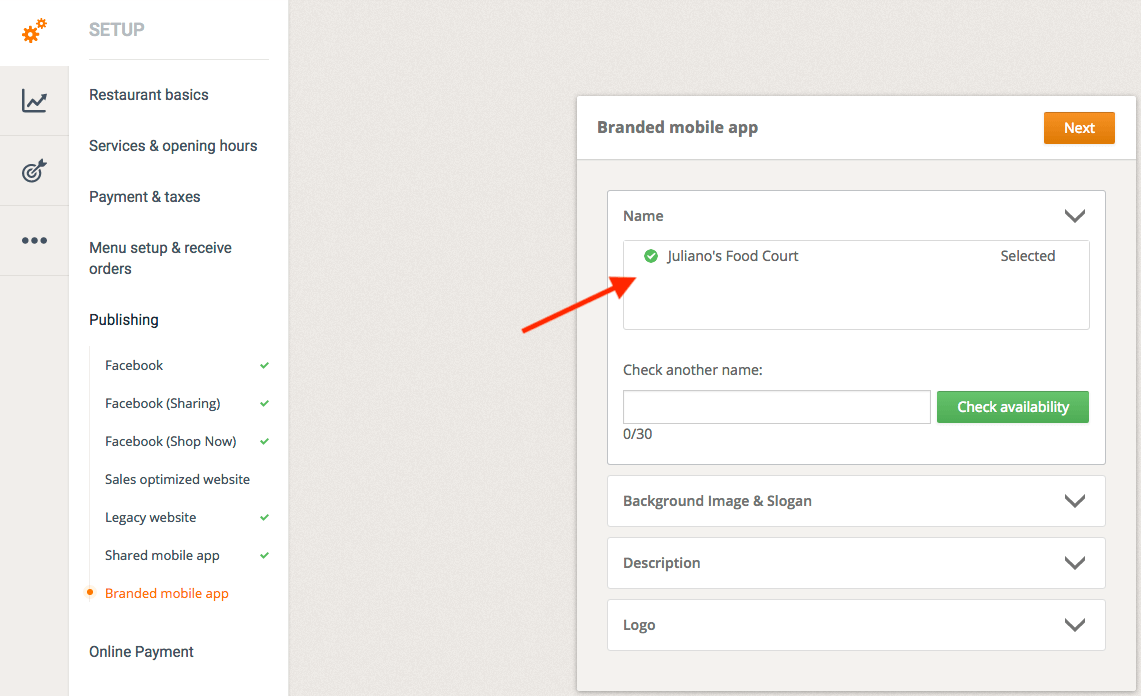
Next, upload the image for the background and define a slogan.
The background image must be in JPG/JPEG format with a minimum size of 1536 x 2696 (or larger).
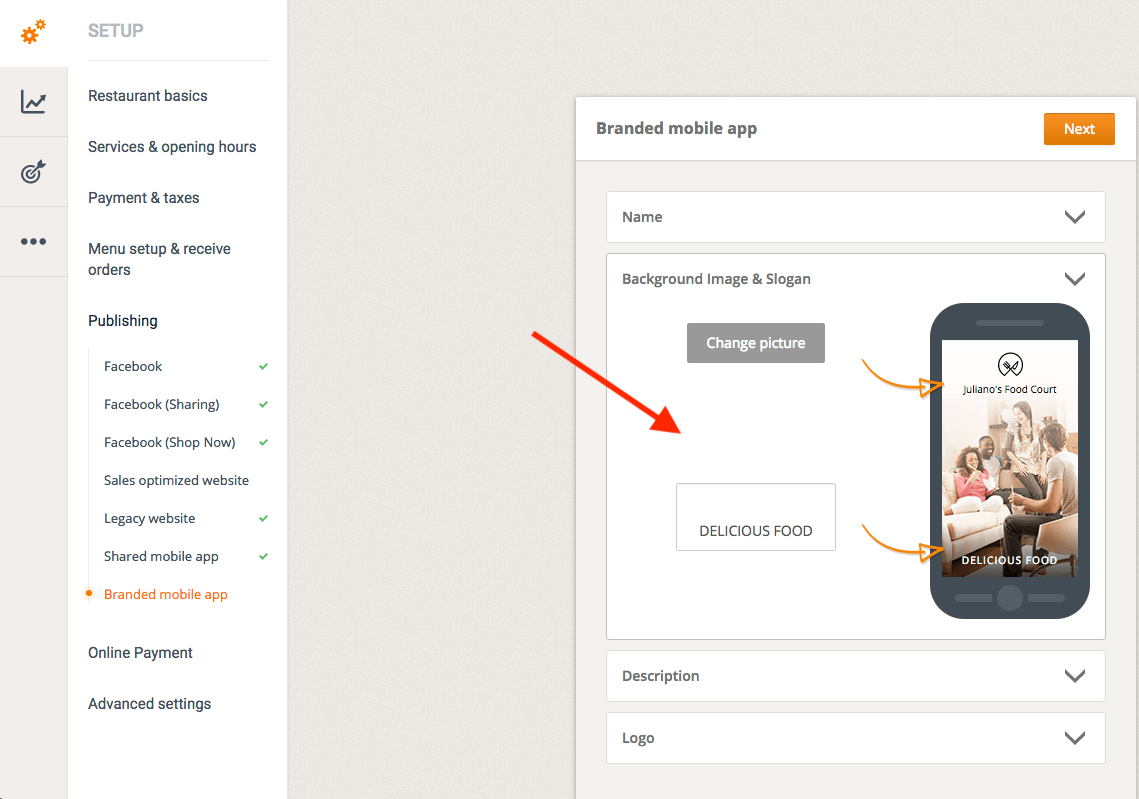
Then consider writing a description for the app (which will also be displayed in the App Store / Google Play Store).
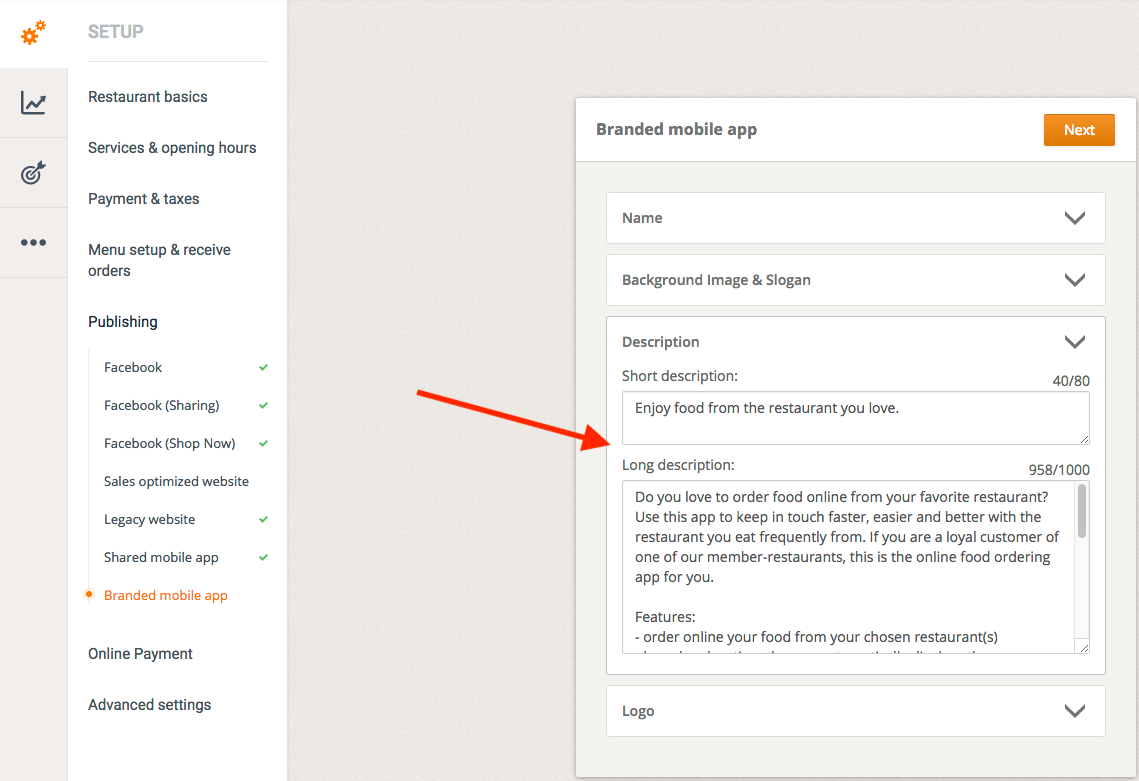
Finally, upload the logo.
The required logo format is EPS or AI or PSD or PNG (large format).
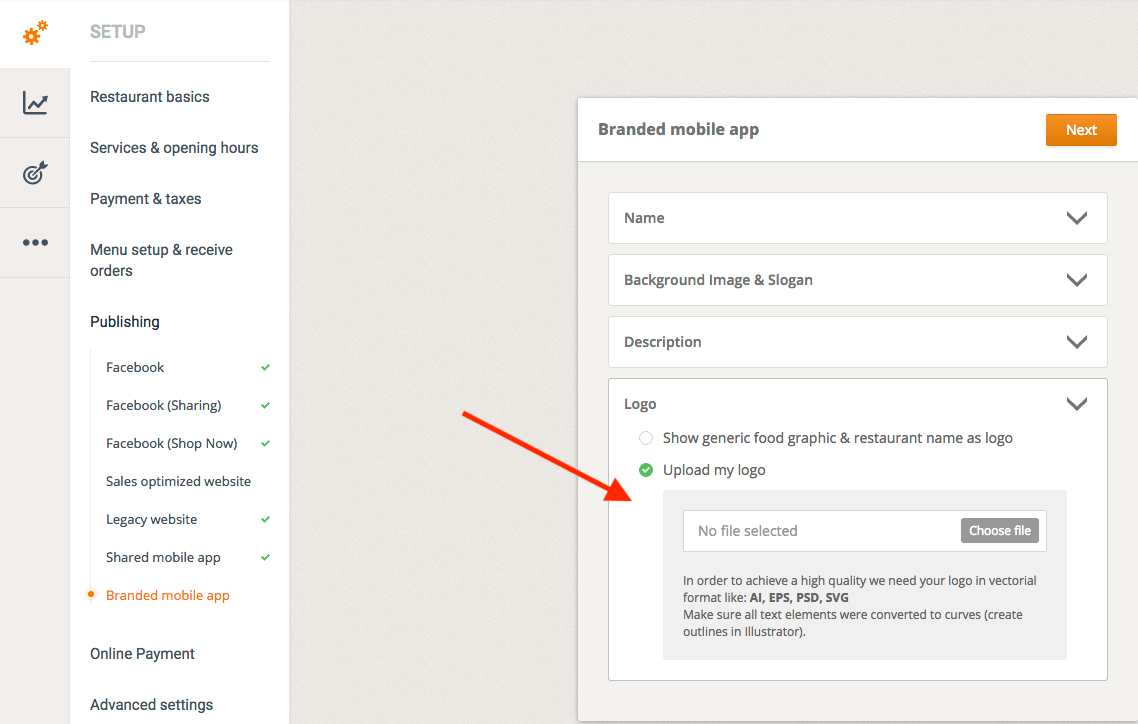
The resources of the branded restaurant's mobile app (background, logo) can be changed later. However, each change must be recreated and resubmitted to Google Play and the App Store. This process takes several days, so we recommend bundling multiple changes at once.
Does the system need any time to release the app, etc.?
Yes. The background image and logo for each app are processed manually. Once this step is complete, the app is submitted to the App Store/Google Play Store.
Approval/publication of an iOS app can take 2 to 5 days. On Google Play, it usually takes a few hours.
Will the app be available for download via search in the App Store or Google Play?
Yes, once the apps have been submitted and approved by the App Store/Google Play Store, they are available for customers to download.
Will the app be sent to the system's publisher (developer) account?
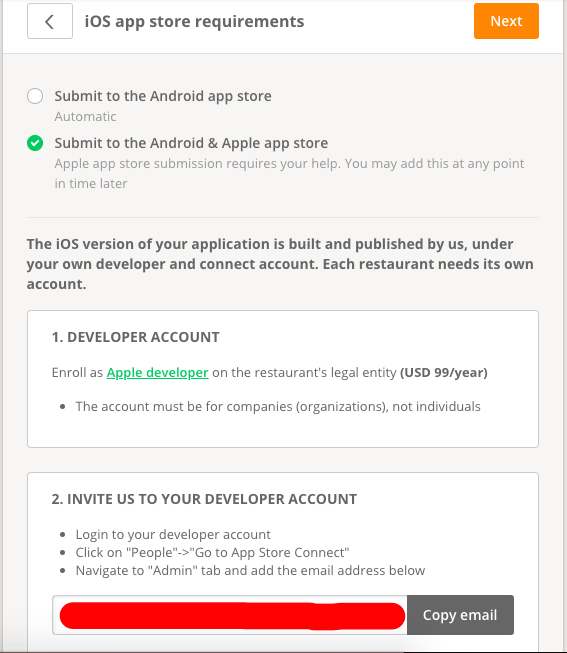
Yes, the app is submitted under the system's developer account on Android. On iOS, restaurants must create their own developer account that references the system's developer account as the legitimate developer ID for uploading. This is because the system provides the listing to the App Store as a service and also handles updates as needed.
The iOS version of the restaurant's branded app is created and published by the system, but is uploaded under the restaurant's Apple developer account, which must be registered to the restaurant's legal entity.
As part of this process, the restaurant must sign up for an enterprise developer account ($99/year at Apple).
The system lists all these administrative steps before the purchase:
Furthermore, the system needs access to crash reports in order to continuously improve the app.
Where can the restaurant activate the brand app?
Admin -> Setup -> Publishing -> Brand Mobile App. Click "Yes" and then "Next".