



Listed in the joint restaurant ordering app FoodBooking
Listed in the joint restaurant ordering app FoodBooking
FoodBooking is a separate, shared restaurant ordering app that allows restaurants to advertise themselves to attract orders from customers who have installed this app.
FoodBooking's "club" concept is based on an app that is supposedly downloaded and used by food customers from various sources who simply want to order food and may know nothing about how these processes actually work behind the scenes. This restaurant ordering platform is not brandable or exclusive to any one restaurant.
In short, FoodBooking's mobile restaurant ordering app lists restaurants based on the user's location: The system identifies the customer's location and displays available restaurants within a 10 km radius. For example, if a restaurant has a delivery area of 9 miles (approximately 15 km), any customer within that range, e.g., 7 miles (approximately 12 km), will see the restaurant listed in the app.
Applications are reviewed manually, and only those that are willing to be listed on Foodbooking are approved.
Publication criteria for the FoodBooking restaurant ordering app
Here's how a restaurant can request to be listed in the FoodBooking app:
- Go to the restaurant admin area -> Setup -> Publishing -> Shared mobile app.
- After the application, the restaurant is marked as "under review" until a specialist can determine whether it meets all the requirements for publication.
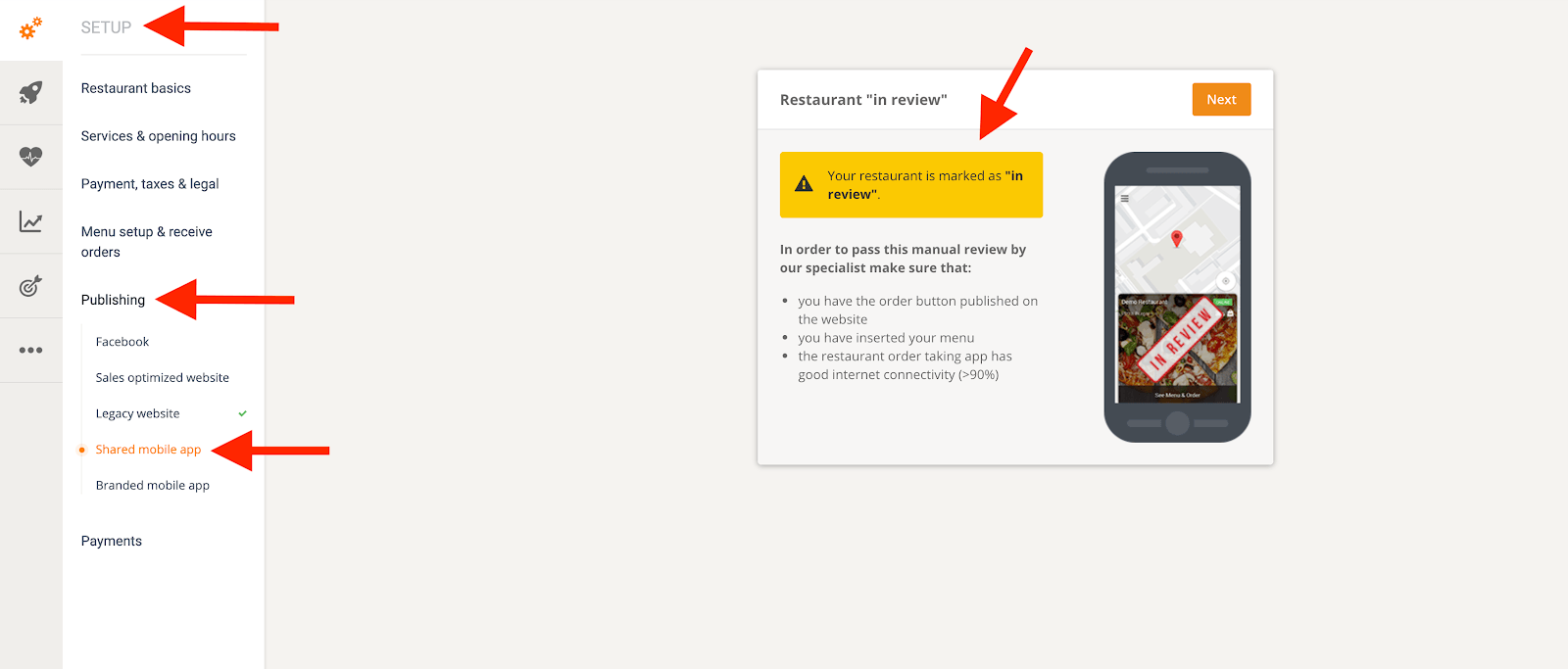
To qualify for the FoodBooking restaurant marketplace app, a restaurant must meet several criteria:
1. Do you have a good website with an ordering system?
This can be done either by using the sales-optimized website or by publishing the "MENU & Order" button on the restaurant's existing website.
Note: Adding the restaurant to restaurant directories is an optional add-on, but it is not a qualification criterion for publication in the mobile app for restaurant orders.
2. Make sure the order button is visible on the main page of the website.
The more visible the button is, the more online orders a restaurant receives.
3. Keep the order button visible without scrolling.
The less a food customer has to scroll to find the order button, the more likely they are to place an order.
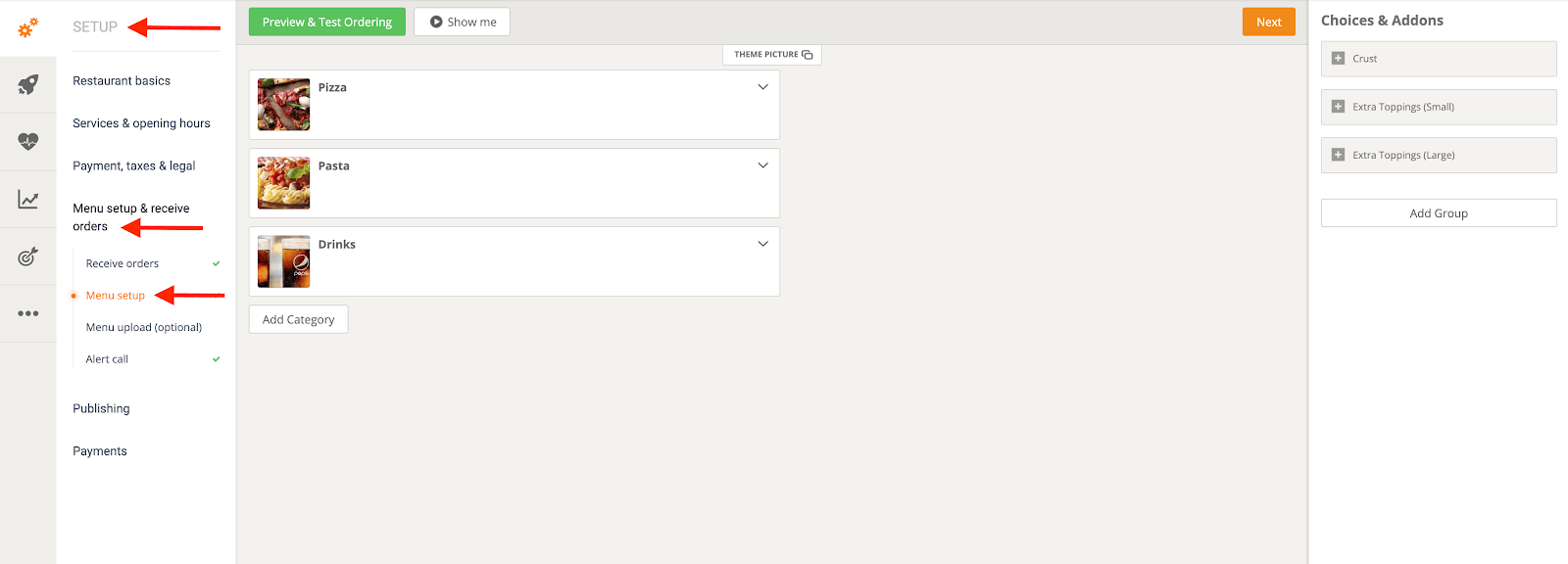
4. Have the menu inserted.
To add and customize the restaurant menu, go to Admin -> Setup -> Menu Setup & Order Receiving -> Menu Setup.
5. Have a good internet connection (>90%) in the order acceptance app for at least 7 consecutive days.
The app must be kept running at all times to ensure that no orders go unfulfilled.
6. Be a real restaurant
To be published in the FoodBooking app, the restaurant must be real and the restaurant owner/manager must be aware of this publication request.
7. Have a real domain name
The domain name must be something like www.restaurant.com and not a subdomain like restaurantname.websitebuilder.com.
8. No more than one restaurant account per restaurant location.
9. Use pictures that accurately depict the kitchen.
The system offers a generous library of high-quality, delicious food photos for any cuisine that restaurants can use.
10. Do you have the exact name of the restaurant?
Finally, the restaurant's actual name must not contain elements such as a telephone number or a location description.