First-time promotion for new customers
First-time promotion for new customers
First-time (online) grocery customers can be attracted through a special type of advertising in the Kickstarter section of the system.
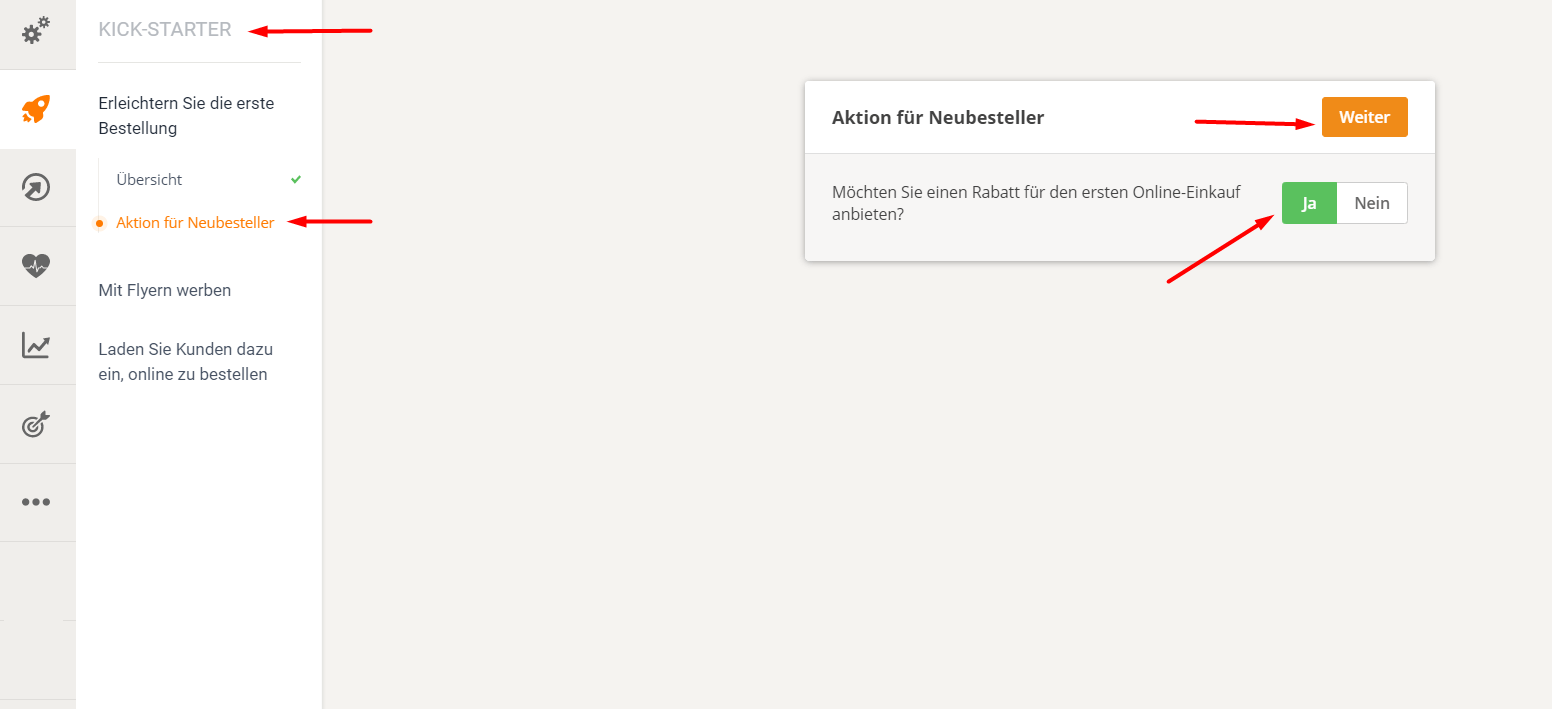
Go to Kickstarter -> Encourage the first order -> Overview and click Next until you reach "First Purchase Campaign". Click Yes and Next.
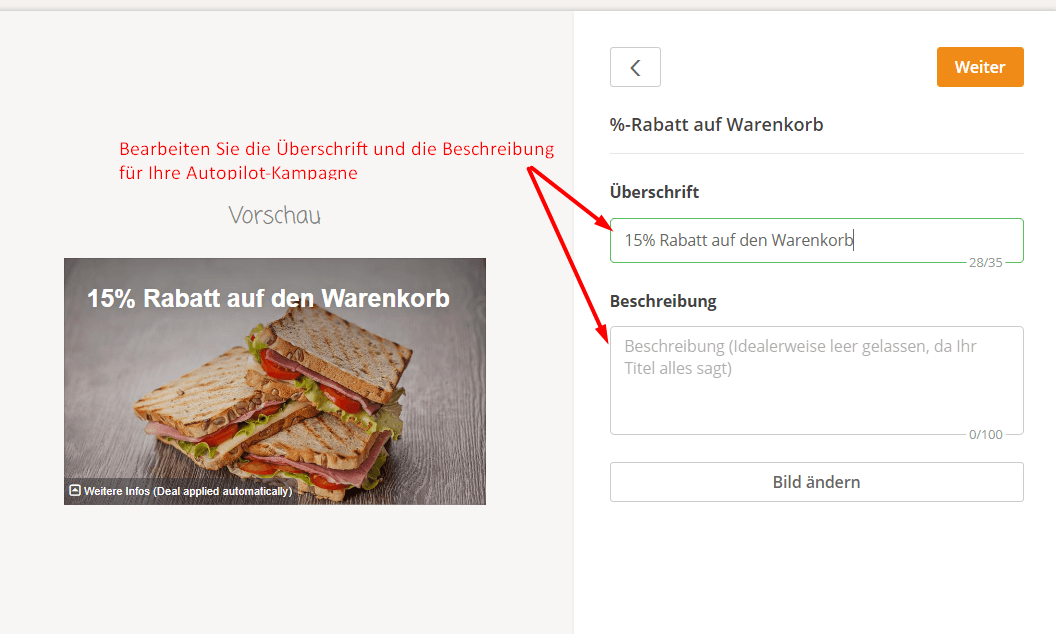
Edit the headline, description, and image of the promotion to reflect the restaurant's benefits.
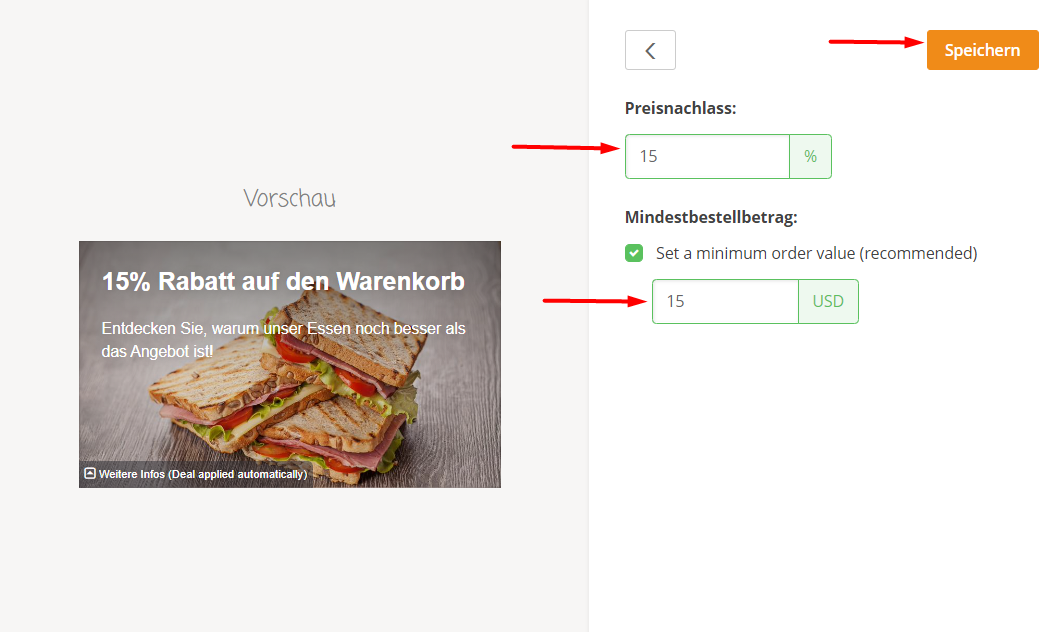
Set a discount and a minimum order value (optional):
Once the initial action is completed, it can be viewed by clicking on "Manage actions":
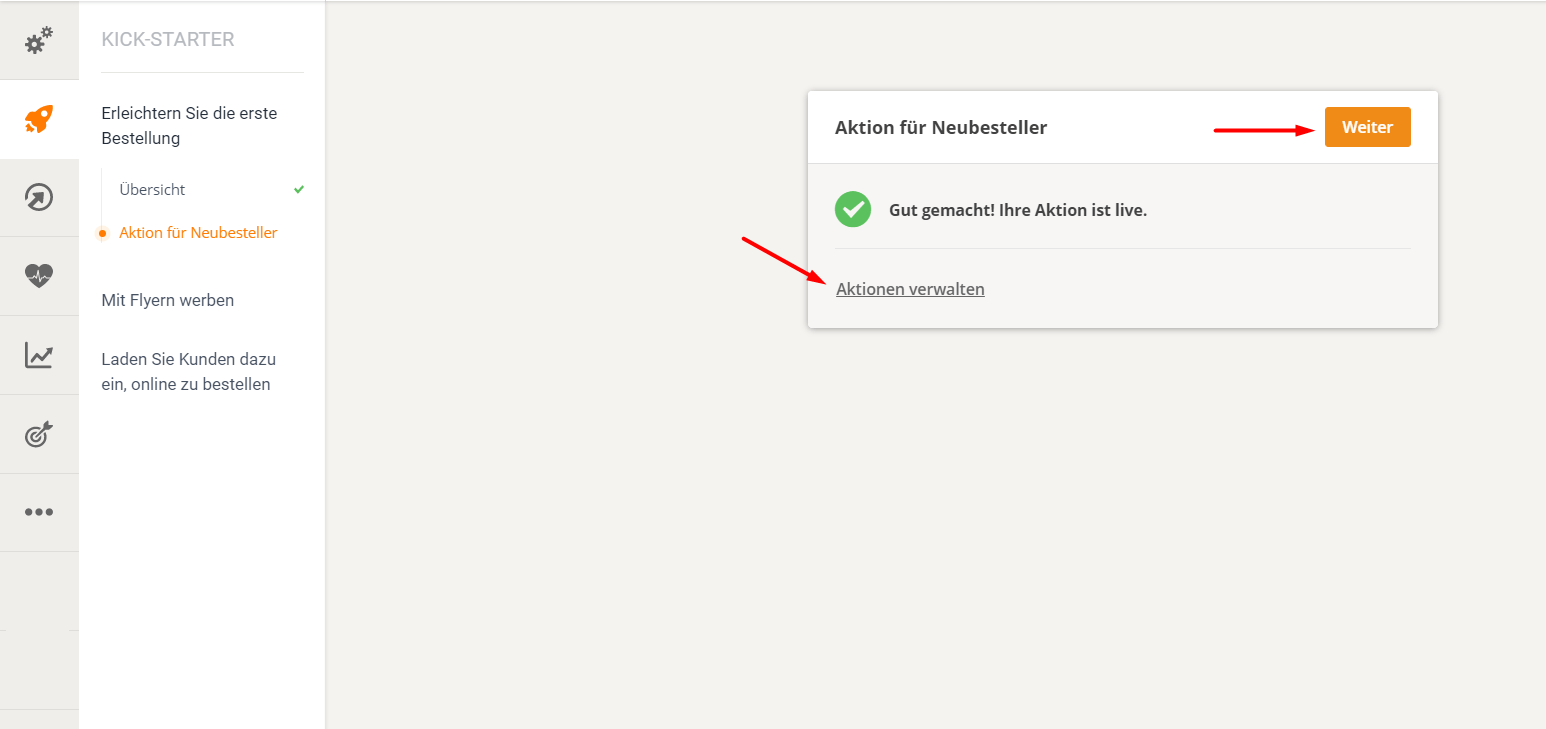
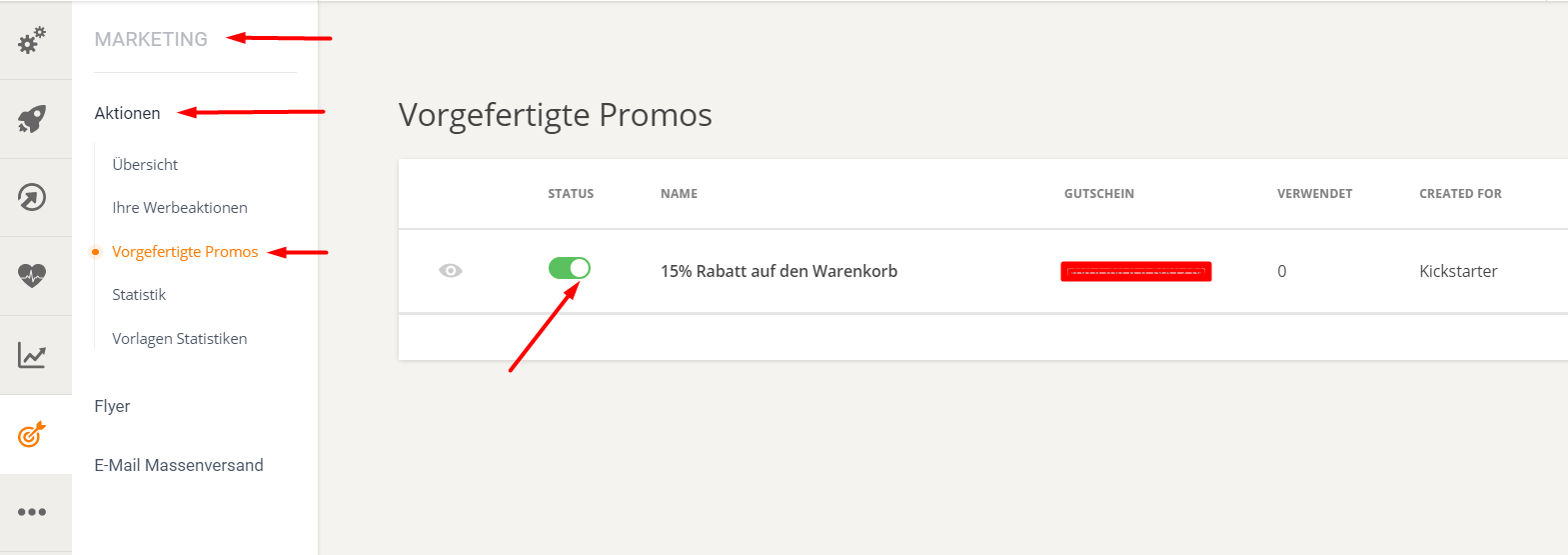
This leads to Marketing -> Promotions -> Pre-built Promotions. Here, the restaurant can deactivate/activate or review the promotion, view the frequency of first-time use of the promotion, or display the name of the individual coupon, which can be promoted in various ways.