



Create a dashboard for restaurants
Create a dashboard for restaurants (chains) with multiple locations.
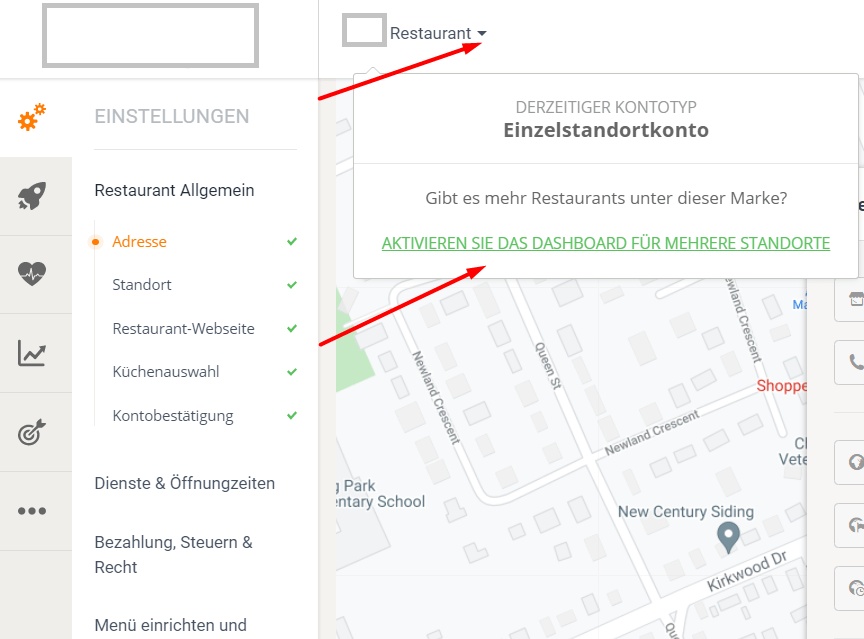
For restaurants with multiple locations, click the additional option arrow next to the restaurant name in the restaurant admin area to activate the multi-location dashboard:
Under the hood, a "parent" account is created that represents the brand and consolidates all locations. In terms of the user interface, this parent account is this dashboard:
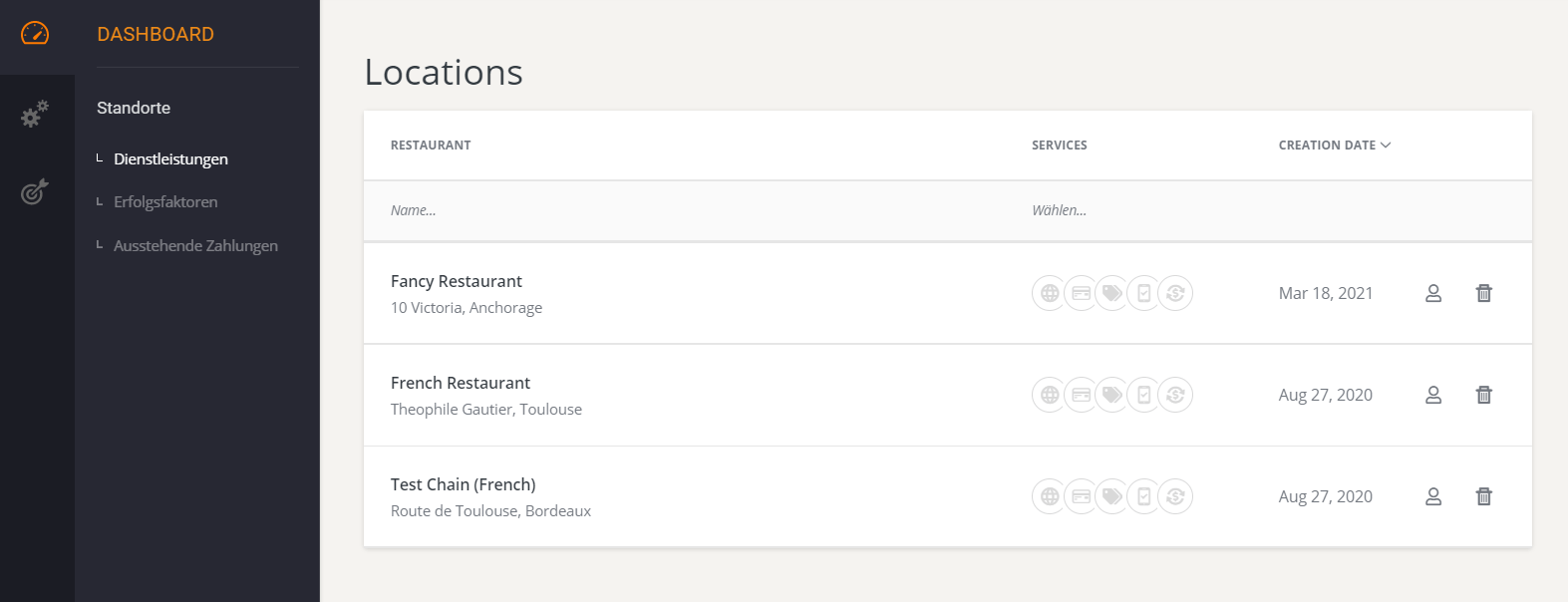
The idea is simple: Location-specific information (such as address, opening hours, delivery service, etc.) is managed by accessing each location within the familiar restaurant interface. General settings (such as menus and promotions) are managed at the chain level from this parent account.
The account holder can set this up as follows:
- Delivery zones;
- Opening hours;
- Pick-up and table reservation.
Menu management
This is how menu sharing between locations works.
The dashboard has a section called Menus. Here, the account owner can edit the "master" menu and assign it to all locations. This way, the account owner can make a price change – let's say – once and have it automatically propagated to all restaurant locations.
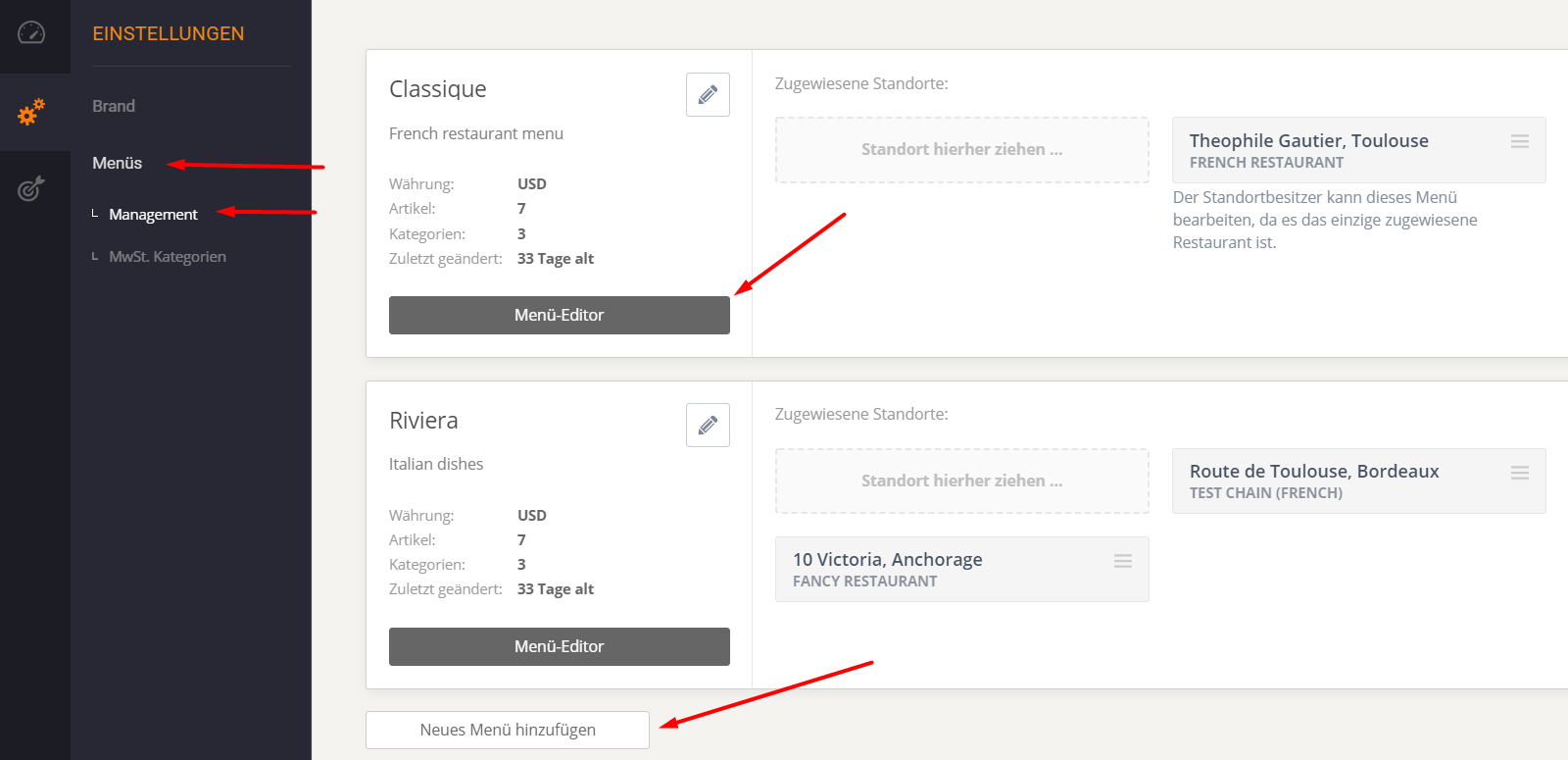
If not all locations can function with a menu, the account owner can easily create multiple versions by duplicating an existing one or starting from scratch. Create as many menus as needed and assign them to their positions by dragging them into the right-hand menu.
Promotional campaigns
Since the menus for restaurants with multiple locations are managed at the chain level, so are the promotions.
Note the dedicated Marketing tab in the chain dashboard:
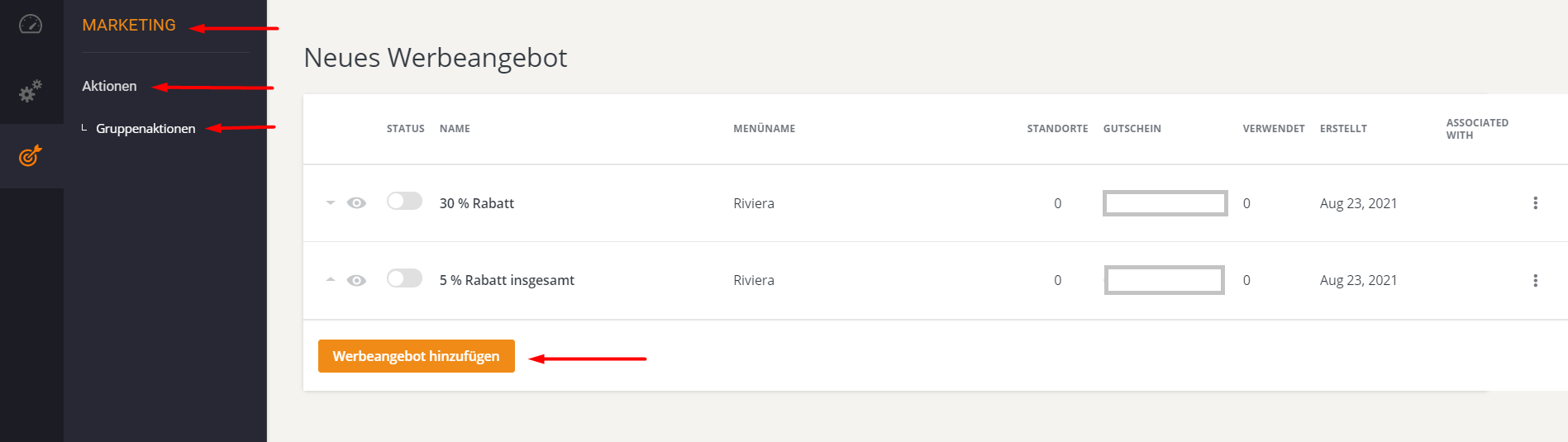
It is possible to create one or more actions for each online menu.
To run multiple advertising campaigns simultaneously, the Advanced Advertising Module (paid service) must be activated.
The restaurant has full flexibility in determining which location uses which promotions.
- uniform menu and promotions for all locations or
- different actions for each location or
- everything in between.
Branded mobile app
The branded mobile app has been improved to function in chain mode. All locations are listed within the same app, allowing customers to select the location from which they wish to order.
See how it works in the Pronto Chain demo app on the Google Play Store.
The brand app looks and behaves the same on iOS as the Android version.