Order acceptance app: Recommended devices and connectivity status
Order acceptance app: Recommended devices and connectivity status
In order for a restaurant to accept orders, it must first have a special tablet or smartphone on which the order-taking app is installed. The app should be open continuously during the restaurant's opening hours.
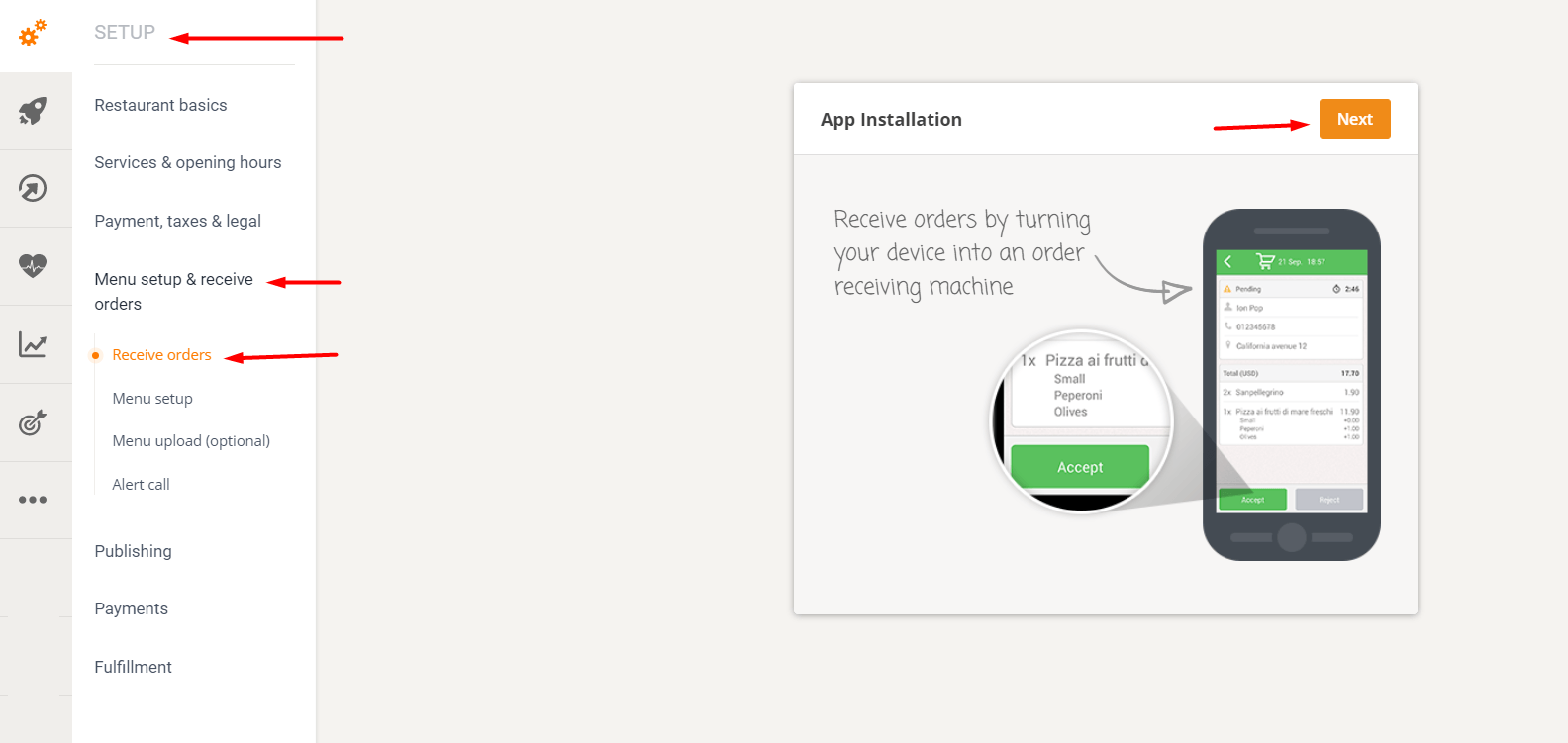
To install the app, go to Setup -> Menu > Setup & Receive Orders -> Receive Orders and click "Next". Select the device type, enter the phone number/email address used on the tablet, and begin the app installation.
Recommended devices for the mobile order-taking app
The minimum requirements for a tablet/smartphone to accept orders are:
- Option to charge during operation
- Good Wi-Fi signal (if the restaurant wants to connect via a Wi-Fi hotspot)
- Speakers
- Android v 4.4 or higher (with Google Play support)
- iOS 9 or later
- Properly functioning devices (reliable, solid, without broken charging ports, misaligned screens, etc.).
- At least 1 GB of RAM, preferably 2 GB of RAM
As a rule of thumb, any tablet with a selling price between $100 and $200 would do the job, and some great deals can be found for the specifications mentioned above.
This is an example of a mid-priced tablet to try out.
Google Play should be installed on Android devices; a Kindle Fire, for example, would not be suitable.
Please note: Cheap Android tablets are generally optimized for battery life, which can lead to connectivity issues. It's very important to get a premium or at least mid-range Android tablet (Samsung Galaxy S line, Lenovo Yoga line, Huawei M line, Google Pixel C); otherwise, get an iOS tablet, even if it's a version or two older, or an Android phone.
Restaurant ordering that takes into account the state of app connectivity
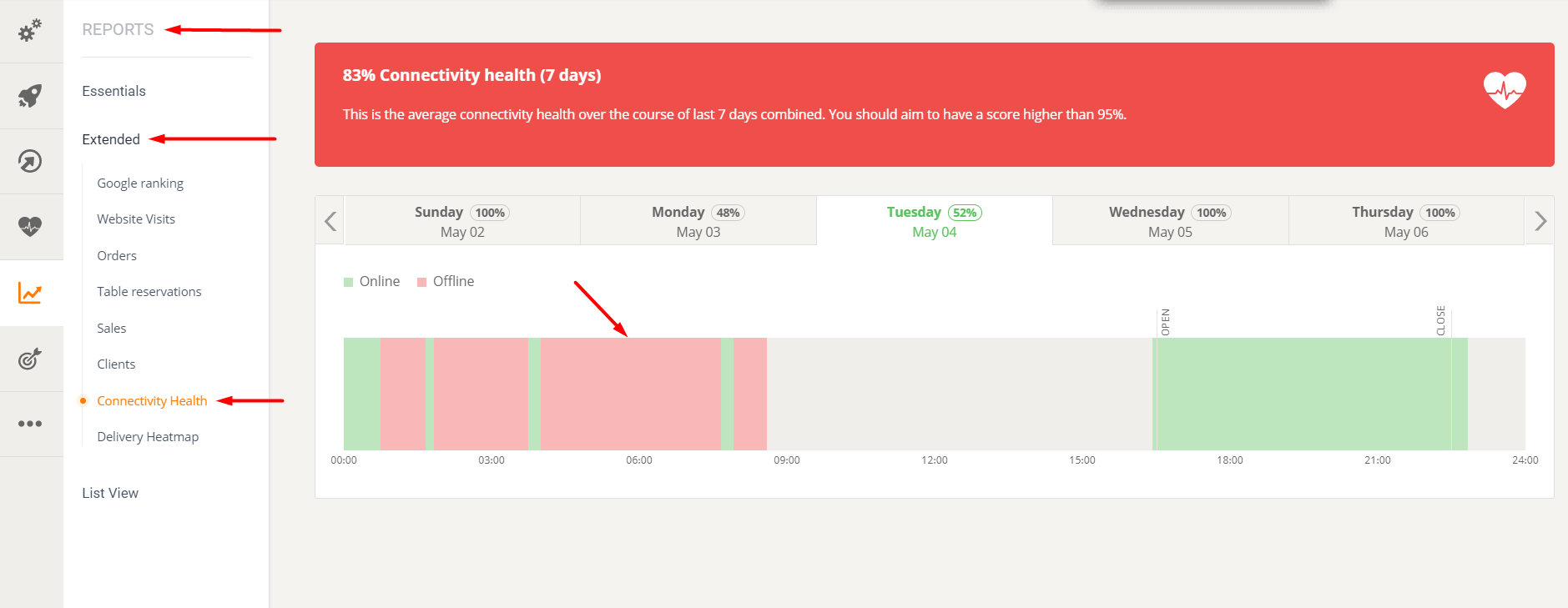
The system checks every few minutes whether it still has a connection to the phone/tablet on which the restaurant has installed the order-taking app.
Sometimes the internet connection can be temporarily interrupted for various reasons, regardless of whether the restaurant has a data plan or Wi-Fi.
To avoid connectivity problems, the restaurant must ensure that it has the following:
- The order acceptance app, which is installed on a dedicated device.
- Good Wi-Fi or mobile data signal
- No battery saving app installed (for the restaurant order taking app for Android devices)
- No task killer installed (also for Android devices)
- Internet connection (tested by accessing www.google.com via personal device)
- Make sure the order taking app is running in the foreground (the app does not work in background mode).
Remember that good connectivity means the order-taking app is open and grocery customers can place orders. Poor connectivity means missed orders.