



Autopilot Sales - Overview
Autopilot Sales - Overview
What does Autopilot sell?
Autopilot Selling is a service that helps restaurants increase sales and customer loyalty by sending automated messages via email and SMS. It includes a range of pre-built campaigns targeted at the restaurant's food customers based on their purchase history.
How does it work?
Once the restaurant activates the Autopilot service, it can customize and activate its campaigns. While Autopilot is active, it segments the restaurant's dine-in customers based on their last order date and the total number of orders. This allows it to identify recent customers, those who order most frequently, and those who are inactive.
Every day, Autopilot monitors the customer segments and delivers the relevant news:
- Seven days after a customer places their first order, the "Promote second order" campaign is sent.
- It sends the "Abandoned Cart" campaign after 1-2 hours if an order has been started and not completed;
- It monitors the customer's last order date and starts the "re-engagement" campaign if the customer slips away.
Where does the restaurant find the service staff?
The restaurant can be found in the Admin area under the Kick-Starter section.
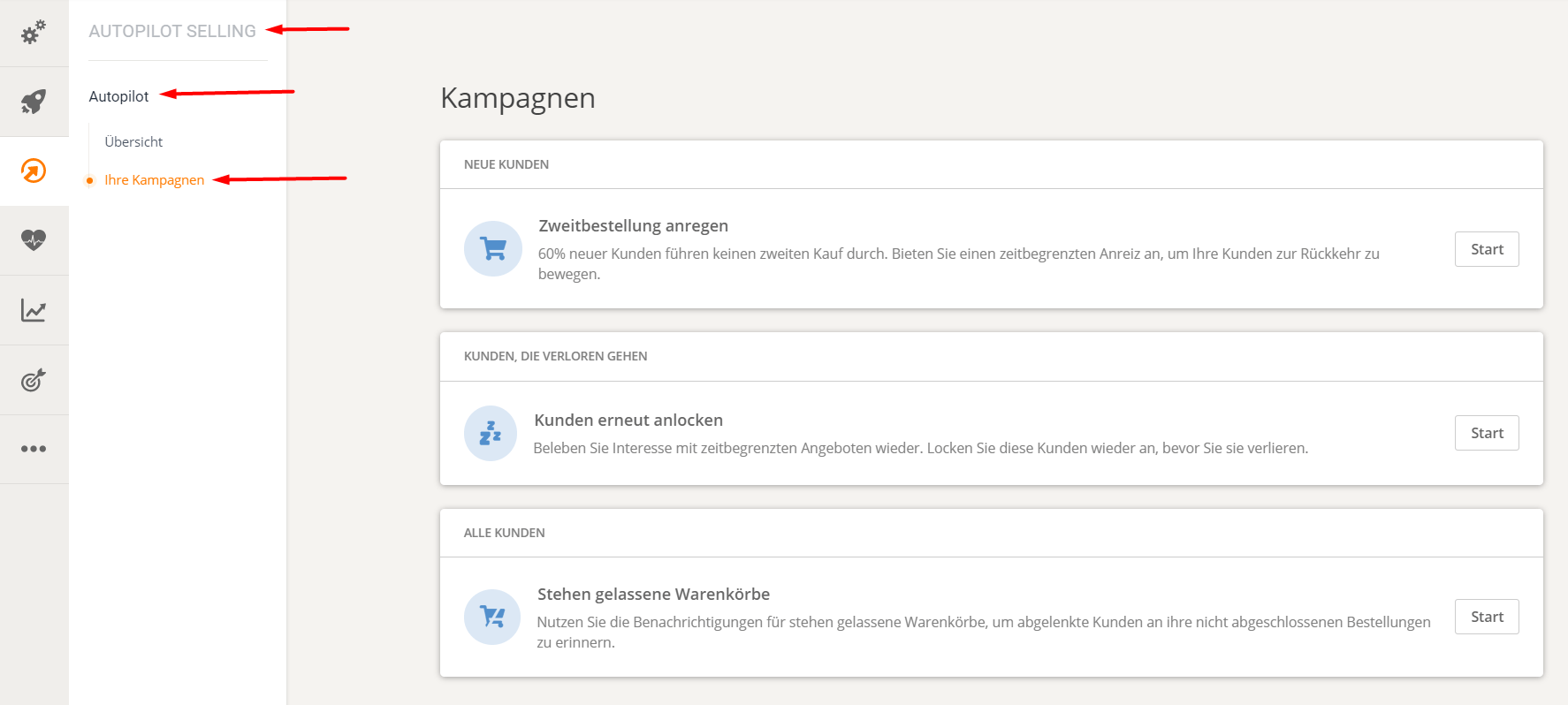
Autopilot campaigns available
There are 3 Autopilot campaigns available:
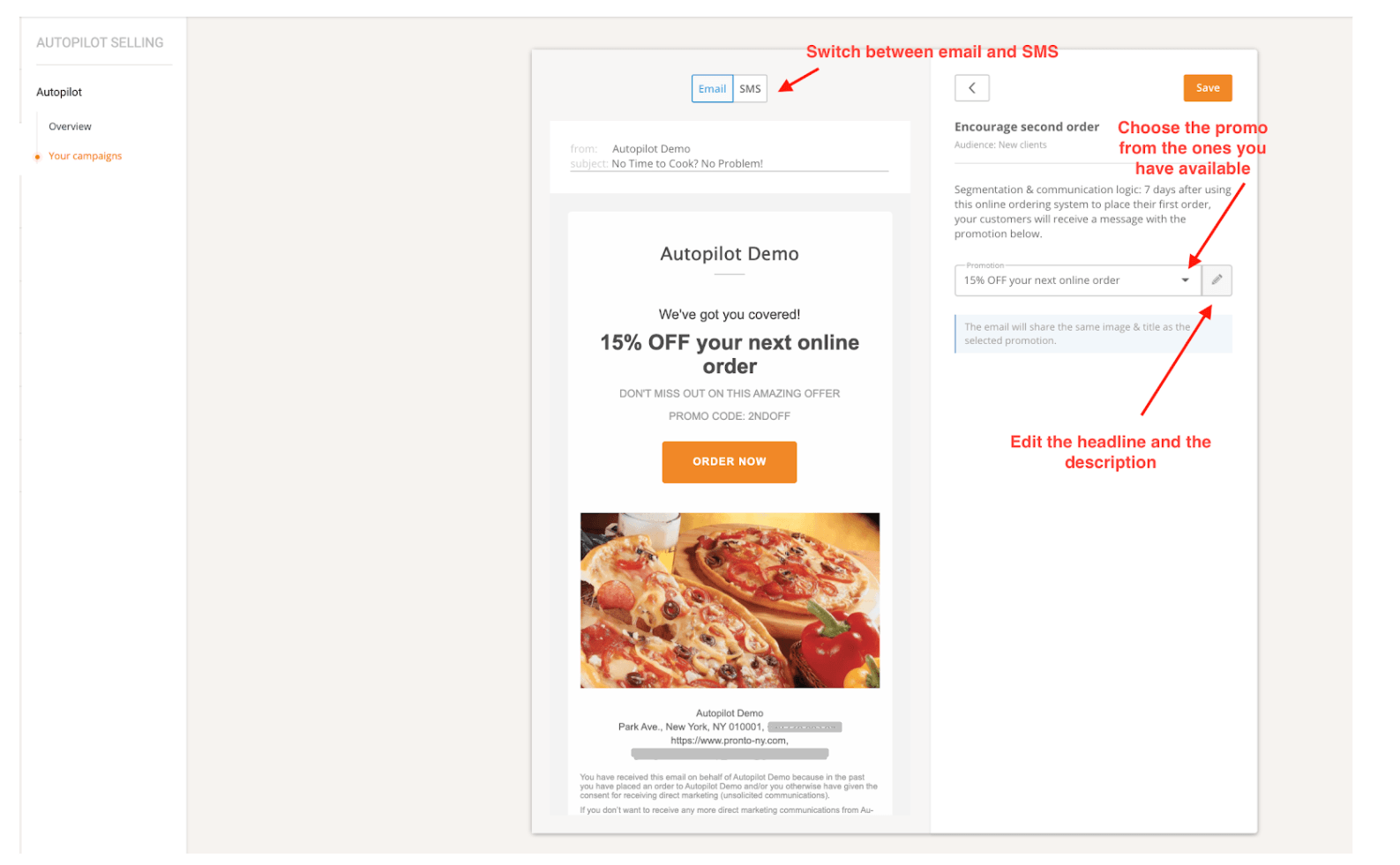
1. Encourage the second order
The key to customer retention is to turn the restaurant's one-time customers into regular customers as quickly as possible.
- Recipients: Customers who recently placed their first online order
- Message type: Email and/or SMS
- Timeframe: 7 days after the first order
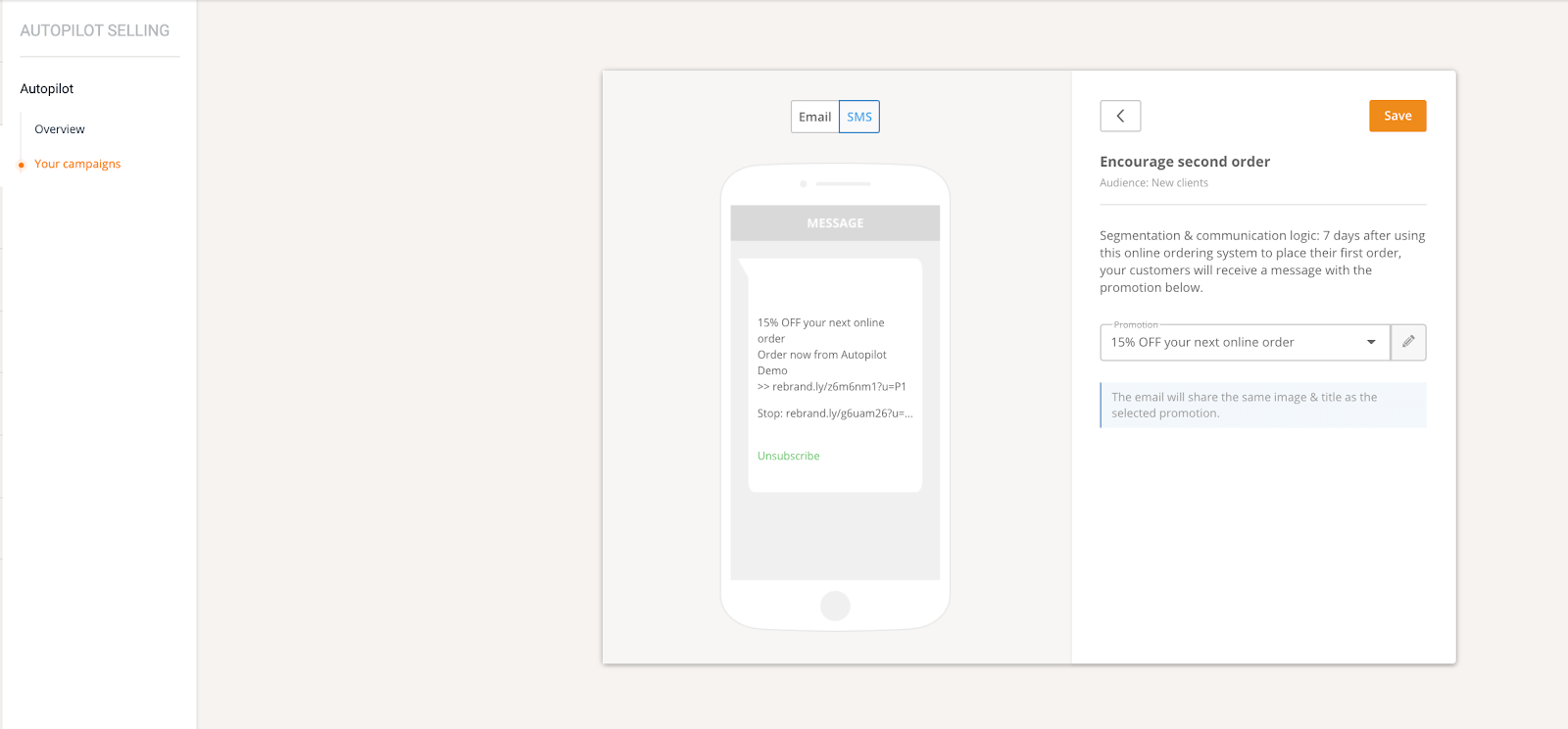
Clicking on "SMS" changes things slightly, but the message is the same:
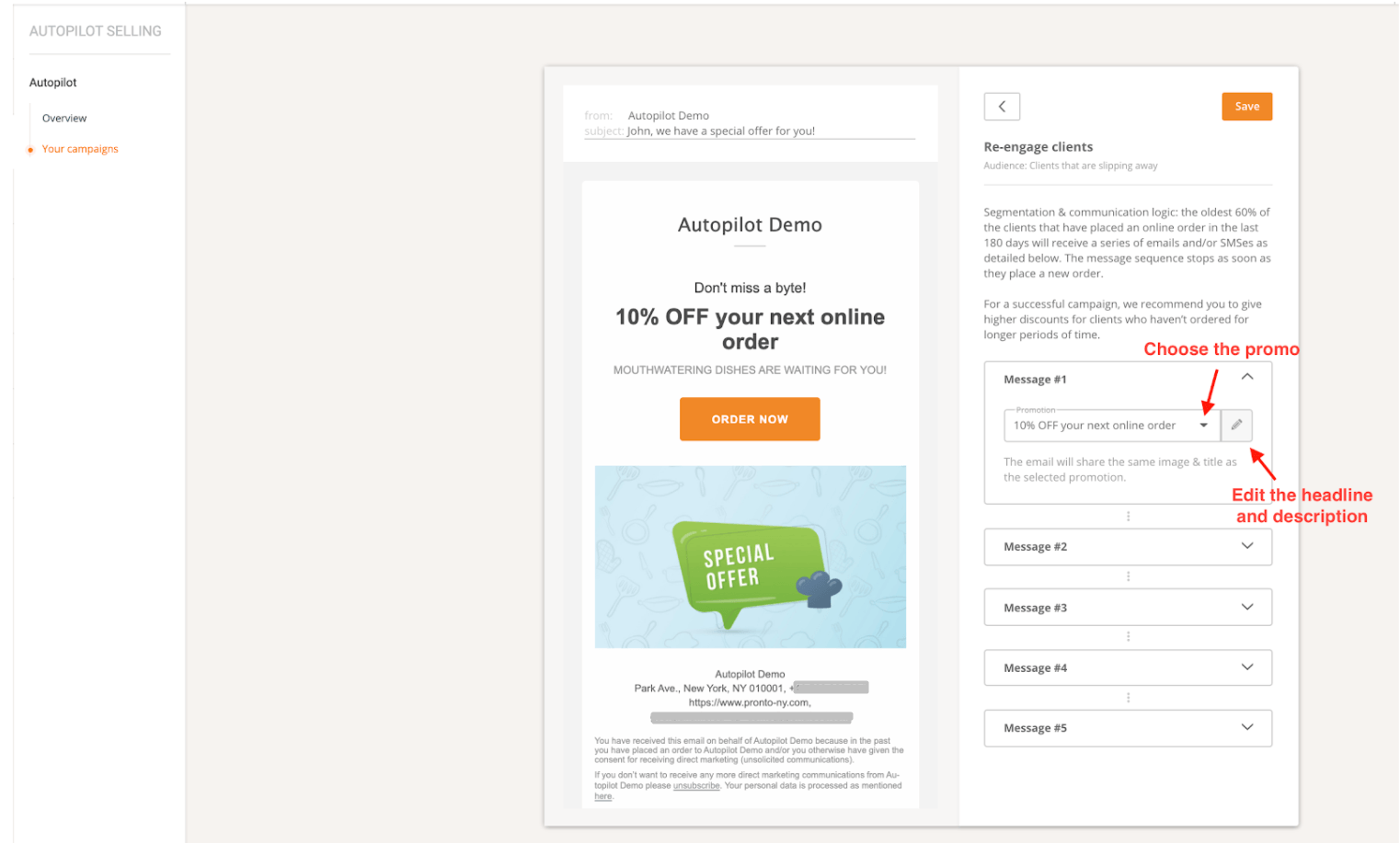
2. Re-engage customers
Acquiring new customers and fostering loyalty is hard work. It's much cheaper to identify those who are evading and send them targeted offers to encourage repeat business.
- Recipients: Customers who have not ordered for some time*
- Message type: Series of emails and/or SMS messages
- Timing: The campaign starts as soon as the customer is identified as churning. The campaign ends as soon as the customer places another order.
*The order frequency of the restaurant's regular customers varies throughout the year due to seasonality or other events (such as the recent pandemic). For this reason, segmentation techniques are used to identify "at-risk customers." The system considers all of the restaurant's food customers who have placed orders within the last six months. From this list, the 60% who have ordered the least recently are the target audience for this campaign.
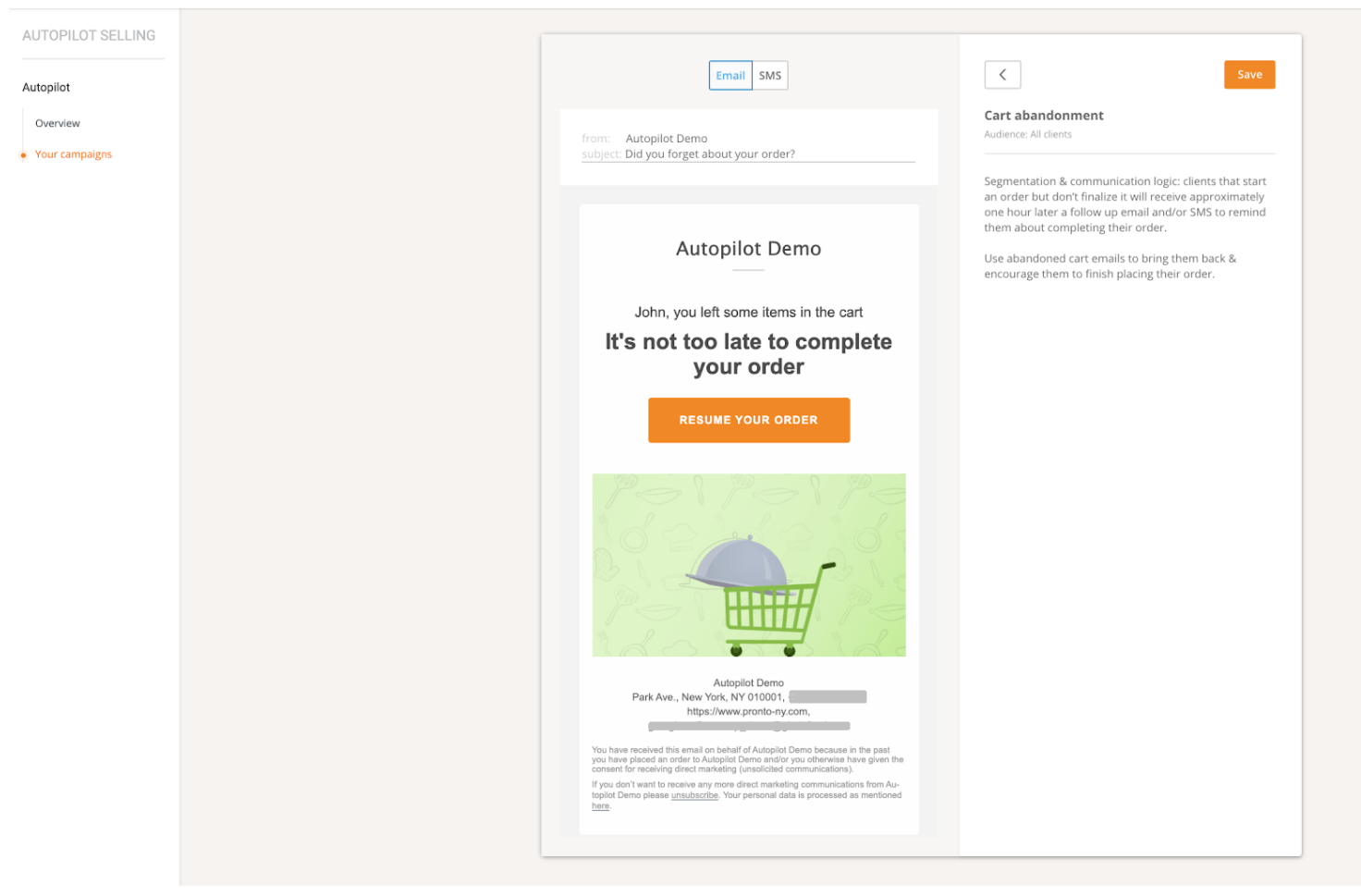
3. Shopping cart abandonment
Recover some of the lost sales by reminding grocery customers to come back and complete their unfinished orders.
- Recipients: Customers who started an order but did not complete it.
- Message type: Email and/or SMS
- Timing: 1-2 hours after the start of an order
Please note that these campaigns rarely use both email and SMS simultaneously. Depending on customer response (orders generated and unsubscribe rates), only one or the other will be sent.
How much can the restaurant customize the campaigns?
The messages displayed when clicking "Activate" in one of the campaigns come from the promotions that the restaurant offers its customers.
However, these are only suggestions, so the restaurant has full control over the promotions and text used in these restaurant marketing campaigns.
For a good user experience, it's important that the messages in these campaigns match what the user sees in the order widget. Therefore, the images and headlines the restaurant uses in its promotional materials are automatically included in the emails as well.
While the restaurant can customize most of the content of these messages, what it cannot change is the template. This is designed for sales in close alignment with the chosen campaign logic. Essentially, some things need to "stay in the right place" for the platform to execute the autopilot logic correctly.
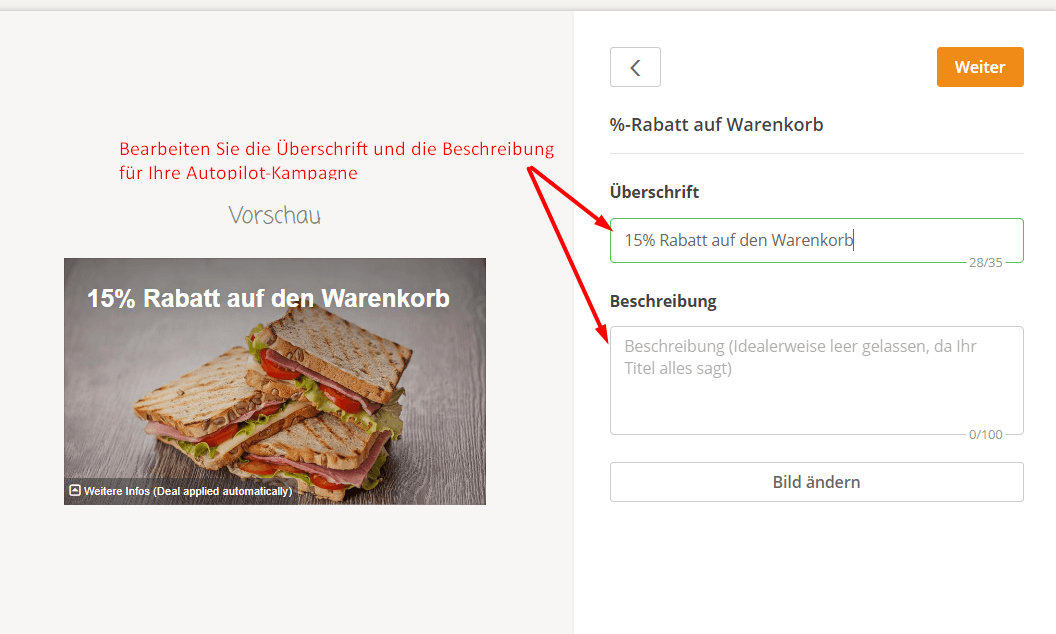
The only campaign where the restaurant cannot edit anything because it doesn't contain an offer is "Abandoned Cart". For "Encourage Second Order" and "Re-engage Customer", clicking the edit button for the messages takes you to a screen where you can edit the headline and description of your offer, which you can also change within the campaign.
If restaurants require more customization than this system allows, they can export customer data for food from Reports -> List View -> Customers or Orders and set up their own marketing campaigns using third-party services and agencies.